

Lingueez - Vocabulary Builder (lingueez)
Install latest/stable of Lingueez - Vocabulary Builder
Ubuntu 16.04 or later?
Make sure snap support is enabled in your Desktop store.
Details for Lingueez - Vocabulary Builder
Package name
- lingueez
License
- AGPL-3.0-or-later
Last updated
- 5 November 2026 - latest/stable
- 5 November 2026 - latest/edge
Websites
Contact
Donations
Source code
Report a bug
External link warning
You are about to open
Do you wish to proceed?
Report a Snap Store violation
Report Lingueez - Vocabulary Builder for a Snap Store violation
Snap Store Violation Report submitted successfully
Thank you for your report. Information you provided will help us investigate further.
Error submitting report
There was an error while sending your report. Please try again later.
Share this snap
Generate an embeddable card to be shared on external websites.
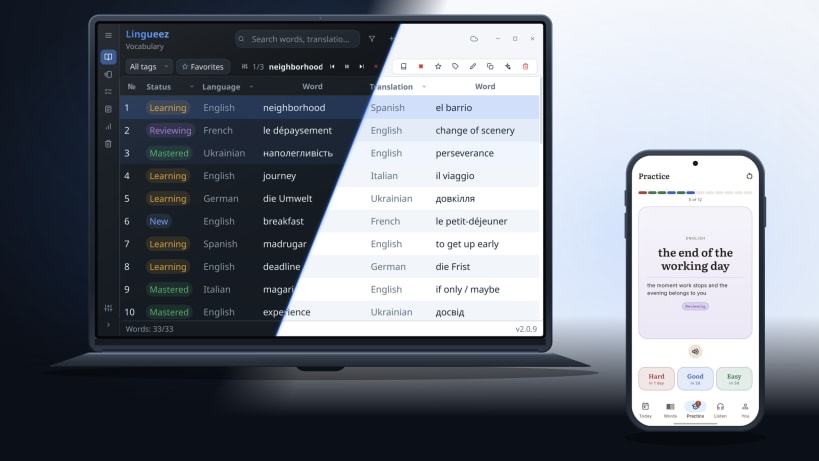
Study and build vocabulary across languages
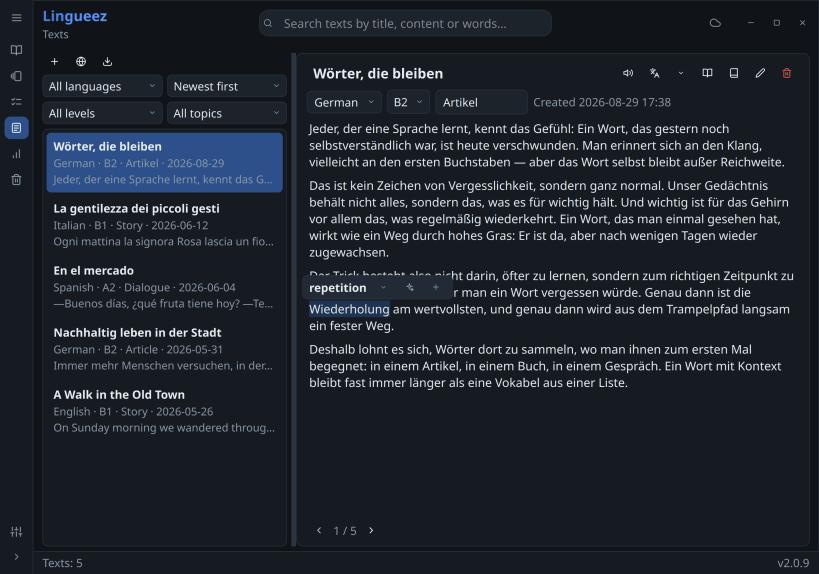
Lingueez helps you build vocabulary across languages and actually remember it.
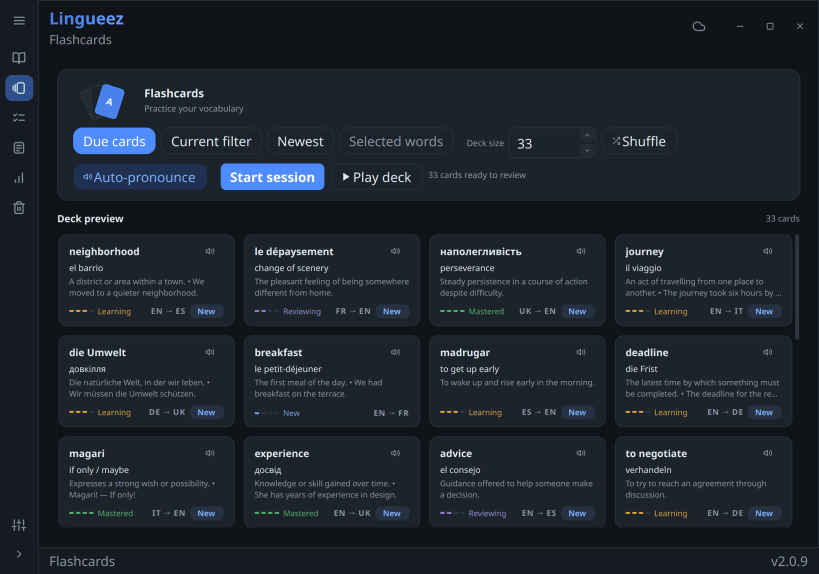
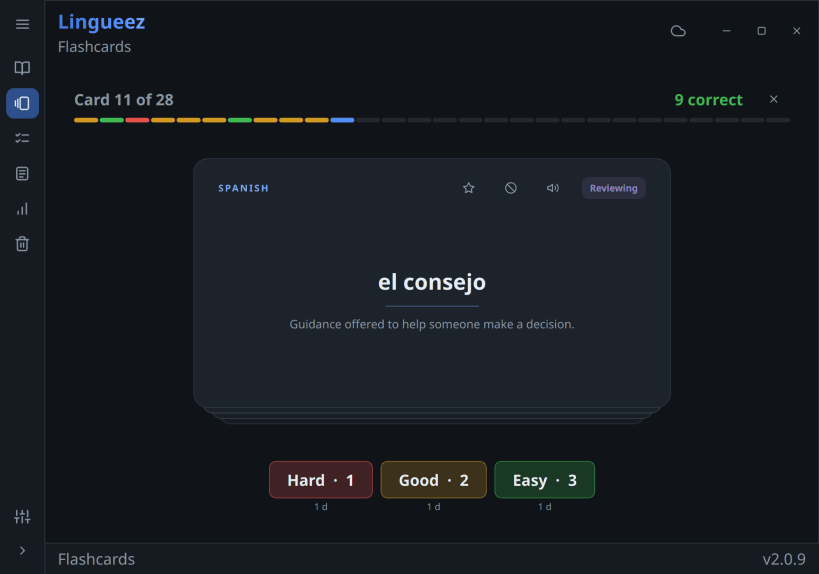
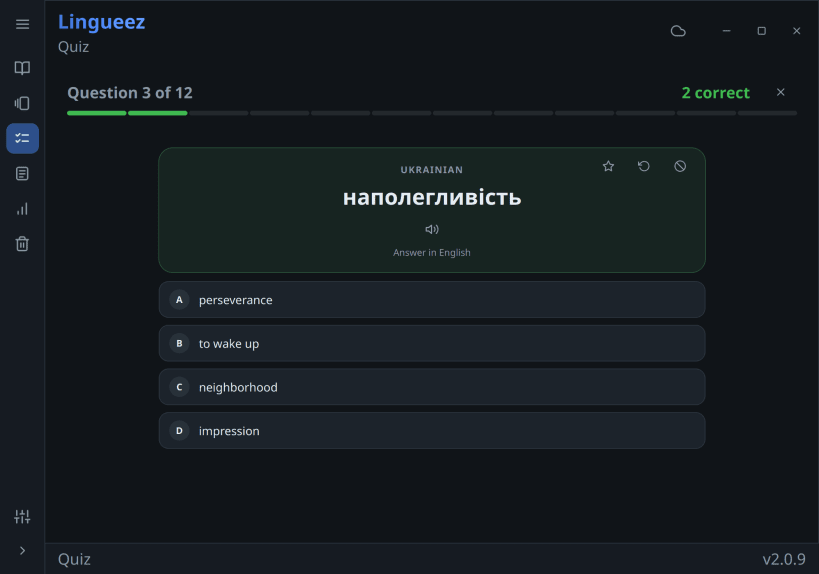
Add a word the moment you meet it — from any app, with a global shortcut — and Lingueez looks up its definition and translation for you. It then turns your personal word list into spaced-repetition flashcards that resurface each word right before you'd forget it, so your study time goes where it's needed most. And when recognizing a word is no longer enough, the quiz asks you to pick the right answer — or type it out yourself, in either direction.
Beyond flashcards, Lingueez reads your words aloud with natural text-to-speech and generates short reading passages built from the vocabulary you're learning, so you see every word in real context.
Your library is yours: everything works offline, with no account required. Sign in only if you want your words and progress synced across devices.
Free and open source. No ads, no subscription.
Key features:
- Instant capture — a global hotkey adds a word from any app, with the translation and definition filled in
- Flashcards — SM-2 spaced repetition, custom decks, and an audio mode that flips cards in time with the voice
- Quiz — multiple choice or typed answers, in both directions, with instant feedback
- Read-aloud — natural text-to-speech in 65 languages, plus MP3 export
- Reading — import from files, the web, Wikipedia, or RSS, with side-by-side translation and synced audio
- Statistics — status breakdown, daily streaks, and progress over time
- 105 languages for your words, 32 for the interface
- Import and export — Excel in; PDF, Excel, CSV, MP3, or Anki-ready TXT out
- Works offline, with optional cloud sync
| Revision | Channel | Version | Build | Commit | Download SBOM |
|---|
The build and commit information is derived from build infrastructure records.
Install Lingueez - Vocabulary Builder on your Linux distribution
Choose your Linux distribution to get detailed installation instructions. If yours is not shown, get more details on the installing snapd documentation.











