

Make a Calendar Studio
Install latest/edge of Make a Calendar Studio
Ubuntu 16.04 or later?
Make sure snap support is enabled in your Desktop store.
Install using the command line
sudo snap install make-a-calendar-studio --edgeDon't have snapd? Get set up for snaps.
Details for Make a Calendar Studio
Package name
- make-a-calendar-studio
License
- MIT
Last updated
- Yesterday - latest/edge
Websites
External link warning
You are about to open
Do you wish to proceed?
Report a Snap Store violation
Report Make a Calendar Studio for a Snap Store violation
Snap Store Violation Report submitted successfully
Thank you for your report. Information you provided will help us investigate further.
Error submitting report
There was an error while sending your report. Please try again later.
Share this snap
Generate an embeddable card to be shared on external websites.
Design calendars and schedules, then export crisp documents offline
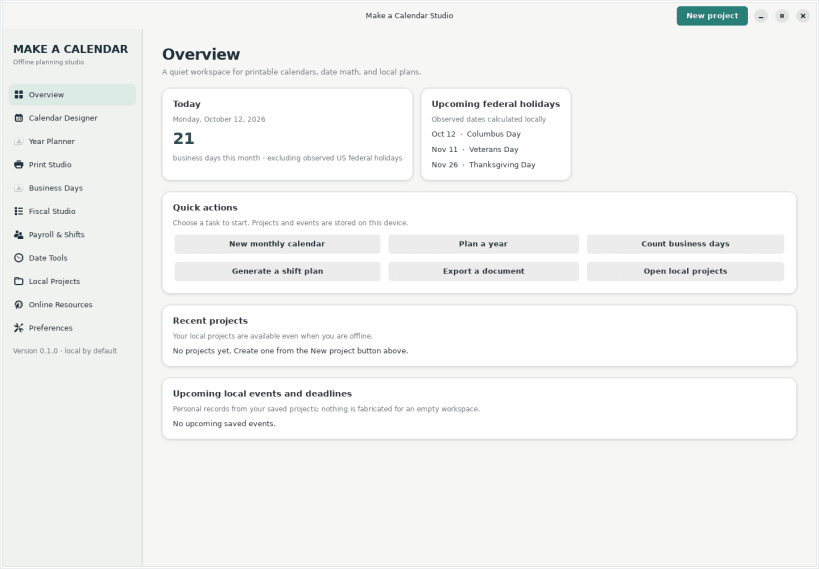
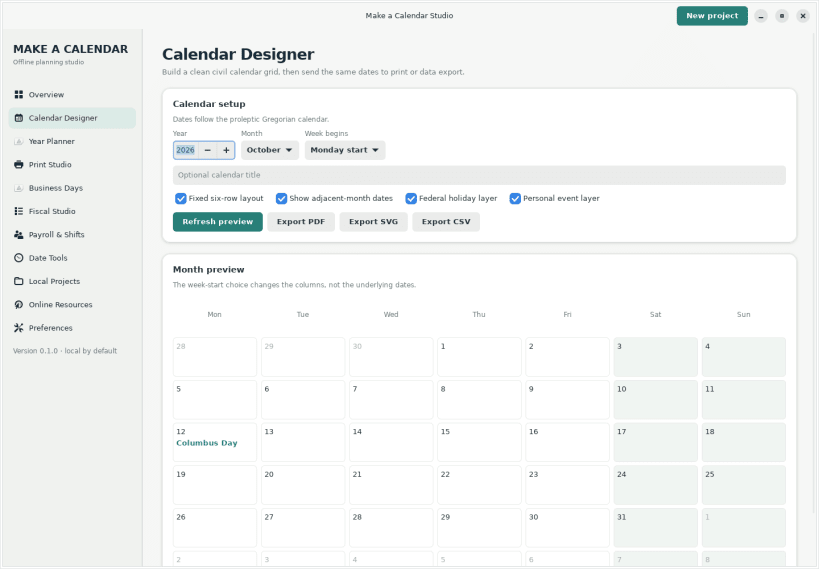
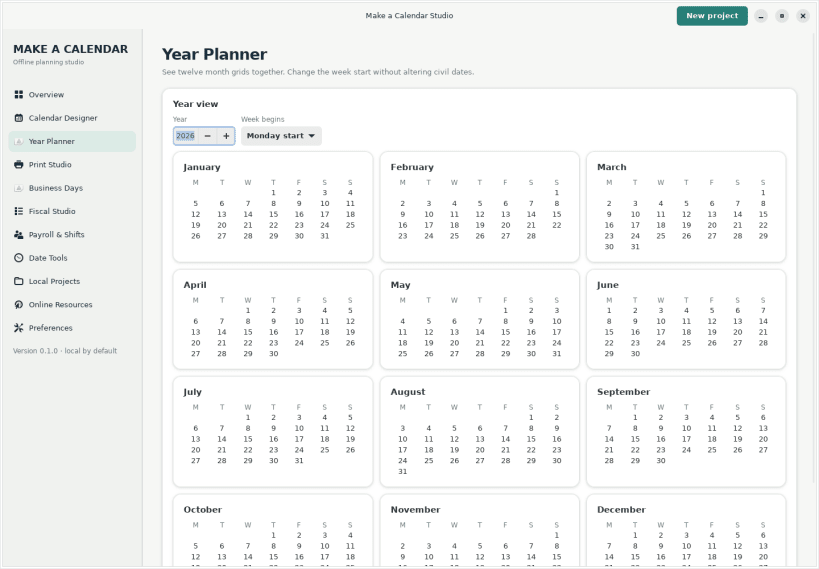
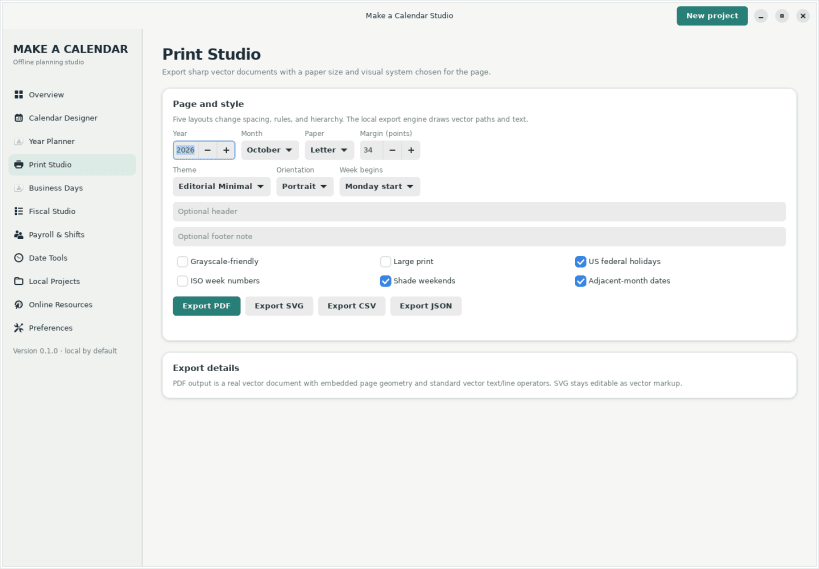
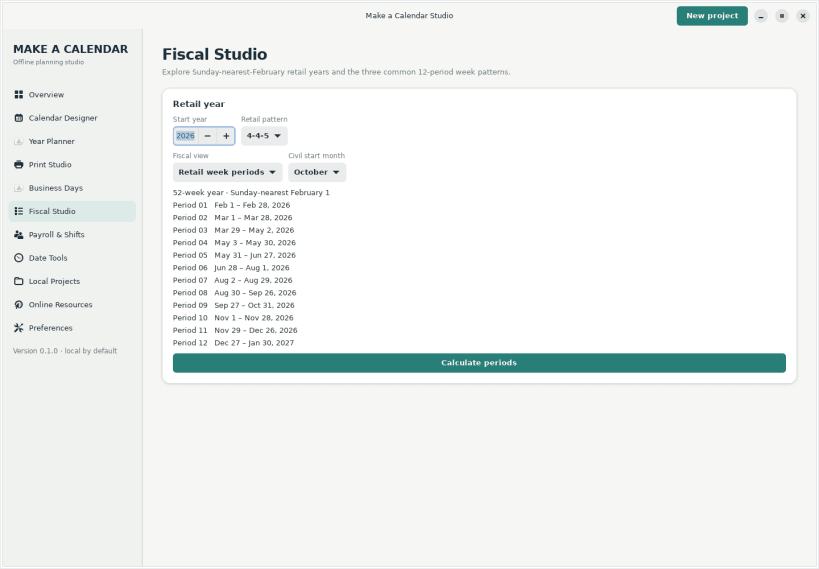
Make a Calendar Studio is an offline-first Linux desktop workspace for designing printable calendars and planning date-driven work. Create monthly and yearly grids, save local projects, count business days around US federal holidays, plan payroll dates and rotating shifts, compare 4-4-5, 4-5-4, and 5-4-4 fiscal periods, convert dates, and export vector PDF/SVG, CSV, JSON, or ICS data. Calendar data and saved projects stay on your device. Optional Make a Calendar resources open in your browser only when selected. This independent, original application was created by Ethan, the developer behind Make a Calendar.
Explore Make a Calendar resources Use these browser-based tools and date references alongside the offline desktop app:
- Make a Calendar: https://make-a-calendar.com/
- Calendar generator: https://make-a-calendar.com/calendar-generator
- Printable monthly calendars: https://make-a-calendar.com/monthly-calendars
- Blank calendar templates: https://make-a-calendar.com/pages/blank-calendar
- Multi-month calendar: https://make-a-calendar.com/multi-month-calendar
- Business-day calculator: https://make-a-calendar.com/business-days-calculator
- Pay-period calendar: https://make-a-calendar.com/pay-period-calendar
- Rotating-shift calendar: https://make-a-calendar.com/shift-calendar
- Fiscal calendar: https://make-a-calendar.com/fiscal-calendar
- 4-4-5 calendar: https://make-a-calendar.com/445-calendar
- 4-5-4 calendar: https://make-a-calendar.com/454-calendar
- 5-4-4 calendar: https://make-a-calendar.com/544-calendar
- Date tools: https://make-a-calendar.com/date-tools
- Date converters: https://make-a-calendar.com/converters
- iCalendar generator: https://make-a-calendar.com/ical-generator
Source code and issue tracker: https://github.com/makeacalendar/make-a-calendar-studio-linux
| Revision | Channel | Version | Build | Commit | Download SBOM |
|---|
The build and commit information is derived from build infrastructure records.
Install Make a Calendar Studio on your Linux distribution
Choose your Linux distribution to get detailed installation instructions. If yours is not shown, get more details on the installing snapd documentation.











