

SnapDock - Markdown Workspace (markdown-workspace)
Install latest/stable of SnapDock - Markdown Workspace
Ubuntu 16.04 or later?
Make sure snap support is enabled in your Desktop store.
Install using the command line
sudo snap install markdown-workspaceDon't have snapd? Get set up for snaps.
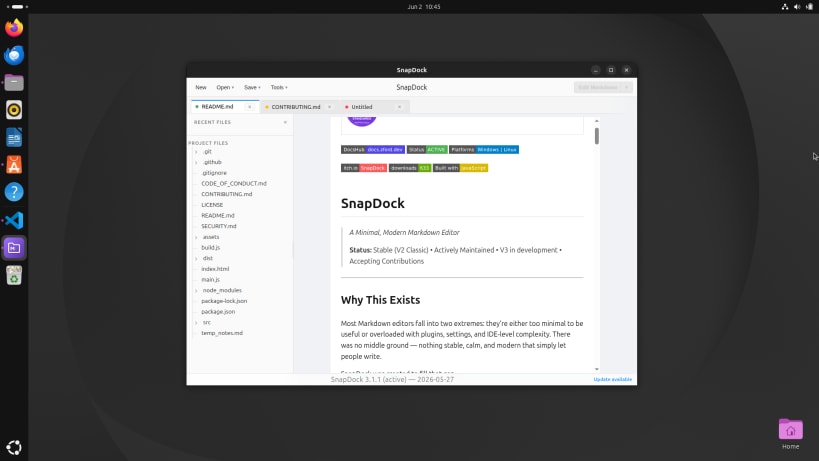


Details for SnapDock - Markdown Workspace
Package name
- markdown-workspace
License
- MIT
Last updated
- 23 August 2026 - latest/stable
- 7 September 2026 - latest/edge
Websites
Donations
Source code
Report a bug
External link warning
You are about to open
Do you wish to proceed?
Report a Snap Store violation
Report SnapDock - Markdown Workspace for a Snap Store violation
Snap Store Violation Report submitted successfully
Thank you for your report. Information you provided will help us investigate further.
Error submitting report
There was an error while sending your report. Please try again later.
Share this snap
Generate an embeddable card to be shared on external websites.
A Markdown workspace for your notes, documentation and projects.
Your files. Your focus.
Write notes, project briefs, documentation or anything else that belongs in a Markdown file. SnapDock brings your files, folders, tabs and previews together in one desktop editor.
Open a folder, move between files and see your Markdown as you work with a full or side-by-side preview. Everything stays in ordinary Markdown files on your computer.
Simply Markdown.
- Browse project folders and keep multiple files open in tabs.
- Switch between editing, full preview and an adjustable side-by-side view.
- Render code blocks, tables, task lists, footnotes and callouts.
- Search your document, check spelling and keep track of your word count.
- Choose from Light, Dark, Solarized, Arctic Dark and Forest themes.
- Export your rendered document directly to PDF.
Your Markdown stays yours
SnapDock works with ordinary Markdown files on your computer. No account, proprietary document format or subscription required. It is free and open source under the MIT licence.
| Revision | Channel | Version | Build | Commit | Download SBOM |
|---|
The build and commit information is derived from build infrastructure records.
Install SnapDock - Markdown Workspace on your Linux distribution
Choose your Linux distribution to get detailed installation instructions. If yours is not shown, get more details on the installing snapd documentation.











