

Olivia Cloud Music Player (olivia)

Install latest/stable of Olivia Cloud Music Player
Ubuntu 16.04 or later?
Make sure snap support is enabled in your Desktop store.
Details for Olivia Cloud Music Player
Package name
- olivia
License
- MIT
Last updated
- 4 November 2024 - latest/stable
- 1 November 2025 - latest/edge
Websites
Contact
Donations
Source code
Report a bug
External link warning
You are about to open
Do you wish to proceed?
Report a Snap Store violation
Report Olivia Cloud Music Player for a Snap Store violation
Snap Store Violation Report submitted successfully
Thank you for your report. Information you provided will help us investigate further.
Error submitting report
There was an error while sending your report. Please try again later.
Share this snap
Generate an embeddable card to be shared on external websites.
Elegant Cloud Music Player for Linux Desktop
Olivia is a online/offline cloud based music player like iTunes, Spotify etc,Olivia allows you to search any music online stream it, you can set player to cache your streams while playback. Olivia lets you create and manage your music library.
Features
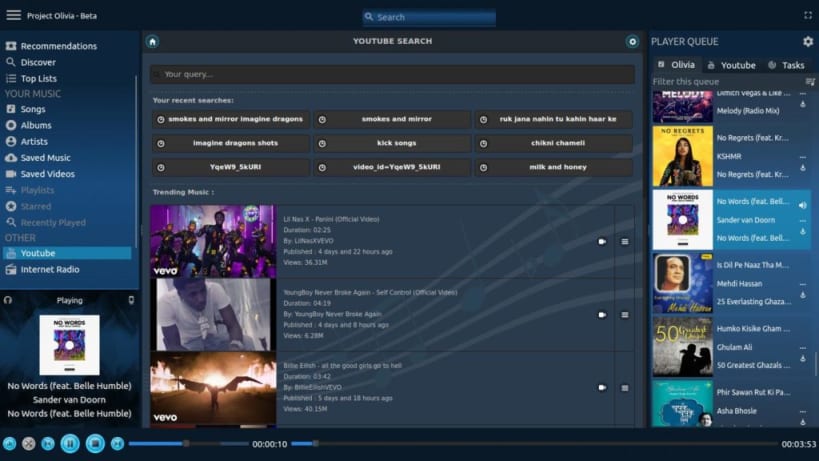
- Olivia helps you discover new music and videos like no other service do.
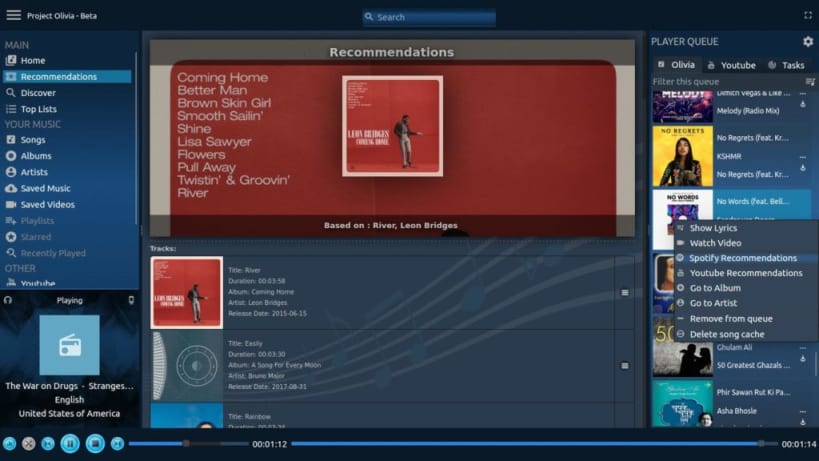
- Smart Music recommendation, can get you songs related to any song.
- Allows organise music and videos at one place.
- Olivia can save track while you are streaming it, this saves your bandwidth.
- Olivia never stops playing song for you with its smart playlist feature it automatically starts playing related songs for you once your playlist ends.
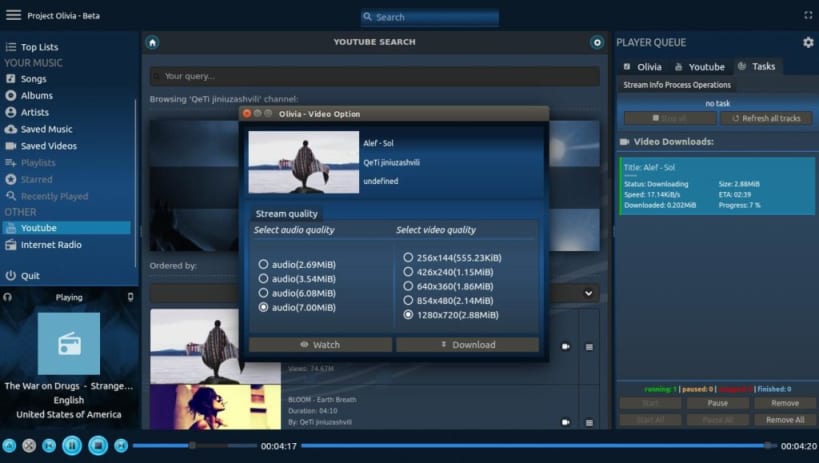
- Watch or Download Video for any song in different audio video formats and quality.
- Allows search YouTube and add result to library, sort results and all other YouTube features like browse channels.
- Plays audio only of YouTube streams (saves data bandwidth).
- Support themes , Dynamic theme based on album art.
- Intelligent Music Search suggestions engine integrated.
- Player Mini mode aminimal player widget with always on capability and allows set transparency and make it act like a desktop widget.
- Switch to Smart mode and sit back, olivia will play songs for you automatically.
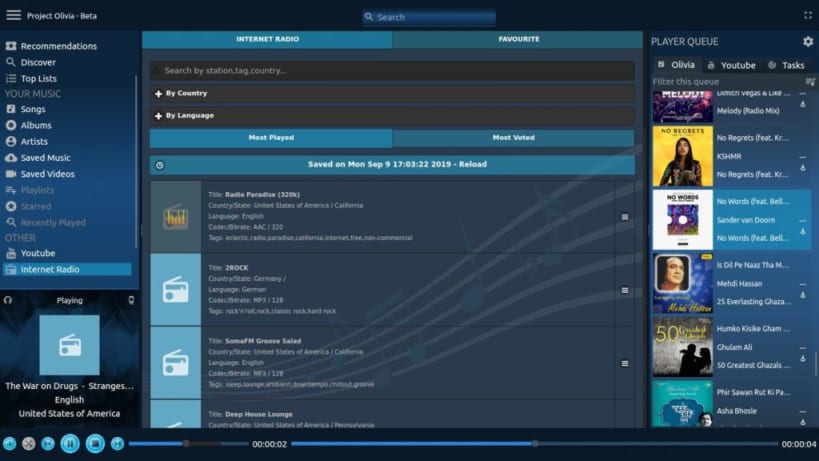
- Internet radio, allows play more than 25k online radio stations, list them sort them according to most played , most voted, language wise, country wise and by tags .
- Olivia lets you browse new music according to your location.
- Olivia lets you discover music based on their genres, moods and more.
- Its easy to discover new music - singles, albums etc easily at one place.
- Top music chart, allows list top 100 songs country wise.
- Top albums chart, allows list top 100 albums county wise.
- Beautiful Client side Decoration.
- Lyrics of playing songs and separate lyrics search.
- Powerful audio equalizers and audio filters.
- MPRIS protocol support.
- Audio export with meta tags and album art.
| Revision | Channel | Version | Build | Commit | Download SBOM |
|---|
The build and commit information is derived from build infrastructure records.
Install Olivia Cloud Music Player on your Linux distribution
Choose your Linux distribution to get detailed installation instructions. If yours is not shown, get more details on the installing snapd documentation.











