

OpenCorsairLink
Install latest/stable of OpenCorsairLink
Ubuntu 16.04 or later?
Make sure snap support is enabled in your Desktop store.
Install using the command line
sudo snap install opencorsairlinkDon't have snapd? Get set up for snaps.
Details for OpenCorsairLink
Package name
- opencorsairlink
License
- GPL-2.0+
Last updated
- 11 June 2020 - latest/stable
- 13 October 2021 - latest/edge
Websites
Contact
External link warning
You are about to open
Do you wish to proceed?
Report a Snap Store violation
Report OpenCorsairLink for a Snap Store violation
Snap Store Violation Report submitted successfully
Thank you for your report. Information you provided will help us investigate further.
Error submitting report
There was an error while sending your report. Please try again later.
Share this snap
Generate an embeddable card to be shared on external websites.
A status and control utility that iteracts with CorsairLink products
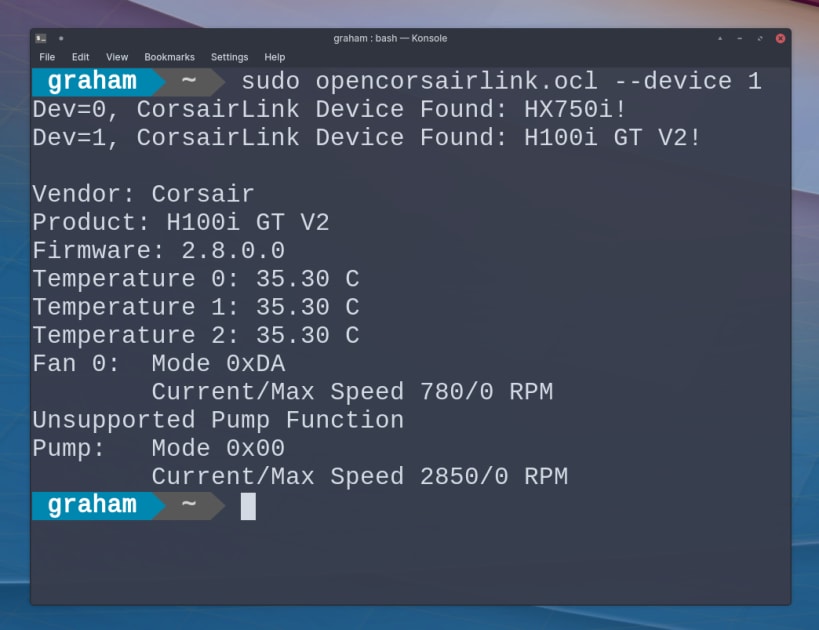
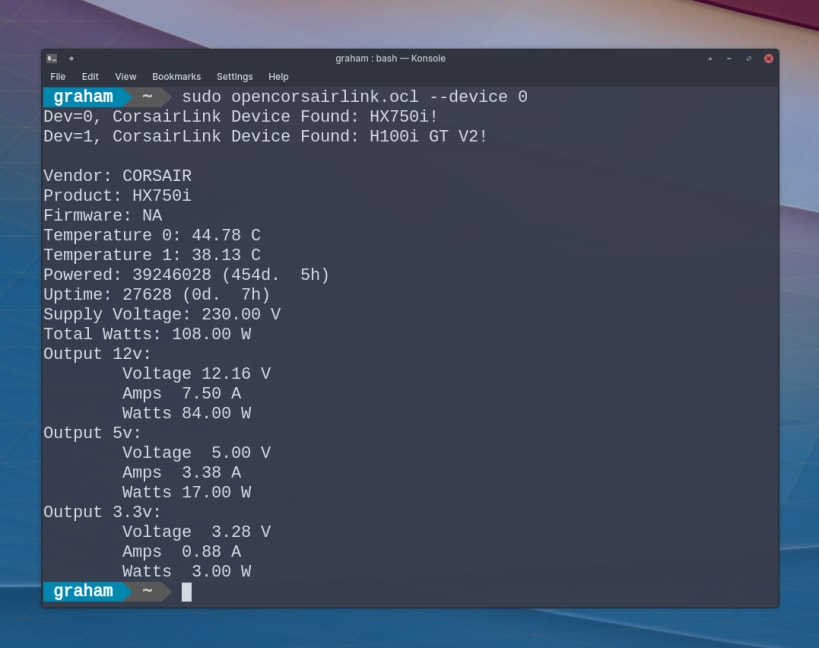
OpenCorsairLink is a command-line tool to monitor and control the fan speed, LED colour and pump volumes of specific Corsair power supplies and cooling solutions.
To allow this snap access to your device(s), issue the following connection commands:
 $ sudo snap connect opencorsairlink:raw-usb
 $ sudo snap connect opencorsairlink:hardware-observe
Examples:
To set your own custom fan curve for a specific set of temperatures, use the following command:
$ sudo opencorsairlink --device 1 --fan channel=1,mode=6,temps=0:35:45:50:55:60,speeds=0:0:55:60:75:100
To set LED colors and mode:
$ sudo opencorsairlink --device 0 --led channel=0,mode=0,colors=00FF00
To set pump cooling mode:
$ sudo opencorsairlink --device 0 --pump mode=5
OpenCorsairLink is unofficial and is not endorsed or affiliated with Corsair.
General options:
- --help: prints this message
- --version: displays version
- --debug: displays enhanced Debug Messages
- --dump: implies --debug, dumps the raw data received from the device.
- --machine: prints status in a machine readable format
- --device <Device Number> : specify selected device
- --led: control LED modes alongside standard, error and warning colors ----fan: set fan mode and create speed profiles ---pump: set pump cooling mode
LED (--led) options: (after specifying a device):
channel=N,mode=N,colors=HHHHHH:HHHHHH:HHHHHH,temps=TEMP:TEMP:TEMP
- channel= <led number> : selects LED channel to configure. Accepted values are 1 or 2.
- mode=:
- 0: static
- 1: blink (Only Commander Pro and Asetek Pro)
- 2: color Pulse (Only Commander Pro and Asetek Pro)
- 3: color Shift (Only Commander Pro and Asetek Pro)
- 4: rainbow (Only Commander Pro and Asetek Pro)
- 5: temperature (Only Commander Pro, Asetek, and Asetek Pro)
- Colors: <HTML Color Code>, defines the LED color
- Warn: <HTML Color Code>, defined the warning LED color
- Temps: <Temperature in Celsius>, defines the warning temperature LED color
Fan (--fan) options: (after specifying a device):
channel=N,mode=N,pwm=PWM,rpm=RPM,temps=TEMP:TEMP:TEMP,speeds=SPEED:SPEED:SPEED
- channel= <fan number>: selects a fan to setup. Accepted values are 1, 2, 3 or 4.
-mode=:
- 0: fixed PWM (requires the PWM to be specified)
- 1: fixed RPM (requires the RPM to be specified)
- 2: default
- 3: quiet
- 4: balanced
- 5: performance
- 6: custom Curve
- PWM <PWM Percent>: the desired PWM for the selected fan. NOTE: only with fixed PWM
- RPM <fan RPM>: the desired RPM for the selected fan. NOTE: with fixed RPM
- For Custom Curves:
- Temps <C>: define Celcius temperatures for fan
- Speeds <Percentage>: define RPM percentages for fan
Pump (--pump) options: (after specifying a device): -mode=:
- 0: quiet
- 1: balanced
- 2: performance
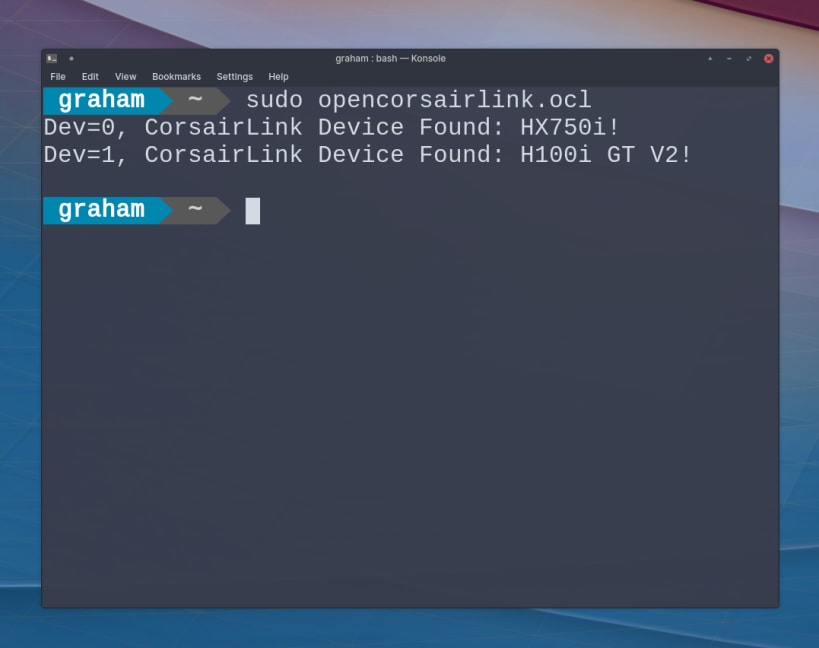
Without options, OpenCorsairLink will show the status of any detected Corsair Link device.
| Revision | Channel | Version | Build | Commit | Download SBOM |
|---|
The build and commit information is derived from build infrastructure records.
Install OpenCorsairLink on your Linux distribution
Choose your Linux distribution to get detailed installation instructions. If yours is not shown, get more details on the installing snapd documentation.












