

Operoso
Install latest/stable of Operoso
Ubuntu 16.04 or later?
Make sure snap support is enabled in your Desktop store.
Details for Operoso
Package name
- operoso
License
- Proprietary
Last updated
- 7 November 2026 - latest/stable
- 5 November 2026 - latest/beta
Websites
External link warning
You are about to open
Do you wish to proceed?
Report a Snap Store violation
Report Operoso for a Snap Store violation
Snap Store Violation Report submitted successfully
Thank you for your report. Information you provided will help us investigate further.
Error submitting report
There was an error while sending your report. Please try again later.
Share this snap
Generate an embeddable card to be shared on external websites.
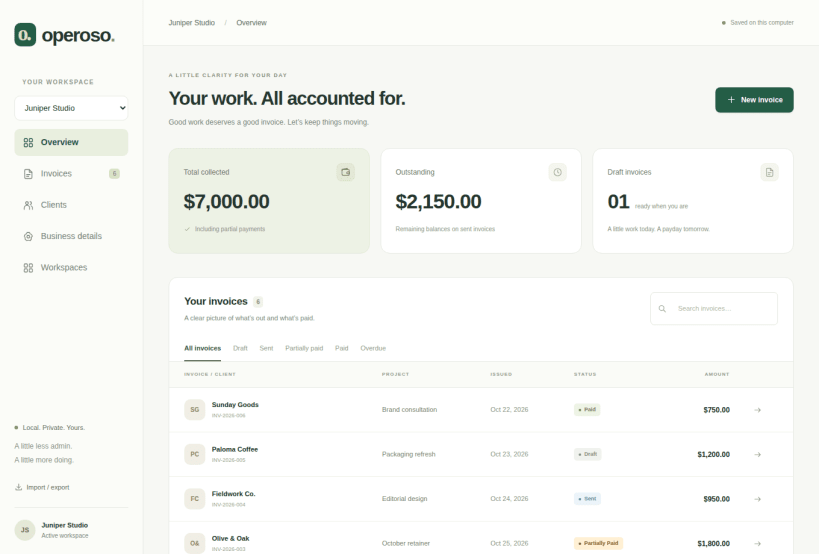
Professional invoicing. No subscriptions. No cloud required.
Operoso is a free, offline invoicing application built for freelancers, consultants, and independent professionals who want a simpler way to manage their billing.
Create beautiful, professional invoices without monthly fees, mandatory accounts, or complicated software.
Everything you need to manage your invoices:
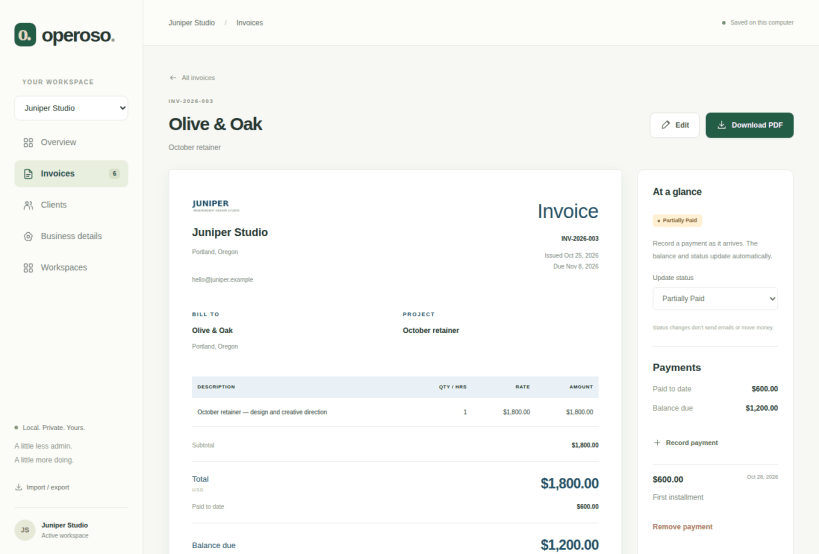
- Create and export professional PDF invoices
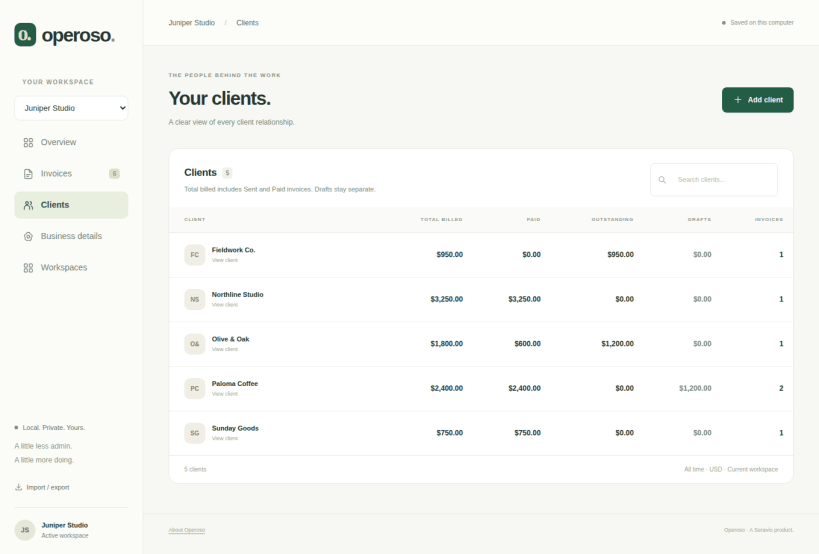
- Organize clients and billing information
- Track invoice statuses and payments
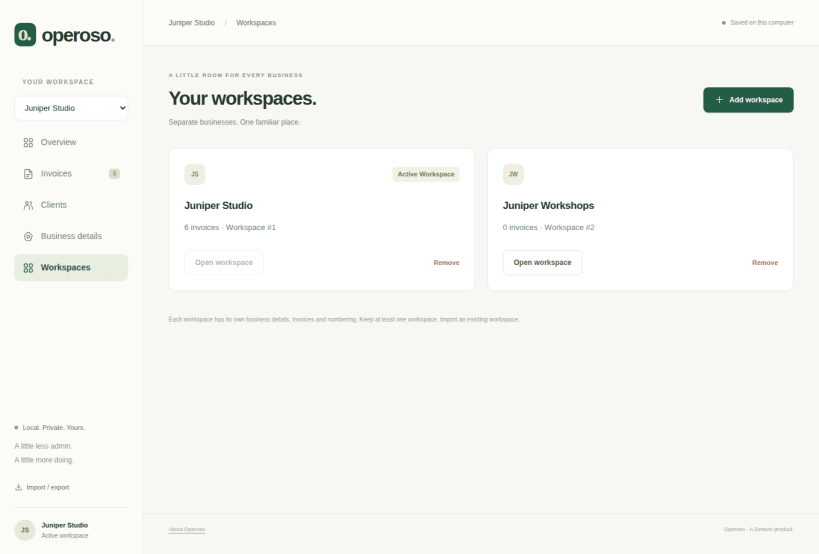
- Manage multiple businesses or workspaces
- Back up and restore your business records
- Work completely offline, with your data stored locally
Your invoices. Your computer. Your control.
Unlike cloud-based invoicing services, Operoso doesn't require an internet connection or account registration.
Operoso Founders Edition is free, with all features included.
Your work, beautifully billed.
Learn more at https://operoso.io
1.4.0 — optional cloud-folder backups
Released on latest/stable · revision 6 · November 7, 2026. Operoso 1.4.0 is the current stable release, available from the Snap Store. This is the same package accepted with an existing Google-synced folder and released to beta on November 5, promoted without rebuilding.
- Choose a private folder already synced by Google Drive, Dropbox, OneDrive or another provider. No cloud login or provider API is added to Operoso.
- Save verified SQLite copies of all workspaces. Checks run at startup, every 15 minutes while open and when closing; changed data produces a new automatic copy.
- Use Back up now for a manual copy. Keep the latest 30 automatic copies per installation; manual copies and other installations’ backups remain.
- Remember the folder across restarts, see the last local save and get warnings when the folder is unavailable or a write fails.
- Restore a downloaded copy through Preview import as new workspaces. Existing records are not overwritten.
The working database stays local. Your sync client handles cloud upload: a local save does not confirm remote upload. No backups run while Operoso is closed. Copies are not encrypted by Operoso. This is backup, not simultaneous multi-device editing. Read the cloud-backup guide.
- Field guide: https://operoso.io/guide/
- Release notes and availability: https://operoso.io/releases/
- Website and support: https://operoso.io
| Revision | Channel | Version | Build | Commit | Download SBOM |
|---|
The build and commit information is derived from build infrastructure records.
Install Operoso on your Linux distribution
Choose your Linux distribution to get detailed installation instructions. If yours is not shown, get more details on the installing snapd documentation.


