

Org Notes
Install latest/edge of Org Notes
Ubuntu 16.04 or later?
Make sure snap support is enabled in your Desktop store.
Install using the command line
sudo snap install org-notes --edgeDon't have snapd? Get set up for snaps.
Details for Org Notes
Package name
- org-notes
License
- MIT
Last updated
- Today - latest/edge
Websites
Contact
Source code
Report a bug
External link warning
You are about to open
Do you wish to proceed?
Report a Snap Store violation
Report Org Notes for a Snap Store violation
Snap Store Violation Report submitted successfully
Thank you for your report. Information you provided will help us investigate further.
Error submitting report
There was an error while sending your report. Please try again later.
Share this snap
Generate an embeddable card to be shared on external websites.
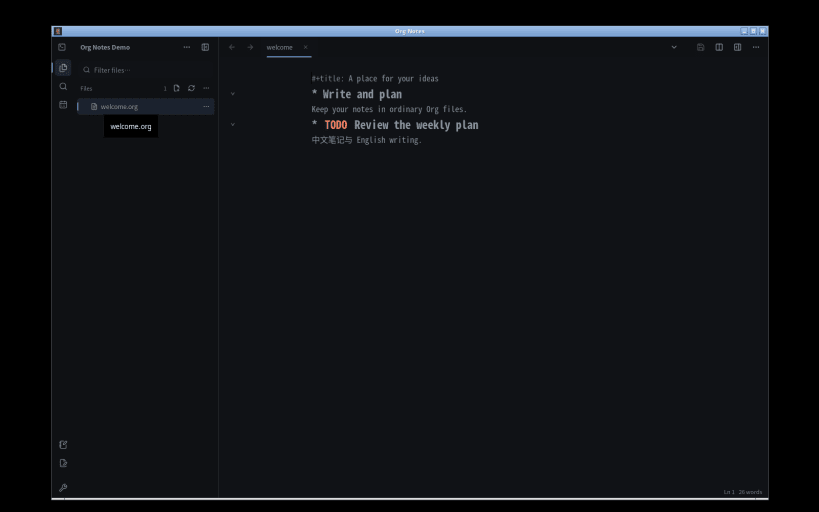
Write, connect notes and plan your day in local Org files
Give your ideas a place to grow, and a next step. Org Notes brings writing, connected notes and task planning into one local-first workspace.
Focus on your words Shape drafts and notes with headings, folding outlines, lists and checkboxes. Use tabs and split editors to keep research beside the text you are writing.
Connect your notes Link related ideas and follow backlinks to rediscover useful context. Find the next note with Quick Open instead of searching through folders.
Turn ideas into action Capture thoughts and TODOs where they belong. Add schedules and deadlines, then review them together in Agenda. Keep a diary and return to your plans.
Keep your files Saved notes are ordinary UTF-8 .org files in a folder you choose. Read and edit them without this app, or export supported content as HTML or Markdown. No account is required, and there is no automatic cloud synchronization.
Before you begin:
- This is an Org text editor, not a rich-text editor or a complete Emacs or GNU Org replacement. The interface is primarily English and supports Chinese writing. Optional Vim keys are available.
- Save regularly and keep independent backups. Unsaved notes are not guaranteed to survive a restart; retained recovery files need your care.
- Old Novel Editor works are not automatically migrated. Export and back them up with the old application before switching.
- Snap permissions limit accessible locations. Removable drives require connecting org-notes:removable-media. Advanced external execution tools are not bundled, and host-installed tools are not promised to work.
- Screen-reader access to web editor controls is currently limited in this Snap runtime. Keyboard and mouse editing remain available.
- External links and optional diagram services may use the network.
| Revision | Channel | Version | Build | Commit | Download SBOM |
|---|
The build and commit information is derived from build infrastructure records.
Install Org Notes on your Linux distribution
Choose your Linux distribution to get detailed installation instructions. If yours is not shown, get more details on the installing snapd documentation.











