

Pixel Resize Studio
Install latest/stable of Pixel Resize Studio
Ubuntu 16.04 or later?
Make sure snap support is enabled in your Desktop store.
Install using the command line
sudo snap install pixel-resize-studioDon't have snapd? Get set up for snaps.
Details for Pixel Resize Studio
Package name
- pixel-resize-studio
License
- MIT
Last updated
- Today - latest/stable
Websites
Contact
External link warning
You are about to open
Do you wish to proceed?
Report a Snap Store violation
Report Pixel Resize Studio for a Snap Store violation
Snap Store Violation Report submitted successfully
Thank you for your report. Information you provided will help us investigate further.
Error submitting report
There was an error while sending your report. Please try again later.
Share this snap
Generate an embeddable card to be shared on external websites.
Batch image format converter, resizer, compressor & EXIF metadata stripper
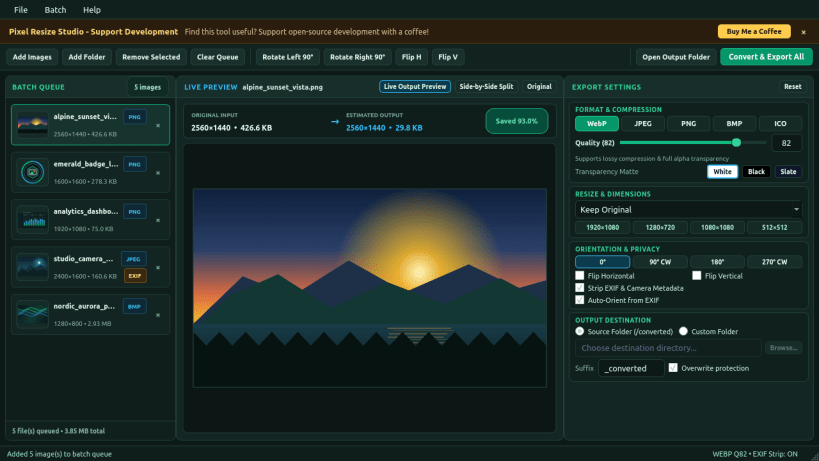
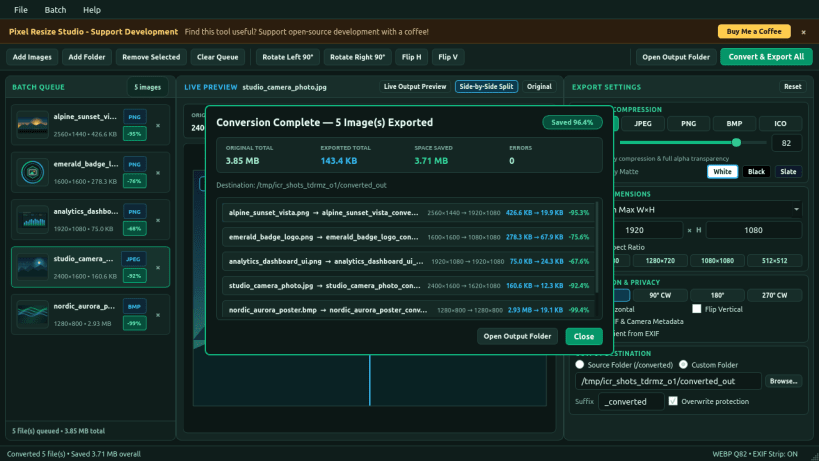
Pixel Resize Studio is an offline desktop studio for batch image format conversion, smart resizing, compression tuning, and privacy-first metadata cleaning. Convert PNG, JPEG, WebP, BMP, TIFF, and GIF assets into WebP, JPEG, PNG, BMP, or multi-size Windows ICO icons with real-time in-memory byte-size estimates before exporting.
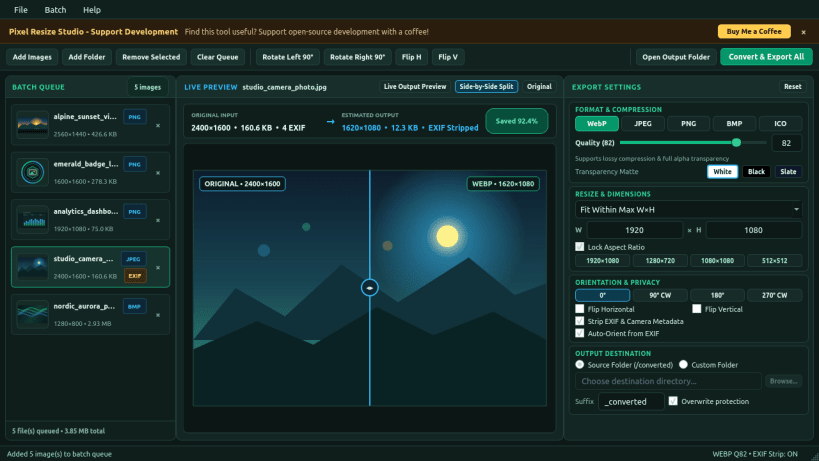
Compare original and processed output side by side with a draggable split divider and checkerboard transparency backdrop, apply lossless 90/180/270 rotation or horizontal and vertical flips, flatten alpha channels onto custom matte colors for JPEG and BMP, resize by percentage or maximum bounding box with quick dimension presets, and strip EXIF camera metadata automatically on export.
| Revision | Channel | Version | Build | Commit | Download SBOM |
|---|
The build and commit information is derived from build infrastructure records.
Install Pixel Resize Studio on your Linux distribution
Choose your Linux distribution to get detailed installation instructions. If yours is not shown, get more details on the installing snapd documentation.











