

Pro PDF Reader Editor
Install latest/stable of Pro PDF Reader Editor
Ubuntu 16.04 or later?
Make sure snap support is enabled in your Desktop store.
Install using the command line
sudo snap install pro-pdf-reader-editorDon't have snapd? Get set up for snaps.
Details for Pro PDF Reader Editor
Package name
- pro-pdf-reader-editor
License
- AGPL-3.0-or-later
Last updated
- Today - latest/stable
Websites
Contact
External link warning
You are about to open
Do you wish to proceed?
Report a Snap Store violation
Report Pro PDF Reader Editor for a Snap Store violation
Snap Store Violation Report submitted successfully
Thank you for your report. Information you provided will help us investigate further.
Error submitting report
There was an error while sending your report. Please try again later.
Share this snap
Generate an embeddable card to be shared on external websites.
Fast PDF reader, visual page diff comparator, annotator & signature studio
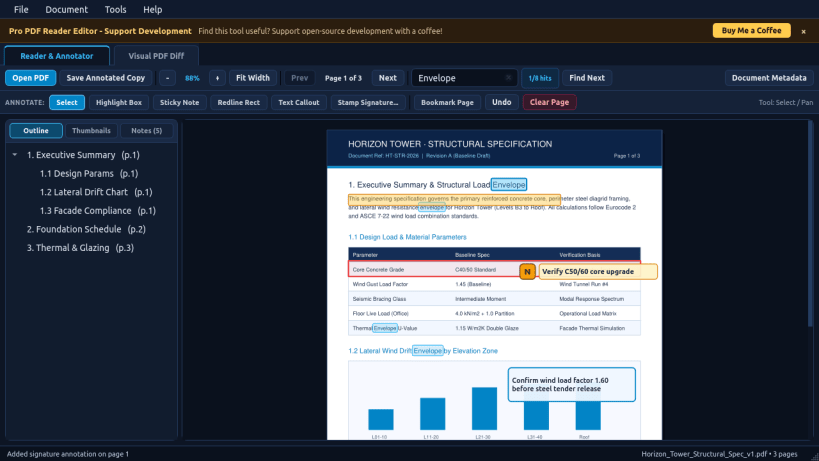
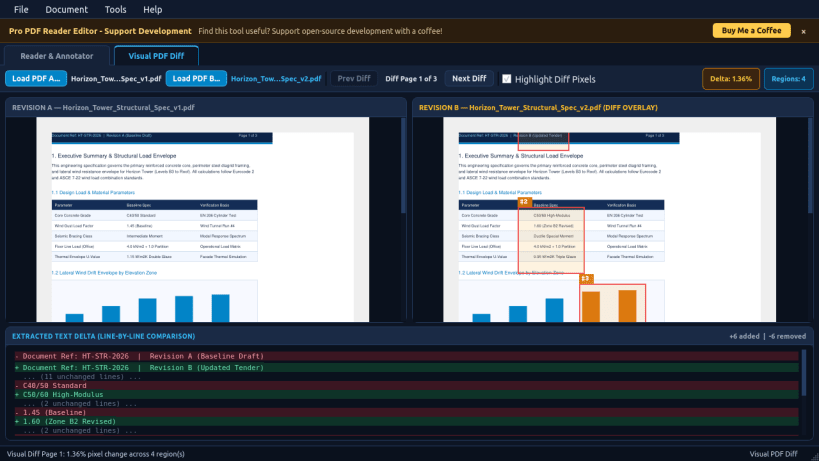
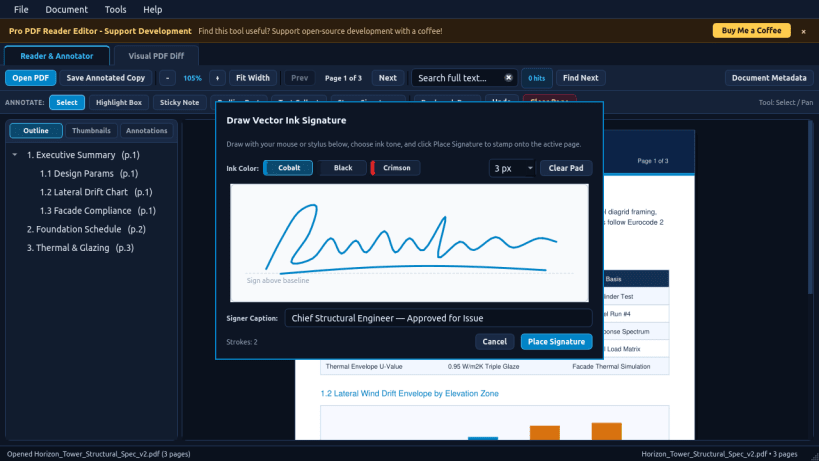
Pro PDF Reader Editor delivers a fast desktop PDF reader, interactive page markup workspace, freehand vector signature pad, and side-by-side visual document comparator in a Cobalt Graphite Desk interface.
Browse multi-page PDF documents with embedded outline trees, rendered page thumbnails, zoom controls, fit-width scaling, and instant full-text search across all pages. Place highlights, sticky review notes, redline rectangles, text callouts, and freehand vector ink signatures, then export clean annotated PDF copies locally.
Switch to Visual PDF Diff mode to compare two PDF revisions side by side with synchronized scrolling, pixel-level change detection highlighting altered regions, and line-by-line extracted text delta readouts.
| Revision | Channel | Version | Build | Commit | Download SBOM |
|---|
The build and commit information is derived from build infrastructure records.
Install Pro PDF Reader Editor on your Linux distribution
Choose your Linux distribution to get detailed installation instructions. If yours is not shown, get more details on the installing snapd documentation.











