
Task Tracker (qtask-tracker)
Install latest/beta of Task Tracker
Ubuntu 16.04 or later?
Make sure snap support is enabled in your Desktop store.
Install using the command line
sudo snap install qtask-tracker --betaDon't have snapd? Get set up for snaps.
Details for Task Tracker
Package name
- qtask-tracker
License
- unset
Last updated
- 8 October 2026 - latest/beta
Websites
External link warning
You are about to open
Do you wish to proceed?
Report a Snap Store violation
Report Task Tracker for a Snap Store violation
Snap Store Violation Report submitted successfully
Thank you for your report. Information you provided will help us investigate further.
Error submitting report
There was an error while sending your report. Please try again later.
Share this snap
Generate an embeddable card to be shared on external websites.
Pomodoro-based task manager
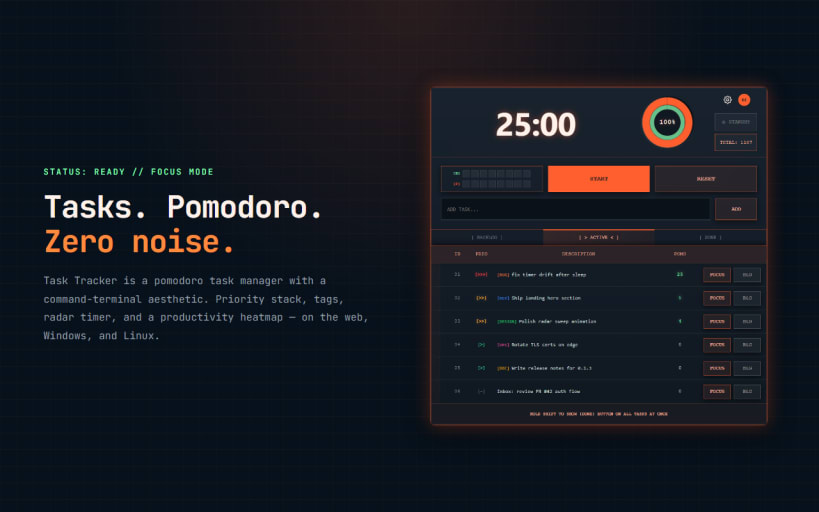
Tasks. Pomodoro. Zero noise. Task Tracker is a pomodoro task manager with a command-terminal aesthetic. One focus stack, a radar that owns your time, and rest you can measure. If other apps drown you in calendars, nested projects and endless settings — this is the opposite: a mission console for deep work.
FOCUS ENGINE Straight countdown (1–999 min) or full Pomodoro: Focus → short break → long break. Configurable 25 / 5 / 15, cycle length, and streaks you can trust. The radar always shows the phase you are in — no guessing when the break starts.
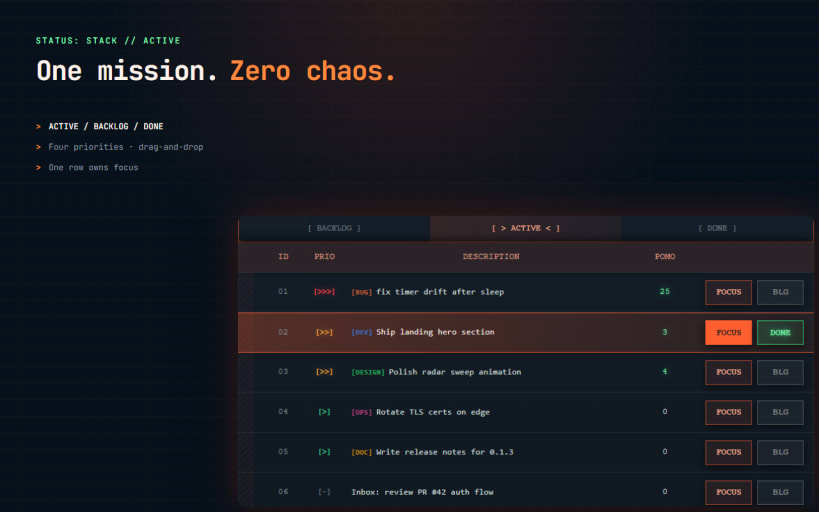
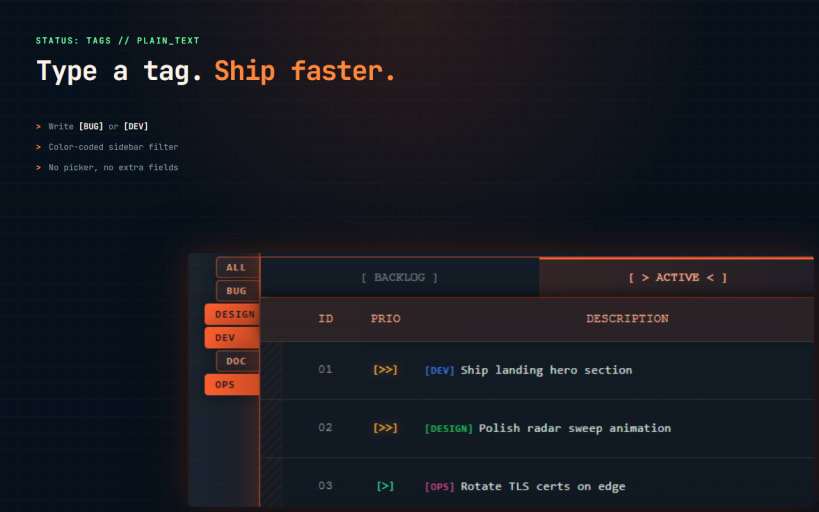
TASK STACK ACTIVE / BACKLOG / DONE — three scopes, zero chaos. Four priorities, plain-text tags ([BUG], [DEV], [DESIGN]…), drag-and-drop inside a scope, and a tag sidebar filter. One row is the mission; the rest wait their turn.
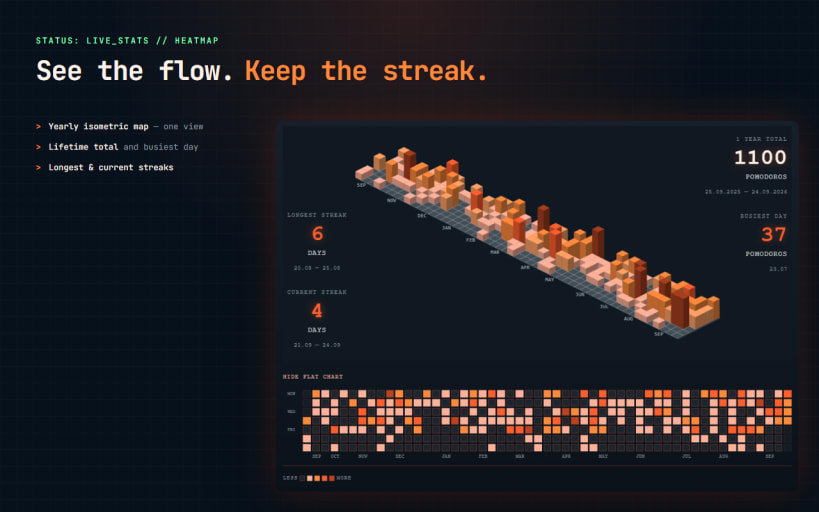
PRODUCTIVITY HEATMAP Every finished pomodoro lands on a yearly isometric heatmap. Lifetime total, busiest day, longest and current streaks — real focus history, not just plans.
FLEXIBLE TASK EDITOR Bold, italic, numbered steps, bullet lists and structure for substeps. Tag and priority stay in the same dialog — write the mission without leaving the stack.
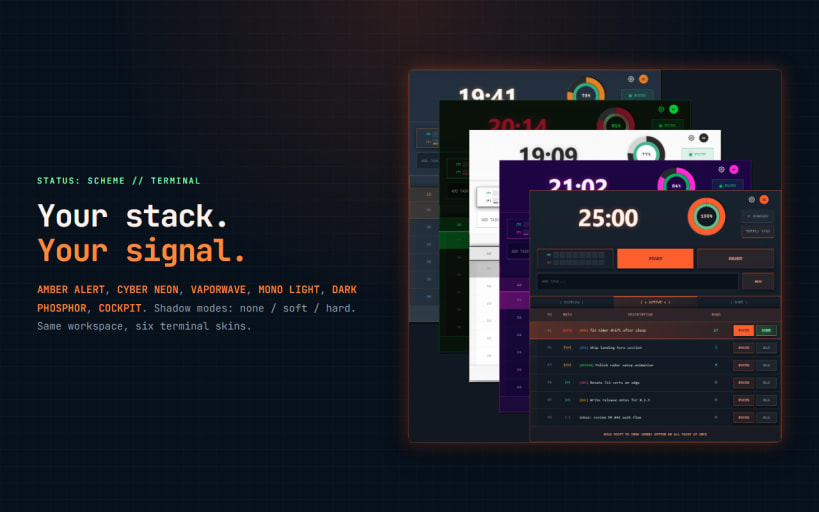
TERMINAL THEMES AMBER ALERT, CYBER NEON, VAPORWAVE, MONO LIGHT, DARK PHOSPHOR, COCKPIT. Shadow modes: none / soft / hard. Same stack, your signal.
ALSO Offline-first. Sound cues. System tray with timer control, task switch and notifications. Tags in plain text. Web, Windows, Linux, Android — the same workspace everywhere.
Core features are free. Heatmap and full theme set are included with subscription.
Website: https://qtasktracker.com
Web App: https://app.qtasktracker.com
Privacy Policy: https://qtasktracker.com/legal/privacy-policy
Support: quantumflow.support@gmail.com
| Revision | Channel | Version | Build | Commit | Download SBOM |
|---|
The build and commit information is derived from build infrastructure records.
Install Task Tracker on your Linux distribution
Choose your Linux distribution to get detailed installation instructions. If yours is not shown, get more details on the installing snapd documentation.











