

Remote Desktop Share
Install latest/stable of Remote Desktop Share
Ubuntu 16.04 or later?
Make sure snap support is enabled in your Desktop store.
Install using the command line
sudo snap install remote-desktop-shareDon't have snapd? Get set up for snaps.
Details for Remote Desktop Share
Package name
- remote-desktop-share
License
- MIT
Last updated
- Yesterday - latest/stable
Websites
Contact
External link warning
You are about to open
Do you wish to proceed?
Report a Snap Store violation
Report Remote Desktop Share for a Snap Store violation
Snap Store Violation Report submitted successfully
Thank you for your report. Information you provided will help us investigate further.
Error submitting report
There was an error while sending your report. Please try again later.
Share this snap
Generate an embeddable card to be shared on external websites.
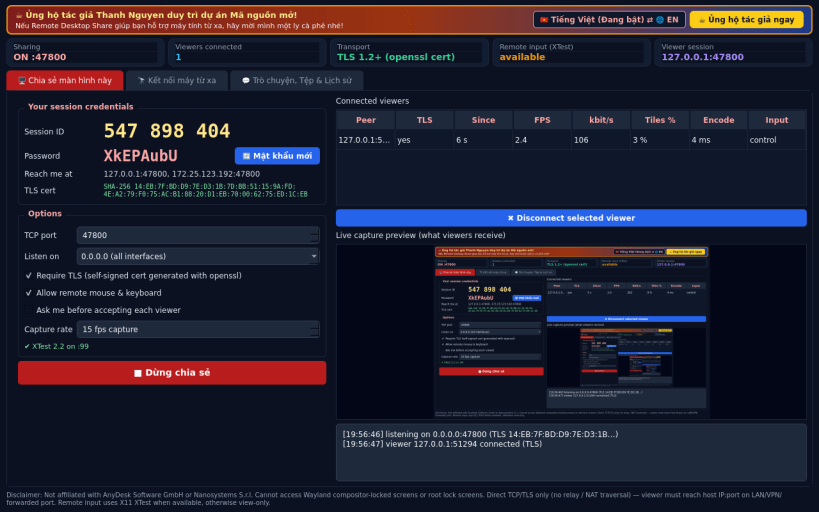
Share and control an X11 desktop over direct TCP/TLS
Remote Desktop Share is a Linux alternative to AnyDesk / Supremo for direct desktop sharing between two machines that can reach each other. Disclaimer: This project is an independent open-source tool and is not affiliated with, sponsored by, or endorsed by AnyDesk Software GmbH or Nanosystems S.r.l. Cannot access Wayland compositor-locked screens or root lock screens.
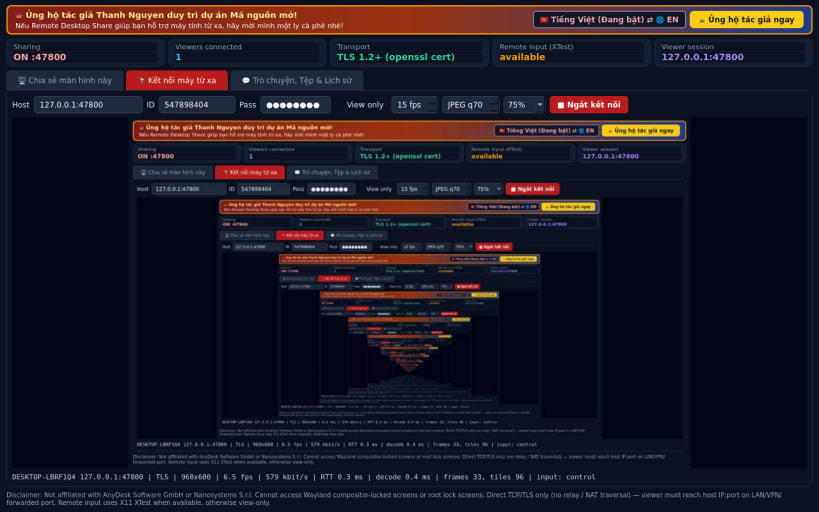
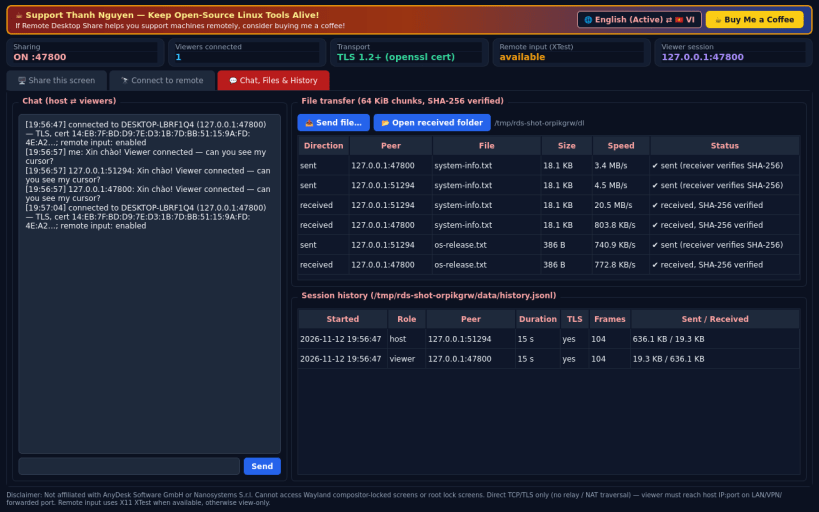
What it really does: • Host: captures the X11 screen (QScreen.grabWindow), splits it into 64x64 tiles and streams only changed tiles as JPEG over TCP. Random 9-digit session ID + random password; mutual HMAC-SHA256 challenge/response. • TLS 1.2+ using a self-signed certificate generated with the openssl binary; the certificate fingerprint is bound into the authentication proof and shown on both sides for comparison. • Viewer: shows the remote screen, adjustable FPS / JPEG quality / scale, measured RTT, fps and bitrate; sends mouse and keyboard events. • Remote input is applied with the X11 XTest extension (libXtst via ctypes) when available; otherwise the session is view-only and says so. • Chat and SHA-256 verified file transfer in both directions; session history.
Honest limits: direct TCP only — no relay server or NAT traversal, so the viewer must reach host IP:port (LAN, VPN or a forwarded port). The "session ID" is part of the credentials, not a global directory. It cannot capture the lock screen, login screen or Wayland-native windows (on Wayland only XWayland content is visible and controllable). No audio, no clipboard sync, no hardware video encoding.
Support development: https://buymeacoffee.com/thanhnv128b
| Revision | Channel | Version | Build | Commit | Download SBOM |
|---|
The build and commit information is derived from build infrastructure records.
Install Remote Desktop Share on your Linux distribution
Choose your Linux distribution to get detailed installation instructions. If yours is not shown, get more details on the installing snapd documentation.


