

ScreenCap Docs (screencap-documentation-tool)
Install latest/stable of ScreenCap Docs
Ubuntu 16.04 or later?
Make sure snap support is enabled in your Desktop store.
Install using the command line
sudo snap install screencap-documentation-toolDon't have snapd? Get set up for snaps.
Details for ScreenCap Docs
Package name
- screencap-documentation-tool
License
- MIT
Last updated
- Today - latest/stable
Websites
Contact
Source code
Report a bug
External link warning
You are about to open
Do you wish to proceed?
Report a Snap Store violation
Report ScreenCap Docs for a Snap Store violation
Snap Store Violation Report submitted successfully
Thank you for your report. Information you provided will help us investigate further.
Error submitting report
There was an error while sending your report. Please try again later.
Share this snap
Generate an embeddable card to be shared on external websites.
Turn screen recordings into step-by-step screenshot documentation
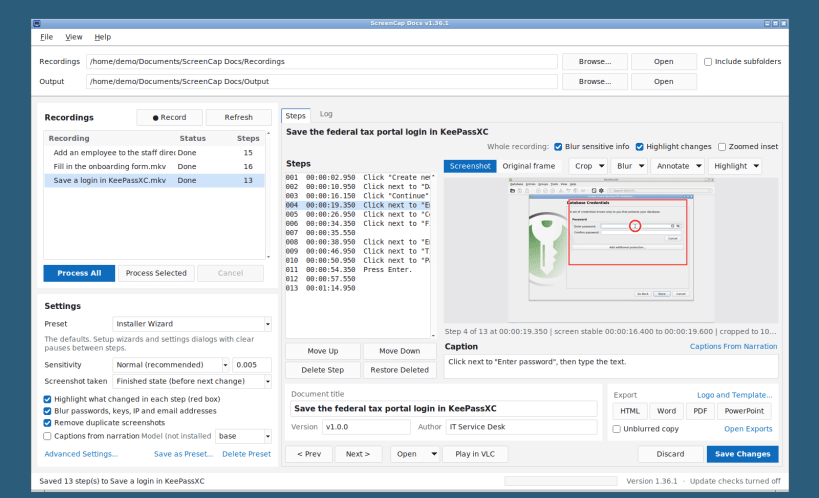
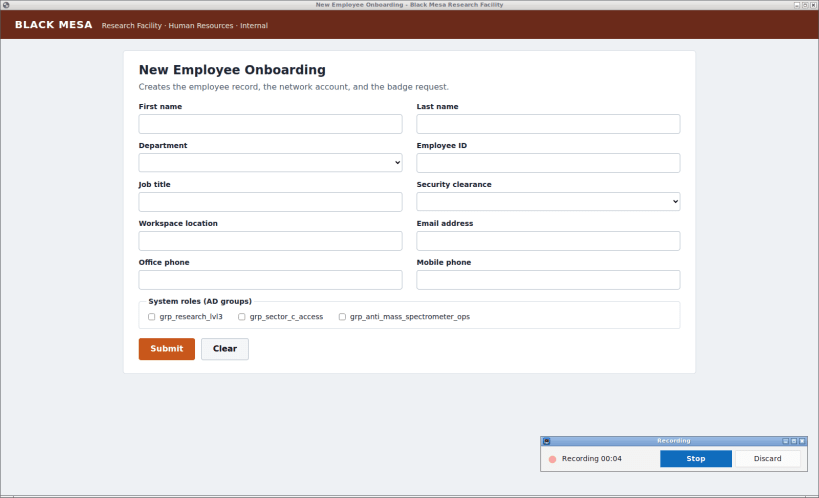
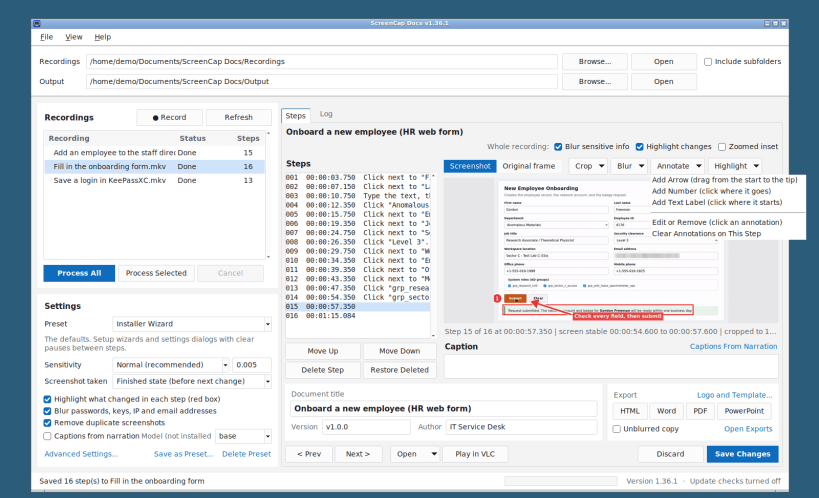
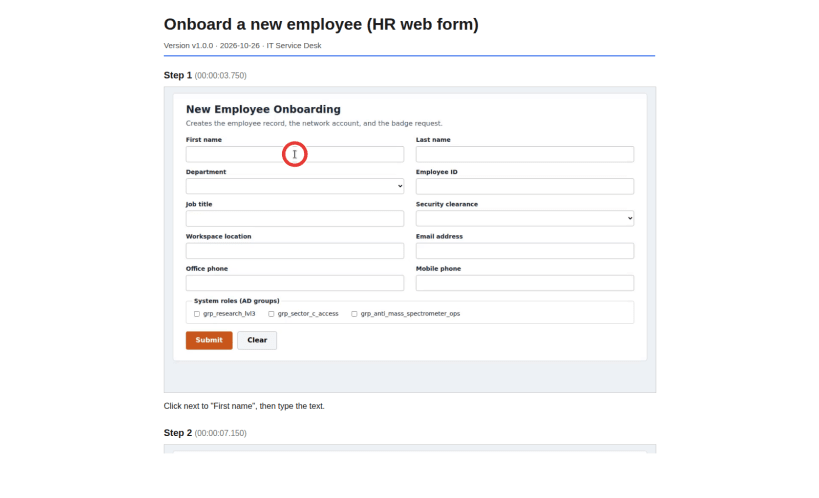
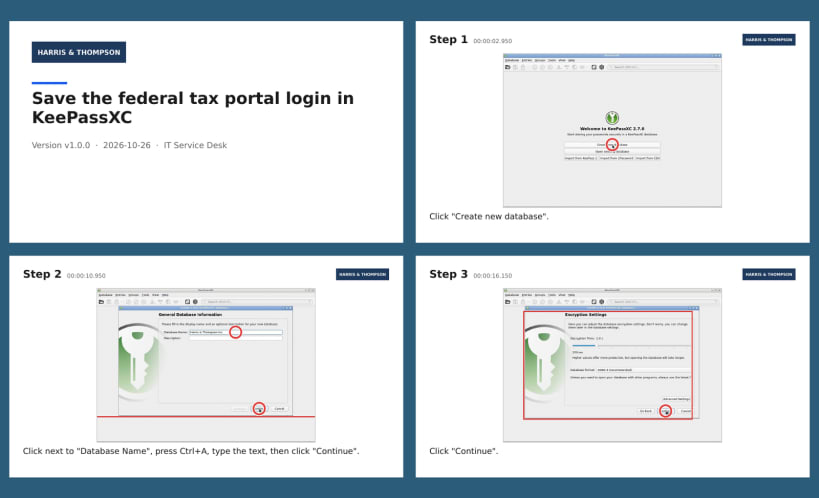
A free Steps Recorder replacement from ILHS Software, LLC (formerly Screencap Documentation Tool). Click Record, do the task, and click Stop: ScreenCap Docs finds every step in the recording and saves a screenshot of each one, with a red ring where you clicked and a first-draft caption.
Review the steps, add captions, arrows, and labels, crop, blur passwords and other sensitive information, and export to HTML, Word, or PowerPoint. Everything runs on your computer, with no telemetry.
Recordings and output go in Documents/ScreenCap Docs in your home folder by default (an existing Documents/Screencap Documentation Tool folder is kept). Any folder in your home or on a removable drive can be chosen. The built-in recorder needs an X11 session; recordings from any other screen recorder work too.
Website and downloads for Windows and macOS: https://screencap.ilhs.app
| Revision | Channel | Version | Build | Commit | Download SBOM |
|---|
The build and commit information is derived from build infrastructure records.
Install ScreenCap Docs on your Linux distribution
Choose your Linux distribution to get detailed installation instructions. If yours is not shown, get more details on the installing snapd documentation.












