

Install latest/stable of segui
Ubuntu 16.04 or later?
Make sure snap support is enabled in your Desktop store.


Details for segui
Package name
- segui
License
- MIT
Last updated
- 10 November 2026 - latest/stable
- Yesterday - latest/edge
Websites
Contact
Source code
Report a bug
External link warning
You are about to open
Do you wish to proceed?
Report a Snap Store violation
Report segui for a Snap Store violation
Snap Store Violation Report submitted successfully
Thank you for your report. Information you provided will help us investigate further.
Error submitting report
There was an error while sending your report. Please try again later.
Share this snap
Generate an embeddable card to be shared on external websites.
Fast graphical toolkit for exploring, cleaning, and summarizing genomic data
SEGUI is the desktop interface for SEGUL, an ultrafast genomic toolkit. Explore and clean genomic data with ease: browse alignments base by base, inspect read quality, and prepare thousands of loci for analysis in seconds.
Built for scale, SEGUI handles massive phylogenomic datasets with thousands of loci and hundreds of samples just as smoothly as a few Sanger sequences.
Alignments:
- Concatenate loci into a supermatrix with partition files
- Convert between FASTA, NEXUS, and PHYLIP formats, as well as RAxML, NEXUS, and charset partitions
- Filter loci by taxon coverage, alignment length, or parsimony-informative sites
- Split, trim, and unalign sequence alignments
- Compute pairwise genetic distances (p-distance, JC69, K2P, TN93, Poisson)
- Summarize missing data, informative sites, GC content, and alignment length
Sequences:
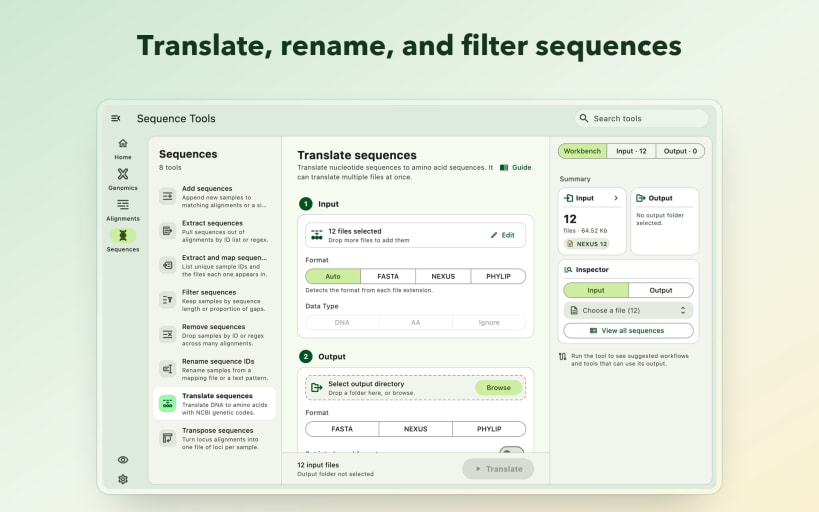
- Add, extract, filter, remove, and rename sequences across multiple files
- Translate DNA to amino acids using NCBI genetic codes
- Transpose locus alignments into per-sample sequence files
- Extract sample IDs and map their presence across files
Genomics:
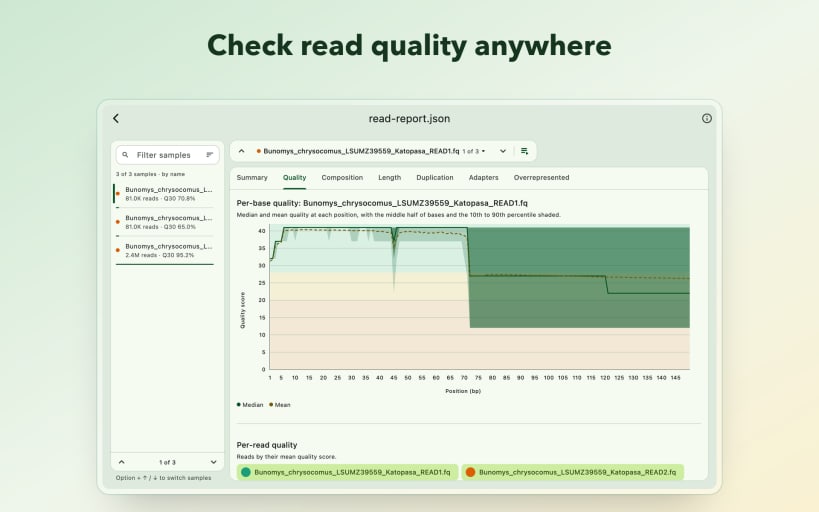
- Summarize raw reads: read counts, length distributions, GC content, and quality scores
- Summarize genome assemblies: contig counts, N50, total length, and GC content
- Convert and summarize whole-genome MAF alignments (beta)
Viewers:
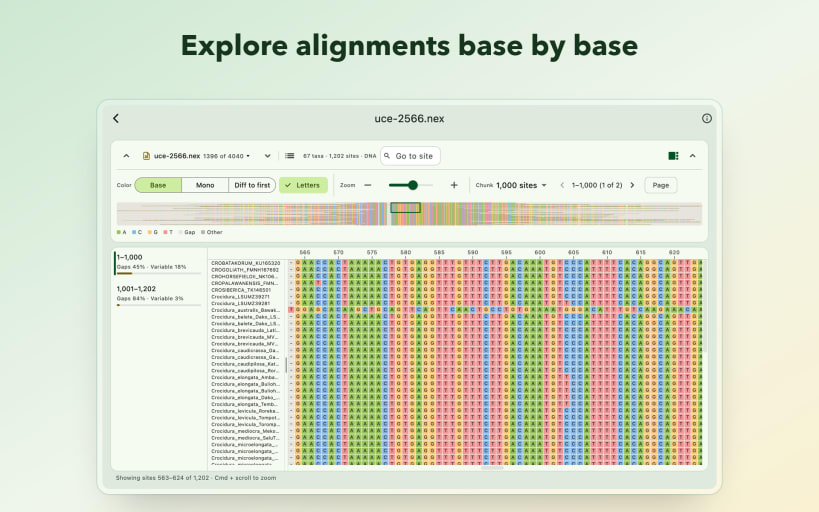
- Browse alignments base by base with customizable color schemes, zoom, and site navigation
- Explore interactive read-quality and alignment summary reports
- Preview tabular data and plain-text files
| Revision | Channel | Version | Build | Commit | Download SBOM |
|---|
The build and commit information is derived from build infrastructure records.
Install segui on your Linux distribution
Choose your Linux distribution to get detailed installation instructions. If yours is not shown, get more details on the installing snapd documentation.


