

SFTPGo
Install latest/stable of SFTPGo
Ubuntu 16.04 or later?
Make sure snap support is enabled in your Desktop store.
Details for SFTPGo
Package name
- sftpgo
License
- AGPL-3.0-only
Last updated
- 12 November 2026 - latest/stable
- Today - latest/edge
Websites
Contact
Source code
Report a bug
External link warning
You are about to open
Do you wish to proceed?
Report a Snap Store violation
Report SFTPGo for a Snap Store violation
Snap Store Violation Report submitted successfully
Thank you for your report. Information you provided will help us investigate further.
Error submitting report
There was an error while sending your report. Please try again later.
Share this snap
Generate an embeddable card to be shared on external websites.
File transfer server for SFTP, HTTP/S, FTP/S and WebDAV
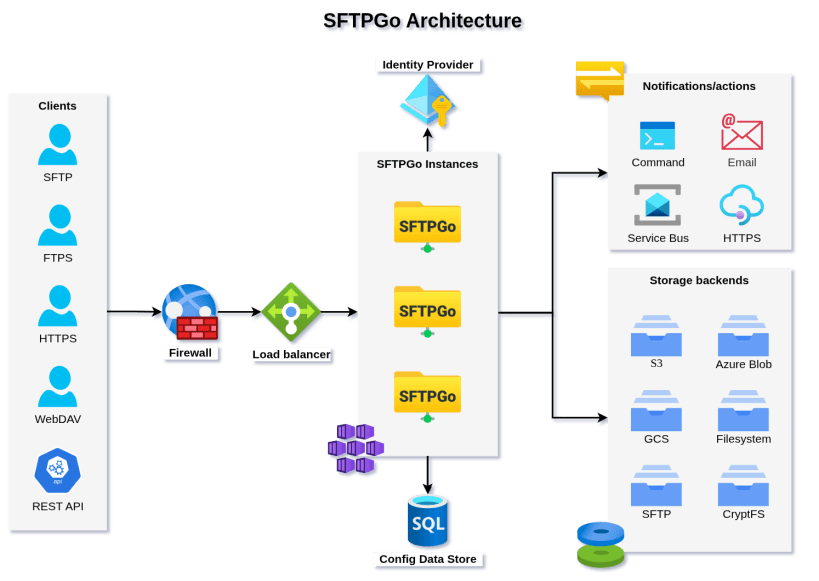
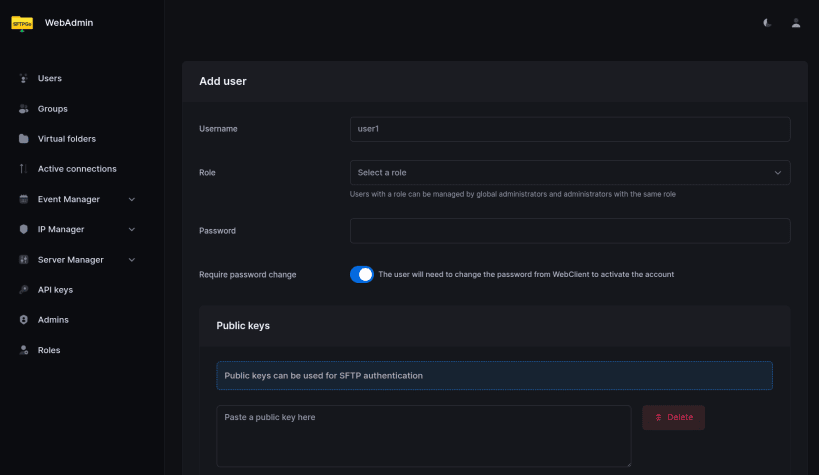
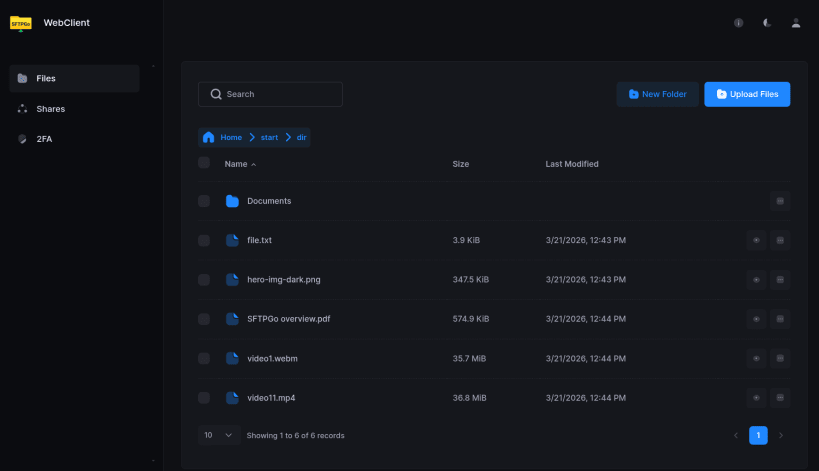
SFTPGo is a file transfer server for SFTP, HTTP/S, FTP/S and WebDAV. It stores files on the local filesystem, optionally encrypted, or in S3-compatible, Google Cloud and Azure Blob storage and on other SFTP servers. Users, groups, quotas, shares and event rules are managed in the web administration interface or with the REST API, and users can reach their files in the web client.
Getting started
The service starts right after installation. SFTP listens on port 2022 on all interfaces; no account exists yet. The web interfaces and the REST API listen on 127.0.0.1:8080 (this machine only). Open http://127.0.0.1:8080/web/admin and create the first administrator with the installation code generated for this machine:
sudo cat /var/snap/sftpgo/common/credentials/installation-code
Then add users and connect, for example with sftp -P 2022 alice@server.
Settings
To open the web interfaces to your network, or to enable FTP and WebDAV:
sudo snap set sftpgo http-address=:8080
sudo snap set sftpgo ftp-address=:2121 webdav-address=:8090
Other settings go in /var/snap/sftpgo/common/sftpgo.json; restart the service after editing:
sudo snap restart sftpgo.daemon
Storage
Users' files are kept in /var/snap/sftpgo/common/data. To keep them on a drive mounted under /media or /mnt, in a folder owned by root:
sudo snap connect sftpgo:removable-media
sudo snap set sftpgo users-base-dir=/mnt/disk1/sftpgo
SFTPGo is licensed under AGPL-3.0-only with additional terms. The theme of its web interfaces is proprietary and may only be used within SFTPGo.
| Revision | Channel | Version | Build | Commit | Download SBOM |
|---|
The build and commit information is derived from build infrastructure records.
Install SFTPGo on your Linux distribution
Choose your Linux distribution to get detailed installation instructions. If yours is not shown, get more details on the installing snapd documentation.


