

SHELFill - Books & eBook Reader (shelfill)
Install latest/stable of SHELFill - Books & eBook Reader
Ubuntu 16.04 or later?
Make sure snap support is enabled in your Desktop store.
Details for SHELFill - Books & eBook Reader
Package name
- shelfill
License
- Proprietary
Last updated
- 25 November 2026 - latest/stable
- 25 November 2026 - latest/edge
Websites
External link warning
You are about to open
Do you wish to proceed?
Report a Snap Store violation
Report SHELFill - Books & eBook Reader for a Snap Store violation
Snap Store Violation Report submitted successfully
Thank you for your report. Information you provided will help us investigate further.
Error submitting report
There was an error while sending your report. Please try again later.
Share this snap
Generate an embeddable card to be shared on external websites.
70,000 free books, room for yours, no ads, no trackers.
A library card that never expires.
First, the things that matter: • Free, with no subscription and no account. The whole library and every reading feature, on the device you install it on. No "two free chapters, then pay". • No ads. Not in the free version, not in any other. We checked. • Your reading is your business. No trackers, nothing sold, nobody reading over your shoulder. • Apps for every phone, tablet and computer. Keeping them in sync is the one thing that costs money — more on that at the end.
Now, the books.
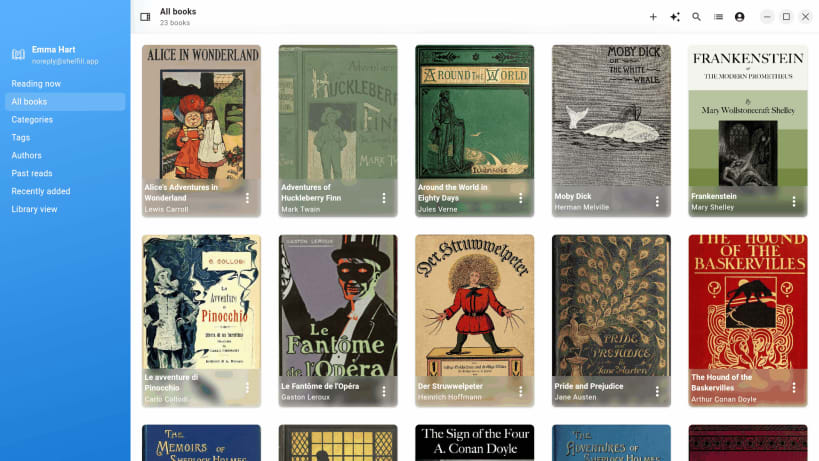
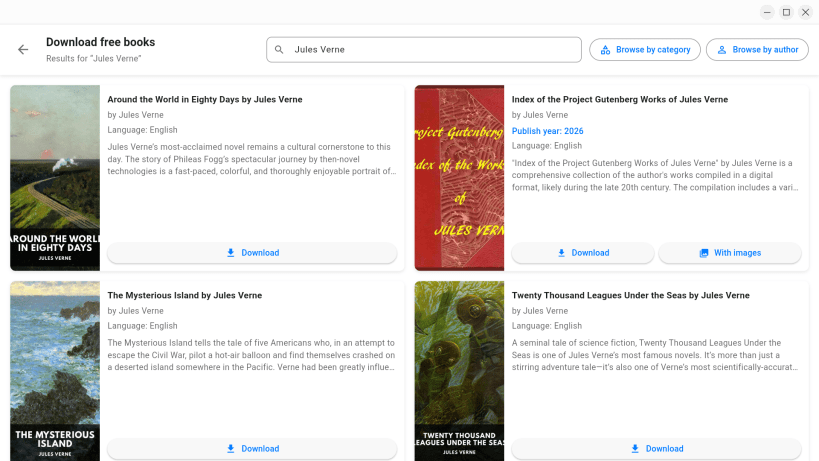
SHELFill puts more than 70,000 free books on your shelf: the classics you meant to read in school, the ones you told people you'd read, and a few thousand you've never heard of. Pick one and start.
Got books of your own? Bring them. EPUB, PDF and Word files — from your files, your mail or a link — land on the same shelf as everything else, so your library is finally in one place. Which is more than can be said for the one at home.
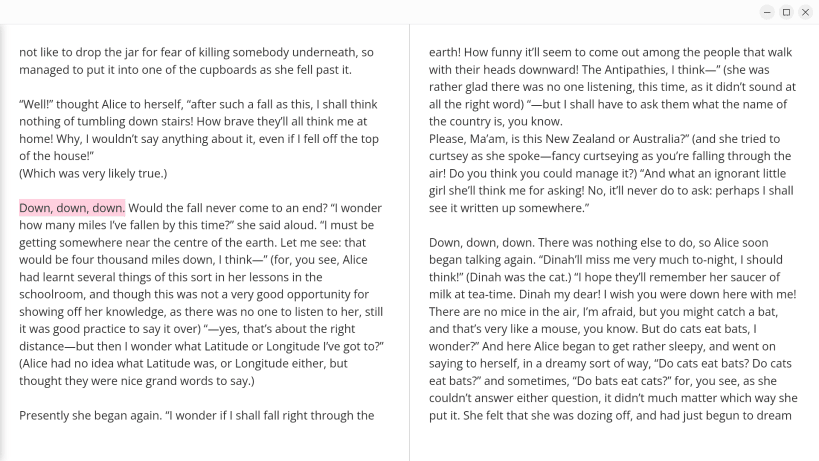
THE READER • Fonts, margins, line spacing and page colors, because everyone has opinions about margins • One page on a phone, two side by side on a tablet • Hold a word to look it up. Save it, and it comes back as a flashcard until it sticks
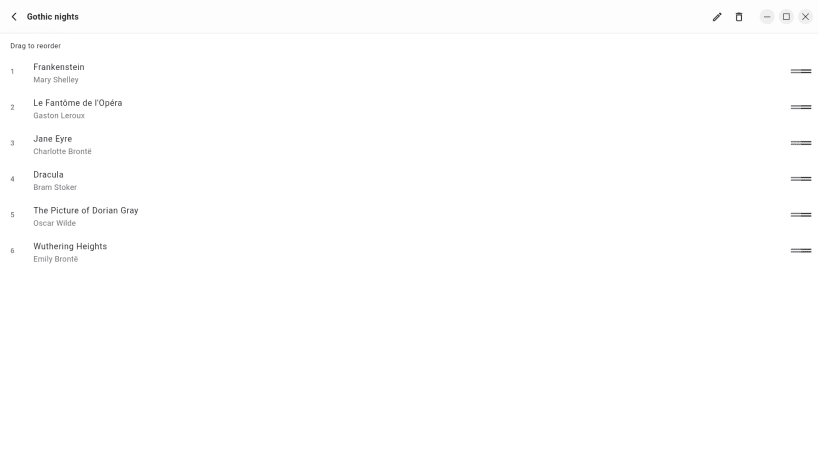
THE SHELF • Shelves, tags, categories and series, so "the one with the whale" is always one tap away • Bookmarks, highlights in five colors, and notes you can export • Every book reopens exactly where you left it • Browse other public libraries too (OPDS catalogs), if 70,000 books somehow aren't enough
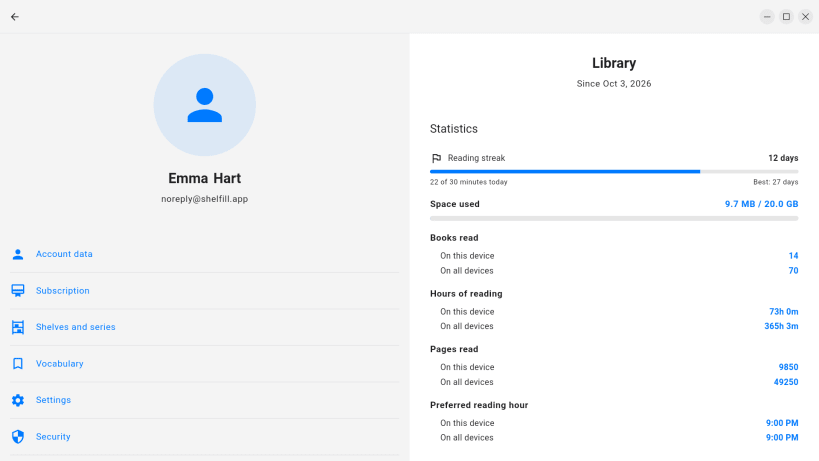
THE HABIT • A daily goal in minutes or pages, and a streak you'll be surprisingly unwilling to break • Statistics: what you read, how much, and at what hour you tend to do it (later than you think)
KEPT YOURS • Lock the app with a PIN • Two-step sign-in for your account, if you have one
FOR PEOPLE WITH MORE THAN ONE SCREEN, OR A HISTORY WITH PHONES Everything above is free and stays free. A subscription adds the things that need a server behind them:
• Sync. Your books, highlights, notes, bookmarks, saved words, your place in every book and your reading statistics follow you from phone to tablet to computer. Start a chapter on the train, carry on at the kitchen table, finish in bed — same page, every time. • A safety net. A phone that breaks, drowns or wanders off takes nothing with it. Sign in on the next one and the whole library is back, down to the page you were on and the streak you were keeping. • Cloud space for your own books — 5, 10 or 20 GB, depending on the plan — so the files you imported are kept safe and turn up on every device without any copying around. • The web app. Open my.shelfill.app in any browser, sign in, and your shelf is there: on a work laptop, a borrowed computer, anywhere with a screen and no install. • Statistics across devices: hours read, pages, books finished — the totals from all your devices in one place, not just the one in your hand. • Three AI helpers, with a monthly allowance that grows with the plan: describe what you're in the mood for and get a handful of suggestions with a reason for each; translate a paragraph into the language you read in, tone intact; or ask what a passage means and get a plain-language explanation that knows which book it's reading.
Three plans — Shelf, Bookcase and Library — that differ only in storage and AI allowance. Pick one, change your mind later, cancel whenever; your books stay on your devices either way.
Your shelf is ready whenever you are.
| Revision | Channel | Version | Build | Commit | Download SBOM |
|---|
The build and commit information is derived from build infrastructure records.
Install SHELFill - Books & eBook Reader on your Linux distribution
Choose your Linux distribution to get detailed installation instructions. If yours is not shown, get more details on the installing snapd documentation.











