

Simple-Image-Converter
Install latest/stable of Simple-Image-Converter
Ubuntu 16.04 or later?
Make sure snap support is enabled in your Desktop store.
Install using the command line
sudo snap install simple-image-converterDon't have snapd? Get set up for snaps.
Details for Simple-Image-Converter
Package name
- simple-image-converter
License
- Proprietary
Last updated
- 9 September 2026 - latest/stable
- 9 September 2026 - latest/candidate
Websites
Contact
Donations
Report a bug
External link warning
You are about to open
Do you wish to proceed?
Report a Snap Store violation
Report Simple-Image-Converter for a Snap Store violation
Snap Store Violation Report submitted successfully
Thank you for your report. Information you provided will help us investigate further.
Error submitting report
There was an error while sending your report. Please try again later.
Share this snap
Generate an embeddable card to be shared on external websites.
High-performance, 100% offline image & document converter with advanced resizing and hardened privacy.
Simple Image Converter is a fast, high-performance, and 100% offline desktop application designed for secure and effortless batch conversion of images and documents.
Built with a focus on Privacy-by-Design, the application performs all operations locally. Your sensitive documents never leave your computer.
What's New in v1.7: "Performance, Security & Pro Resizing"
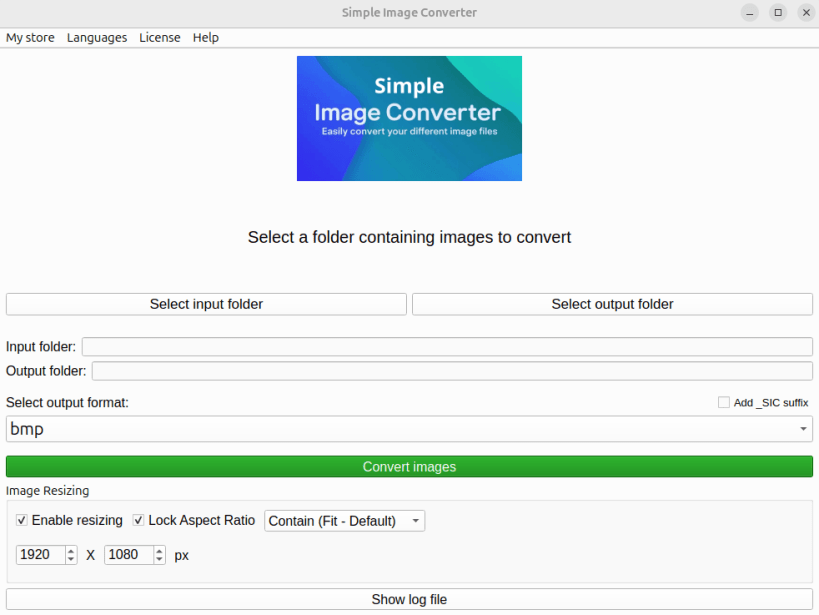
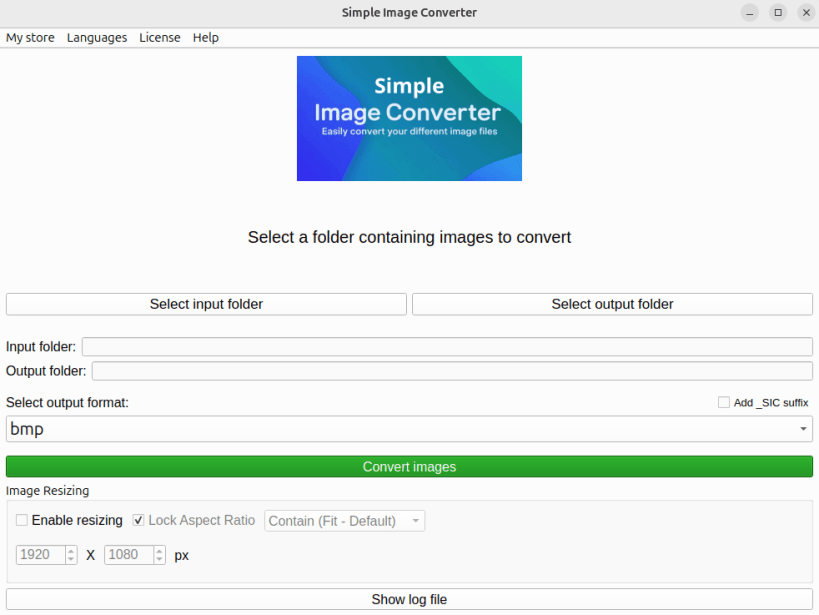
Pro Resizing Engine: Resize your images on the fly while preserving their aspect ratio. Choose between Fit (Contain), Crop, or Fill (Pad with transparent borders).
Zero-Freeze Architecture: The core engine has been completely rewritten and isolated. The UI remains 100% responsive, even when processing massive batches of complex documents.
Safe-by-Default & Organization: No more accidental overwrites! The app now applies smart auto-numbering (e.g., _1) for existing files and offers a custom _SIC suffix option for easy identification.
Compression Analysis: Instantly view the exact storage space gained or lost at the end of each batch process.
Expanded Localization: The application now fluently speaks Japanese (bringing the total to 7 supported languages).
Hardened Security & Compliance (CWE Standards):
Anti-Pixel Bomb & XXE Shield: The new isolated engine provides robust defense against malicious payloads and decompression bombs.
CWE-377 (Atomic Isolation): Secure handling of temporary buffers in restricted 0700 directories to prevent data leakage.
CWE-209 (Privacy-First Logging): Automatic anonymization of system logs (masking personal paths and session names) ensures no sensitive metadata is exposed, even when sharing logs with support.
Key Features:
100% Private: No internet connection required. Guaranteed protection against data harvesting.
Multilingual Support: Available in 7 languages: English, French, German, Spanish, Italian, Portuguese (BR), and Japanese.
Universal Format Support: Convert between PDF, PNG, JPG, WEBP, ICO, BMP, GIF, TIFF, XPS, and OXPS.
SVG Specialist: Seamlessly transform vector SVG files into any standard raster format or PDF.
Multi-Page Intelligence: Automatically handles multi-page TIFF and GIF generation, or splits documents into individual page-per-file images.
Granular Quality Control: Fine-tune JPG/WEBP exports and choose from 4 PDF optimization levels.
How to Use:
Select Folders: Choose your source directory and your destination folder.
Pick Format: Select your target output format.
Set Quality & Size: Adjust compression levels and choose your preferred resizing mode (Contain, Crop, Pad).
Convert: Click "Convert Images" and follow the real-time progress bar.
Audit: Access the detailed, anonymized app.log directly from the UI for full transparency.
⚠️ IMPORTANT: Accessing External Drives (USB / Secondary Drives) By default, the strict security confinement prevents the app from reading your USB sticks or external hard drives. If your files are stored on removable media, you must grant access by running this command once in your terminal:
COMMAND:
sudo snap connect simple-image-converter:removable-media
| Revision | Channel | Version | Build | Commit | Download SBOM |
|---|
The build and commit information is derived from build infrastructure records.
Install Simple-Image-Converter on your Linux distribution
Choose your Linux distribution to get detailed installation instructions. If yours is not shown, get more details on the installing snapd documentation.











