

skim
Install latest/stable of skim
Ubuntu 16.04 or later?
Make sure snap support is enabled in your Desktop store.
Details for skim
Package name
- skim
License
- MIT
Last updated
- 3 November 2026 - latest/stable
- 3 November 2026 - latest/candidate
Websites
Contact
Source code
Report a bug
External link warning
You are about to open
Do you wish to proceed?
Report a Snap Store violation
Report skim for a Snap Store violation
Snap Store Violation Report submitted successfully
Thank you for your report. Information you provided will help us investigate further.
Error submitting report
There was an error while sending your report. Please try again later.
Share this snap
Generate an embeddable card to be shared on external websites.
Fuzzy finder for the terminal, written in Rust
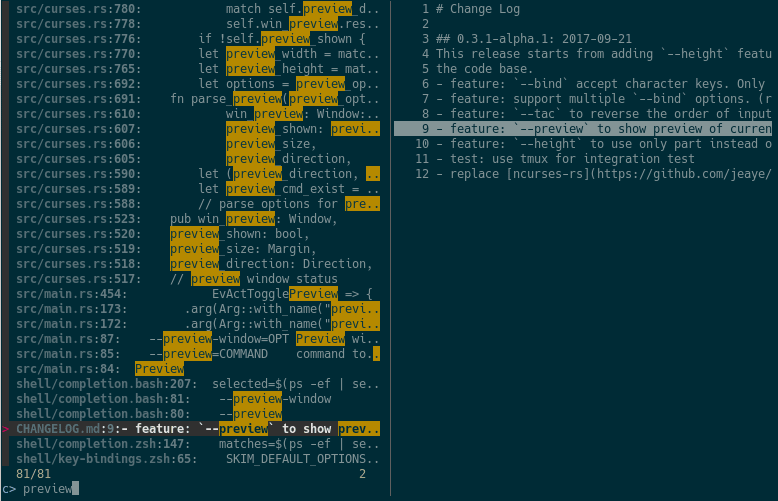
skim (sk) is an interactive fuzzy finder. It reads a list of lines from standard input or from a command, lets you filter them as you type, and prints the selected lines. It supports multi-select, previews, custom key bindings, regex and exact matching, and shell integrations.
The upstream command is called sk. This snap provides it as skim; to
use the upstream name, run:
sudo snap alias skim sk
Examples
git log --oneline | skim
vim "$(skim)"
skim --preview 'cat {}' --multi
skim --filter main < files.txt
Shell integration
Key bindings (CTRL-T, CTRL-R, ALT-C) call sk, so create the alias first,
then add this line to ~/.bashrc (zsh and fish are also supported):
eval "$(sk --shell bash --shell-bindings)"
Commands run inside the snap
Without piped input, skim runs $SKIM_DEFAULT_COMMAND (default: find .).
That command, --cmd, --preview and execute(...) bindings run inside
the snap, where only basic tools such as find, grep, sed, cat and ls are
available. Host programs such as fd, rg, bat or git are not; pipe their
output into skim instead.
File access
skim can read files in your home directory. To also browse USB drives and other removable media (/media, /mnt), run:
sudo snap connect skim:removable-media
| Revision | Channel | Version | Build | Commit | Download SBOM |
|---|
The build and commit information is derived from build infrastructure records.
Install skim on your Linux distribution
Choose your Linux distribution to get detailed installation instructions. If yours is not shown, get more details on the installing snapd documentation.


