

Sukhi Play
Install latest/stable of Sukhi Play
Ubuntu 16.04 or later?
Make sure snap support is enabled in your Desktop store.

Details for Sukhi Play
Package name
- sukhi-play
License
- Proprietary
Last updated
- 24 September 2026 - latest/stable
Websites
Contact
Donations
Source code
Report a bug
External link warning
You are about to open
Do you wish to proceed?
Report a Snap Store violation
Report Sukhi Play for a Snap Store violation
Snap Store Violation Report submitted successfully
Thank you for your report. Information you provided will help us investigate further.
Error submitting report
There was an error while sending your report. Please try again later.
Share this snap
Generate an embeddable card to be shared on external websites.
A locked-down, ad-free kiosk browser that lets a small child open only the sites you choose.
Sukhi Play turns a computer into a safe place for a very small child to play.
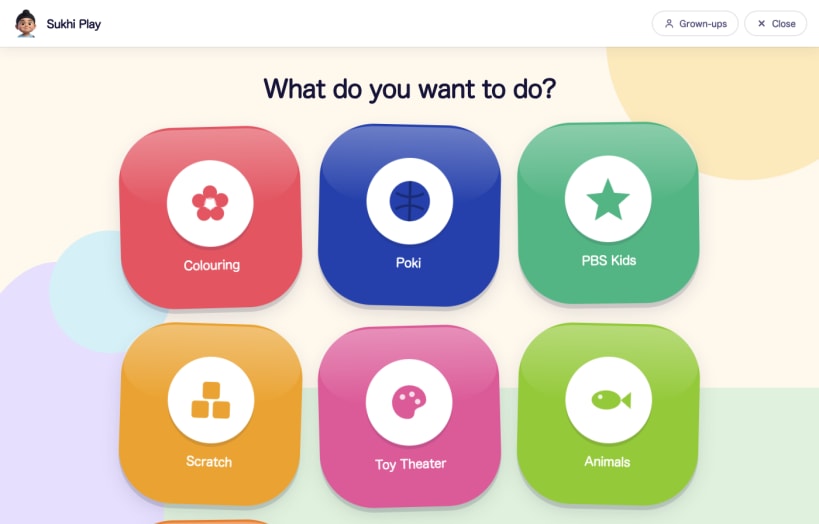
A grown-up chooses which websites are allowed. The child gets a full screen of large, brightly coloured buttons, one for each approved site, and nothing else. There is no address bar, no tabs, no search, no menus, and no way to reach anything you did not put there.
It was built for a three year old who wanted to play games and who also pressed every key and clicked every button on the screen.
What the child can do
- Tap a big picture to open the site it belongs to
- Play with the arrow keys, the letter keys and the mouse, the way games expect
- Tap one button to come back to the picker
What the child cannot do
- Reach any website other than the ones you approved, including through a link, a redirect or a popup
- Open a new tab or window, because there are none
- Trigger a keyboard shortcut. Shortcuts are held while the app runs, so a child leaning on the keyboard does nothing at all
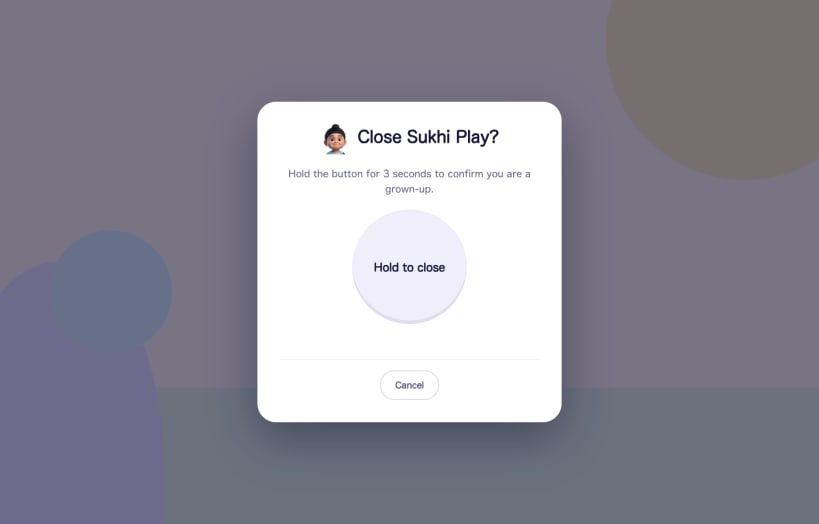
- Close the app. Quitting needs a button held down steadily for three seconds, which a toddler does not manage by accident. You can add a PIN on top of the hold if someone in the house is old enough to work out the holding
- Change anything you set up. The grown-up screen is behind the same hold
What you do as a grown-up
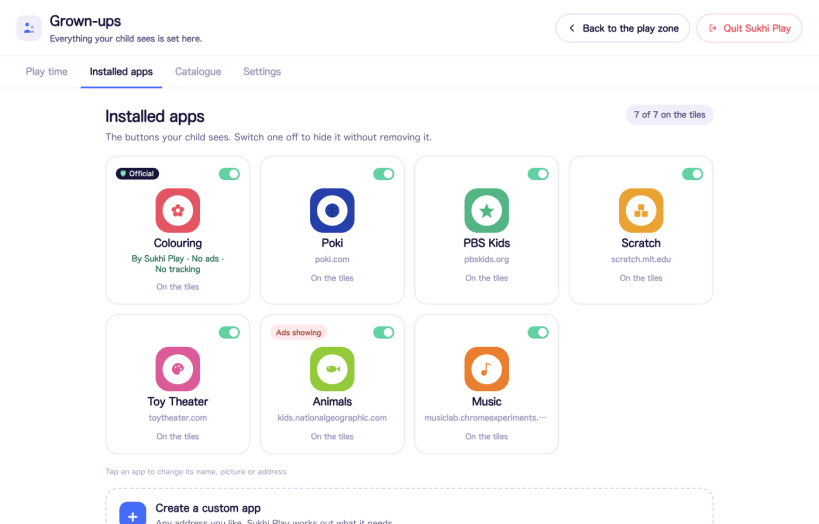
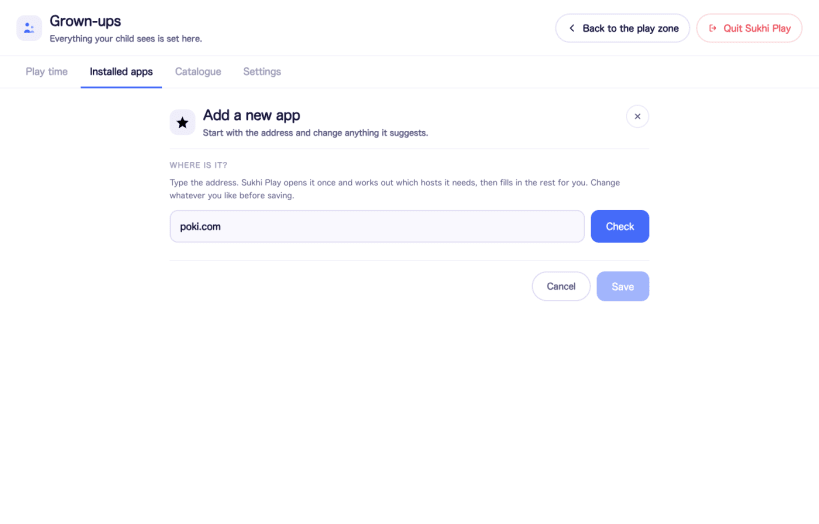
Type an address, or pick from a short list of suggestions. Sukhi Play opens the site once, works out which servers it actually needs, and fills in the rest for you. You can rename it, give it a colour and a picture, and turn it on or off at any time. Ads and trackers are filtered out by default, and you can see how many requests were blocked while your child was playing.
Nothing is allowed until you allow it. A fresh install shows an empty screen and a setup walkthrough, not a list of someone else's recommendations.
Being straight with you about the limits
- This is one layer, not a guarantee. A determined older child will get around any kiosk, this one included. It is built for a toddler, and it is not a substitute for sitting nearby.
- Approved sites are approved whole. If a site you allow changes what it shows, Sukhi Play will show it. Ad filtering reduces what gets through, it does not promise that nothing does.
- In this snap, the desktop keeps its own shortcuts. Sukhi Play normally borrows keys like Alt and Tab and the Super key for as long as it runs and gives them back when it closes, but a confined snap is not allowed to change desktop settings. If that matters to you, the .deb and AppImage builds on GitHub do hold those keys.
- On a Wayland session the desktop, not the application, decides who receives a key press, so some system shortcuts stay with the desktop there too.
Free, open source, and not connected to anything
Sukhi Play is MIT licensed and the full source is on GitHub. There is no account to create, no telemetry, no analytics and no advertising of its own. Your child's list of approved sites is a plain file on your own computer and is never uploaded.
It reaches the network in exactly three situations: loading a site your child opened, fetching a site's icon at the moment you add it, and asking GitHub whether a newer version exists when you press Check for updates. It never downloads or installs an update by itself. A kiosk that can rewrite itself is a worse problem than one that is out of date.
Sukhi Play is not affiliated with, endorsed by or connected to any of the websites it can be pointed at, and it does not recommend them. You choose where it may go, and you are responsible for reviewing each site and complying with its terms of service.
| Revision | Channel | Version | Build | Commit | Download SBOM |
|---|
The build and commit information is derived from build infrastructure records.
Install Sukhi Play on your Linux distribution
Choose your Linux distribution to get detailed installation instructions. If yours is not shown, get more details on the installing snapd documentation.











