

Twigpad
Install latest/stable of Twigpad
Ubuntu 16.04 or later?
Make sure snap support is enabled in your Desktop store.
Details for Twigpad
Package name
- twigpad
License
- GPL-3.0-or-later
Last updated
- Today - latest/stable
- Today - latest/edge
Websites
Contact
Donations
Source code
Report a bug
External link warning
You are about to open
Do you wish to proceed?
Report a Snap Store violation
Report Twigpad for a Snap Store violation
Snap Store Violation Report submitted successfully
Thank you for your report. Information you provided will help us investigate further.
Error submitting report
There was an error while sending your report. Please try again later.
Share this snap
Generate an embeddable card to be shared on external websites.
Tree notes outliner for Linux that opens and saves TreePad Lite .hjt files
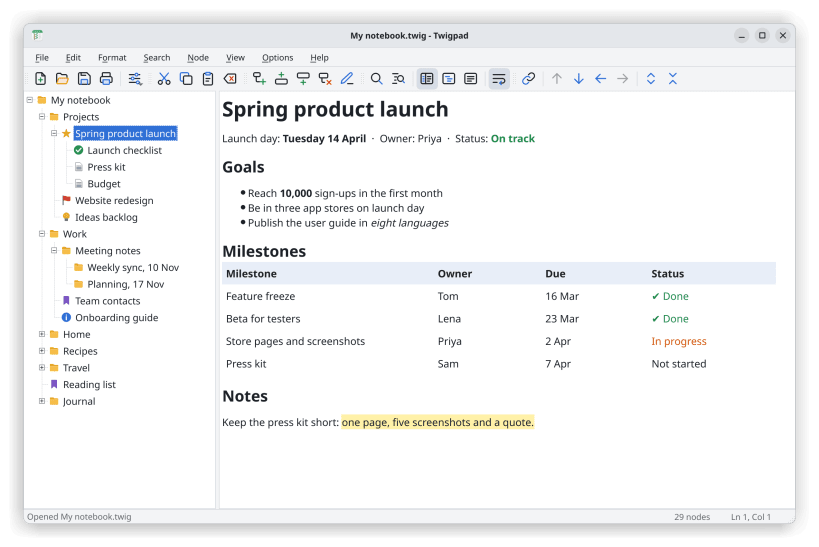
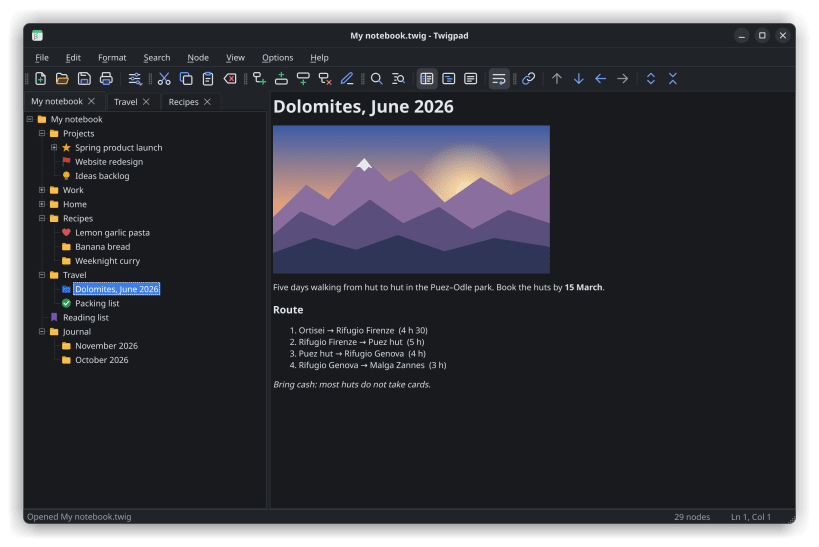
Twigpad is a fast, free tree notes editor and outliner for Linux. Your notes sit in a tree on the left and the text of the selected note on the right: the classic two-pane notepad layout. Nest notes as deep as you like, move whole branches around and search everything at once. It works offline, needs no account and keeps a whole notebook in one file.
Coming from TreePad Lite? Twigpad opens and saves .hjt files directly, with no Wine and no converting. Your tree, titles, text and links between notes come across as they are, the familiar keys work (Ins, Shift+Ins, Shift+arrows, F2, Ctrl+H), and the files you save still open on Windows. Backup copies, zipped backups and damaged .hjt files open too.
What you get
- Unlimited nesting: add, move, sort, drag, cut, copy and paste whole branches
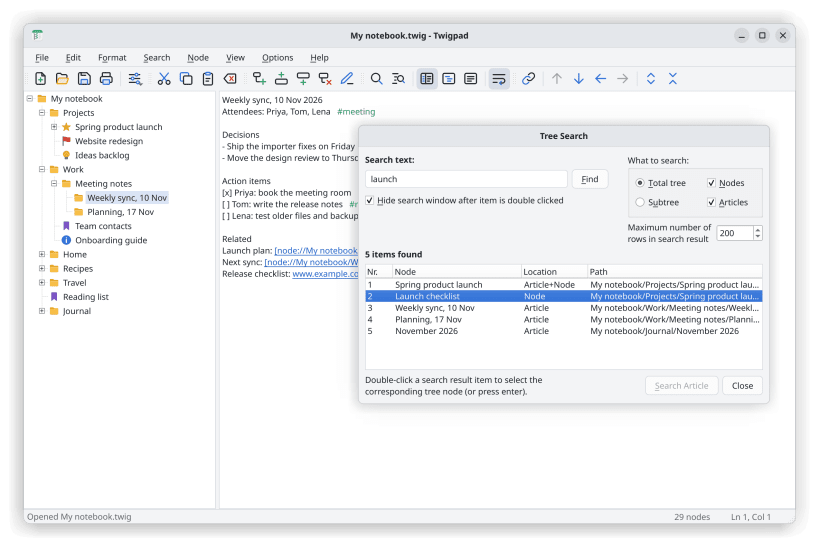
- Find and replace across every note title and text at once
- Formatted notes with headings, lists, colours, tables and pictures
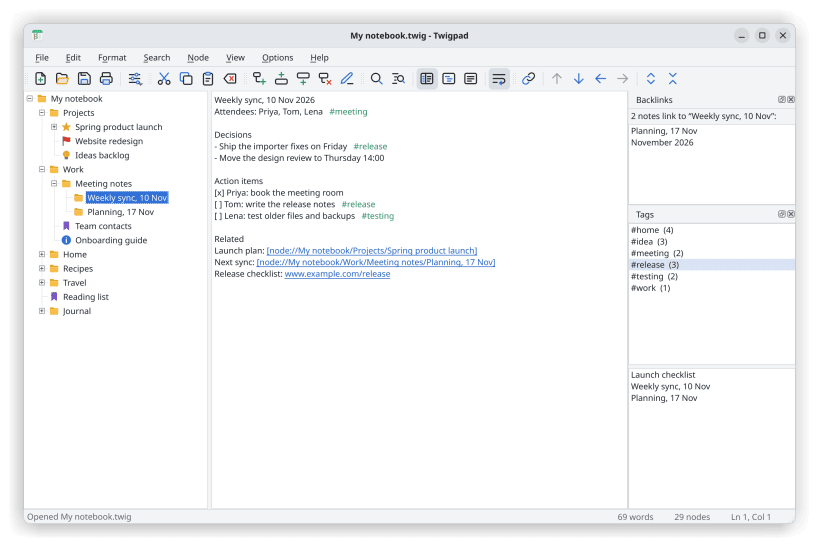
- Links between notes, #tags and backlinks
- Password protection with AES-256 encryption
- Spell check, with dictionaries for 50 languages a click away
- Undo for the tree, a backup copy on save, auto-save and crash recovery
- Import text and CSV files, export to text or HTML, and print
- Focus on one branch, or open branches in tabs
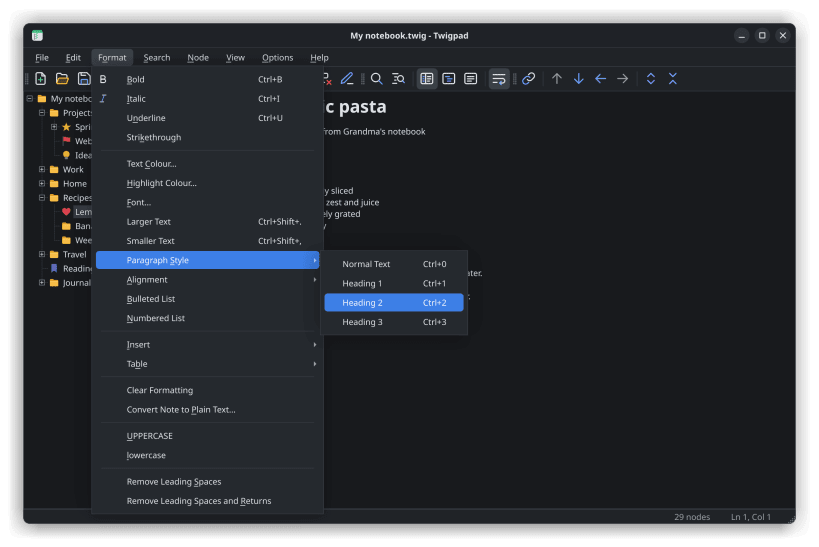
- Light and dark themes, a system tray icon and a portable mode
- In English, German, French, Spanish, Italian, Brazilian Portuguese, Russian, Simplified Chinese and Japanese
Use it for a personal knowledge base or wiki, meeting and project notes, research and writing outlines, a journal, recipes, code snippets, or as a personal information manager.
USB drives: to open notes on USB sticks and other drives, run once: sudo snap connect twigpad:removable-media
Twigpad is free software (GPL-3.0-or-later). It is an independent project and is not affiliated with TreePad or its makers.
| Revision | Channel | Version | Build | Commit | Download SBOM |
|---|
The build and commit information is derived from build infrastructure records.
Install Twigpad on your Linux distribution
Choose your Linux distribution to get detailed installation instructions. If yours is not shown, get more details on the installing snapd documentation.


