

V2rayX
Install latest/stable of V2rayX
Ubuntu 16.04 or later?
Make sure snap support is enabled in your Desktop store.
Details for V2rayX
Package name
- v2rayx
License
- MIT
Last updated
- 20 February 2024 - latest/stable
- 18 January 2026 - latest/edge
Contact
Source code
Report a bug
External link warning
You are about to open
Do you wish to proceed?
Report a Snap Store violation
Report V2rayX for a Snap Store violation
Snap Store Violation Report submitted successfully
Thank you for your report. Information you provided will help us investigate further.
Error submitting report
There was an error while sending your report. Please try again later.
Share this snap
Generate an embeddable card to be shared on external websites.
✨✨V2ray GUI client with cross-platform desktop support powered by Tauri, made especially for Linux / Windows / MacOS users.
[● Telegram Channel](https://t.me/V2rayX_electron)
I. V2ray Tauri
V2ray GUI client with cross-platform desktop support powered by Tauri, made especially for Linux / Windows / MacOS users.
➣ Tested on
- Ubuntu22.10 (amd64, arm64)
- MacOS Ventura (Intel, M1+)
- Windows10/11 (x64)
➣ Future test plan
- Linux Kali/Manjaro (x64)
II. Features
➣ Supported (TODO List)
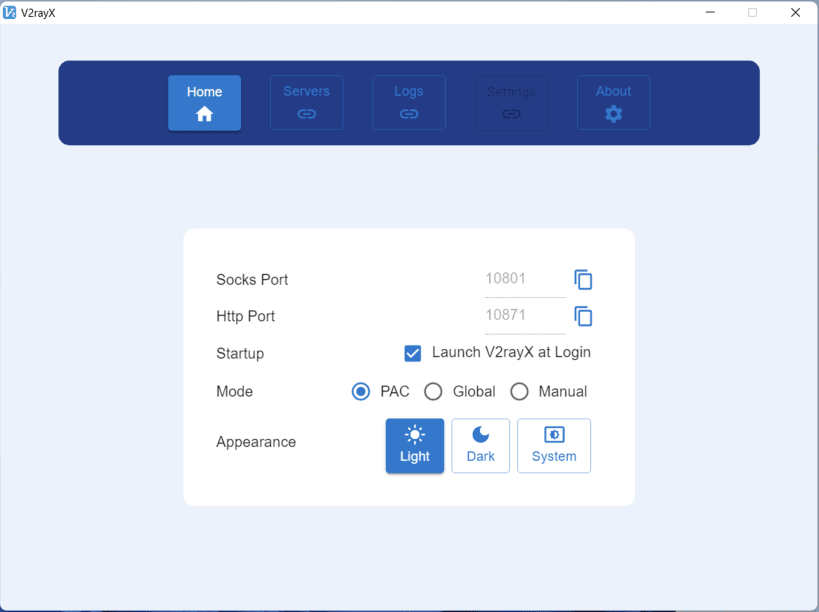
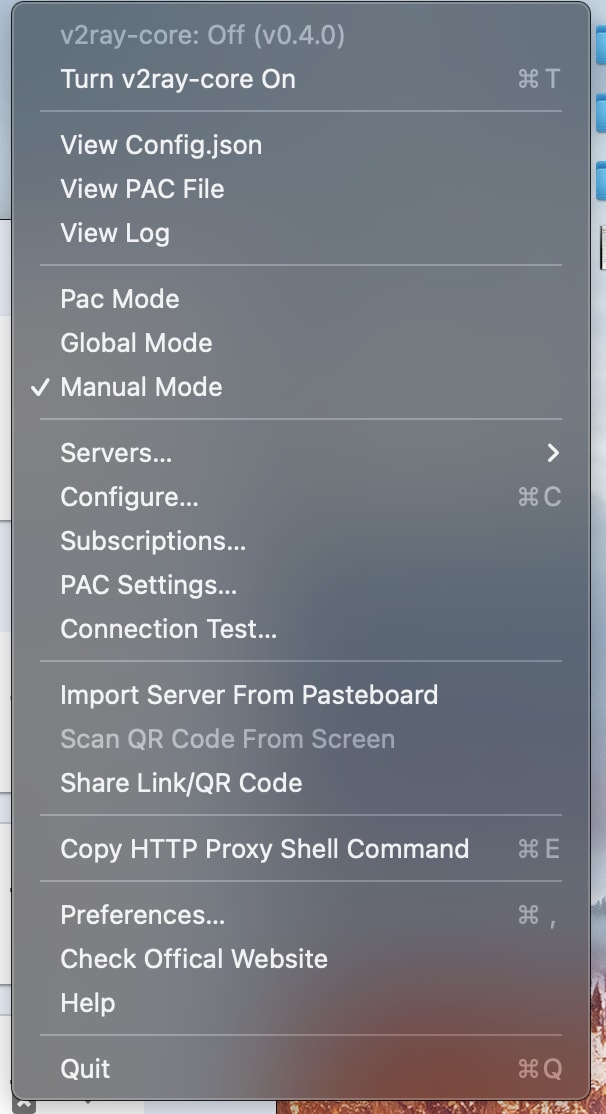
[x] PAC Mode
- Auto proxy mode for browsers that use [GFWList](https://raw.githubusercontent.com/gfwlist/gfwlist/master/gfwlist.txt) as default rules.
- Allow custom rules.
[x] Global Mode
- Global socks5 proxy for browser.
[x] Manual Mode
- Get some tools like SwitchOmega to enable browser proxy on this mode.
[x] HTTP(S) Proxy
- On Linux/MacOS, commands for terminal proxy:
export http_proxy="127.0.0.1:10871"export https_proxy="127.0.0.1:10871"- Some tools like
proxychainsare deeply recommended.
- On Linux/MacOS, commands for terminal proxy:
[x] Clipboard
[ ] QR-code Import
[ ] Subscription Import
[x] Language Switching Chinese (zh-CN) / English (en-US) / Russian (ru-RU) / Spanish (es-ES) / French (fr-FR) / German (de-DE) / Japanese (ja-JP) / Korean (ko-KR) / Farsi (fa-IR)
[ ] Configuration Backup / Recovery
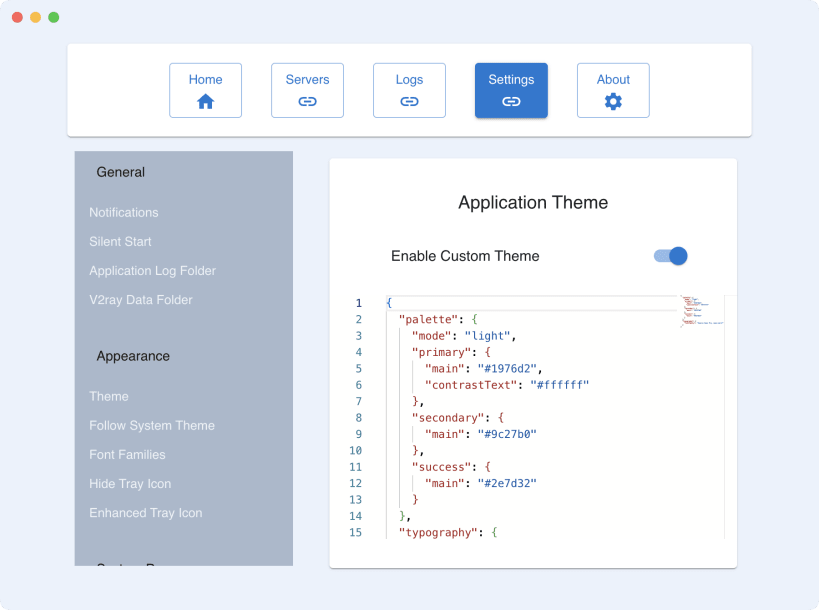
[x] Dark / Light Mode
[x] Auto Start (Not supported on Linux)
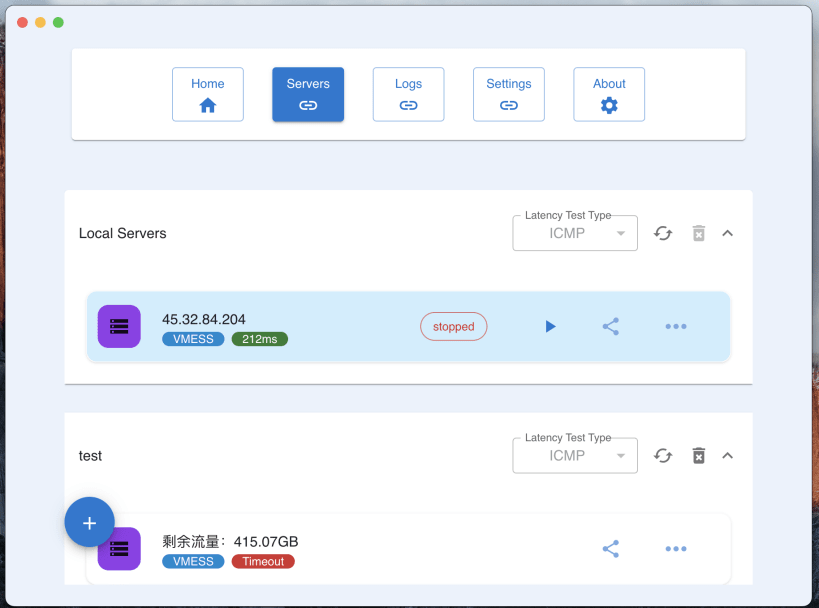
[x] Server Share
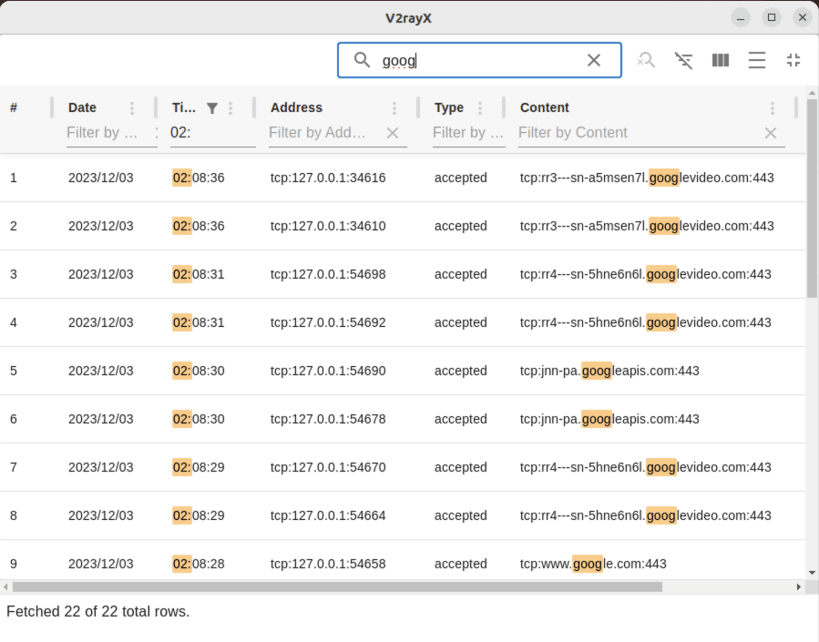
[x] Activity Logs
[x] Support Shadowsocks/VMess/Hysteria2/Trojan Import
➣ In Testing
- [ ] QR-code Import
IV. Supported Platforms & Arch
> More architectures will be supported if necessary, just give me an issue.
Ubuntu
- deb
x64/arm64 - pacman
x64/arm64(Coming Soon) - AppImage
x64/arm64(arm64 Coming Soon) - rpm
x64/arm64 - snap
x64/arm64(Easy Intall On SnapStore)
- deb
MacOS (M1+, Intel)
- dmg
x64/arm64 - zip
x64/arm64
- dmg
Windows 10/11
- exe
x64/arm64 - msi
x64/arm64
- exe
➣ Why
This project was heavily inspired by yanue/V2rayU, which uses packed v2ray-core to avoid complex installation with native O-C code. But it is not intuitive to use. Only support macOS.
I work with different operating systems that need a proxy environment, and I hope the app has a little bit of a user interface and it has to be cross-platform.
Hence, the app is created. Welcome to pull or make PR.
➣ **Sponsor **
Life is hard. Maybe a coffee would help.❤️❤️🙏🙏💪💪
https://www.buymeacoffee.com/shaonhuang
➣ Credit
- [yanue/V2rayU](https://github.com/yanue/V2rayU/tree/master)
- [elibroftw/modern-desktop-app-template](https://github.com/elibroftw/modern-desktop-app-template)
| Revision | Channel | Version | Build | Commit | Download SBOM |
|---|
The build and commit information is derived from build infrastructure records.
Install V2rayX on your Linux distribution
Choose your Linux distribution to get detailed installation instructions. If yours is not shown, get more details on the installing snapd documentation.












