

Veylo – Streaming for Linux (veylo)
Install latest/stable of Veylo – Streaming for Linux
Ubuntu 16.04 or later?
Make sure snap support is enabled in your Desktop store.
Details for Veylo – Streaming for Linux
Package name
- veylo
License
- MIT
Last updated
- 3 November 2026 - latest/stable
Websites
Donations
Source code
External link warning
You are about to open
Do you wish to proceed?
Report a Snap Store violation
Report Veylo – Streaming for Linux for a Snap Store violation
Snap Store Violation Report submitted successfully
Thank you for your report. Information you provided will help us investigate further.
Error submitting report
There was an error while sending your report. Please try again later.
Share this snap
Generate an embeddable card to be shared on external websites.
Lightweight streaming desktop client for Linux
Veylo – Streaming for Linux
Your favourite streaming services. One Linux app.
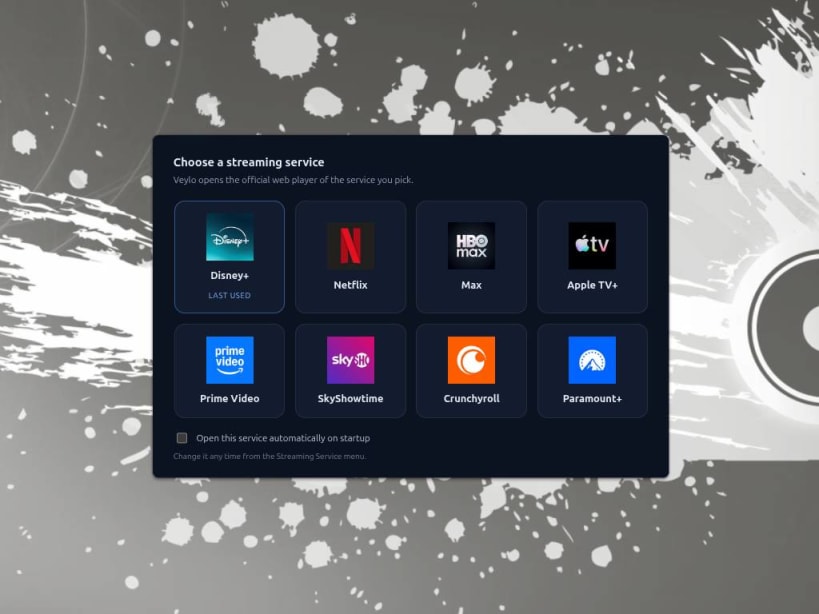
Veylo brings your favourite streaming platforms together in one convenient Linux desktop application. Enjoy Disney+, Netflix, Max, Apple TV+, Prime Video, SkyShowtime, Crunchyroll, Paramount+, Pluto TV(USA) and Tubi(USA) without keeping a full web browser open just for streaming.
Built with castLabs' Electron, Veylo supports Widevine-protected playback and integrates with your Linux desktop for a convenient viewing experience.
Features
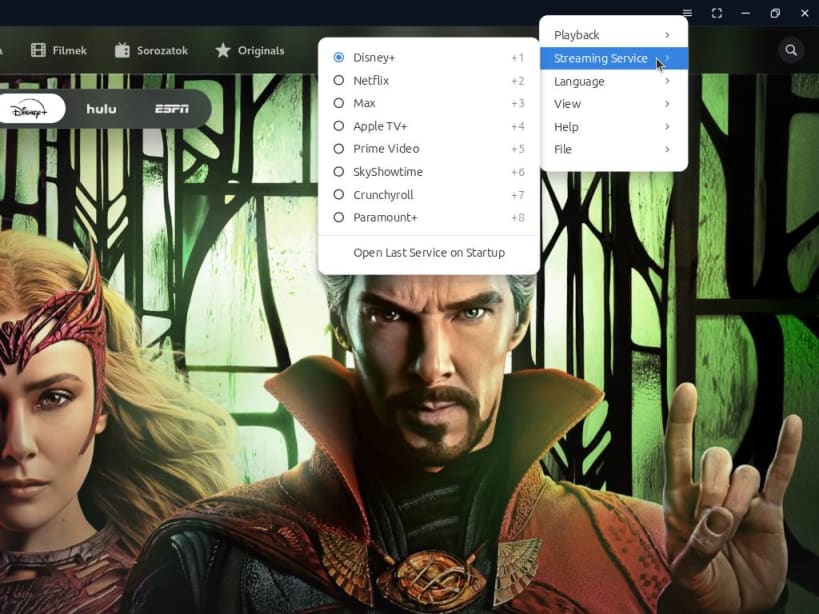
- Multiple streaming services: Access Disney+, Netflix, Max, Apple TV+, Prime Video, SkyShowtime, Crunchyroll, Paramount+, Pluto TV and Tubi from one application.
- Separate sessions: Each streaming service maintains its own session and login.
- Flexible startup: Choose your preferred service at startup or reopen the last-used service automatically.
- Widevine DRM support: Designed for streaming platforms that require protected video playback.
- Hardware video decoding: VA-API support can reduce CPU usage when compatible hardware and drivers are available.
- MPRIS integration: Control playback using compatible Linux desktop media controls and media keys.
- Picture-in-picture: Keep watching while working in other applications.
- Fullscreen mode: Enjoy an immersive viewing experience.
- System tray: Minimize the application to the system tray and restore it when needed.
- Window state restoration: Remembers window size, position and maximized state.
- Single-instance mode: Launching Veylo again brings the existing window to the foreground.
- Multilingual interface: English, Hungarian and German, with automatic system language detection and manual selection.
Designed for Linux
Veylo is built for Linux desktop environments and supports both X11 and Wayland sessions.
- x86_64 and ARM64 (aarch64) architectures.
- Compatible with a range of Linux distributions.
- Available in multiple package formats, including Snap, Flatpak and AppImage, depending on the release.
Install the Snap package for convenient installation and updates through the Snap ecosystem.
Playback and Compatibility
Streaming availability, video quality and playback compatibility depend on your region, subscription, hardware, drivers and each provider's requirements.
Widevine support does not guarantee that every service or resolution will work on every system. The current configuration generally targets up to 720p playback through Widevine L3. Higher resolutions may require hardware-secure DRM capabilities that are not available in this configuration.
Hardware video decoding also depends on compatible GPU drivers and system configuration.
A valid account or subscription may be required to access paid content.
Independent and Unofficial
Veylo is an independent, unofficial third-party application. It is not affiliated with, endorsed by or sponsored by Disney, Netflix, Warner Bros. Discovery, Apple or Amazon.
Veylo does not provide streaming subscriptions, host copyrighted content or bypass DRM protections. It provides a desktop interface for accessing the streaming services' own web players.
All trademarks belong to their respective owners.
Get Started
Install Veylo, choose your streaming service, sign in with your existing account and enjoy your favourite entertainment on Linux.
Veylo – Your streaming services. One Linux app.
Project and technical documentation: https://github.com/rajen77/veylo
| Revision | Channel | Version | Build | Commit | Download SBOM |
|---|
The build and commit information is derived from build infrastructure records.
Install Veylo – Streaming for Linux on your Linux distribution
Choose your Linux distribution to get detailed installation instructions. If yours is not shown, get more details on the installing snapd documentation.


