

VideoSTAX
Install latest/stable of VideoSTAX
Ubuntu 16.04 or later?
Make sure snap support is enabled in your Desktop store.
Details for VideoSTAX
Package name
- videostax
License
- Proprietary
Last updated
- Yesterday - latest/stable
Websites
Contact
Donations
Source code
Report a bug
External link warning
You are about to open
Do you wish to proceed?
Report a Snap Store violation
Report VideoSTAX for a Snap Store violation
Snap Store Violation Report submitted successfully
Thank you for your report. Information you provided will help us investigate further.
Error submitting report
There was an error while sending your report. Please try again later.
Share this snap
Generate an embeddable card to be shared on external websites.
Compress and convert videos, one file or a whole queue
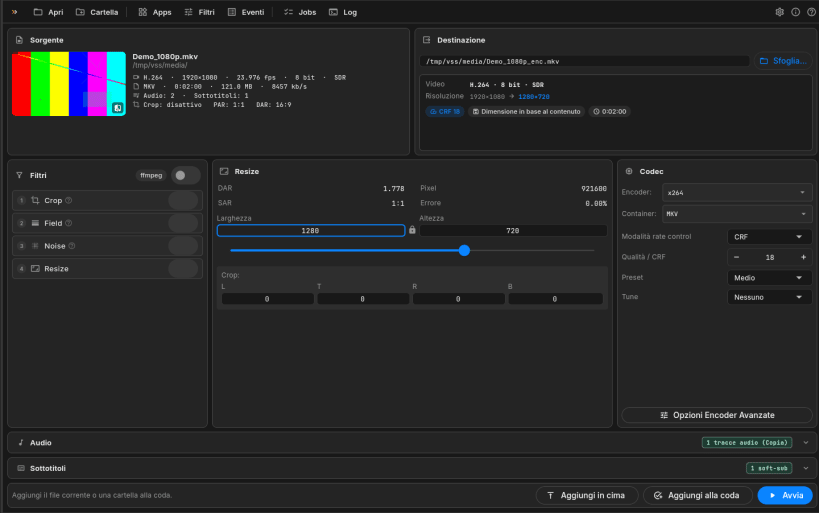
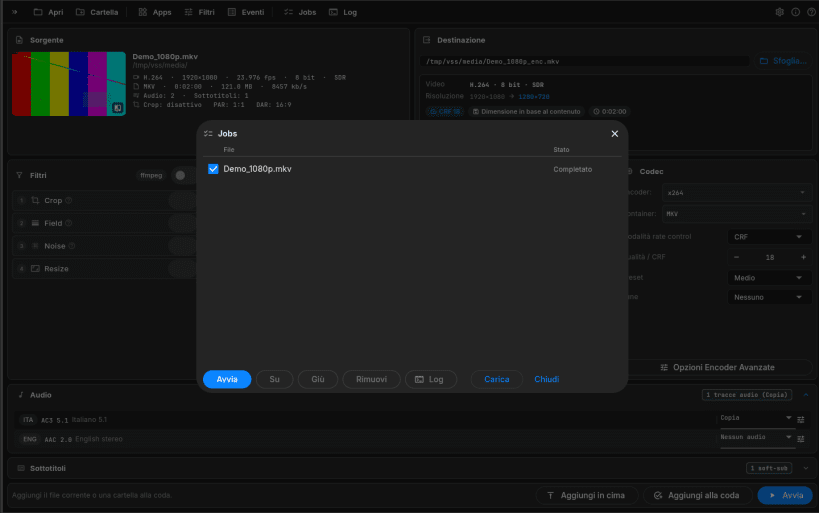
VideoSTAX compresses and converts video files. Open a file, choose how the result should look (codec, quality, size, audio and subtitle tracks) and VideoSTAX produces the new file, alone or in a queue of many files. Everything happens on one screen, in the spirit of StaxRip.
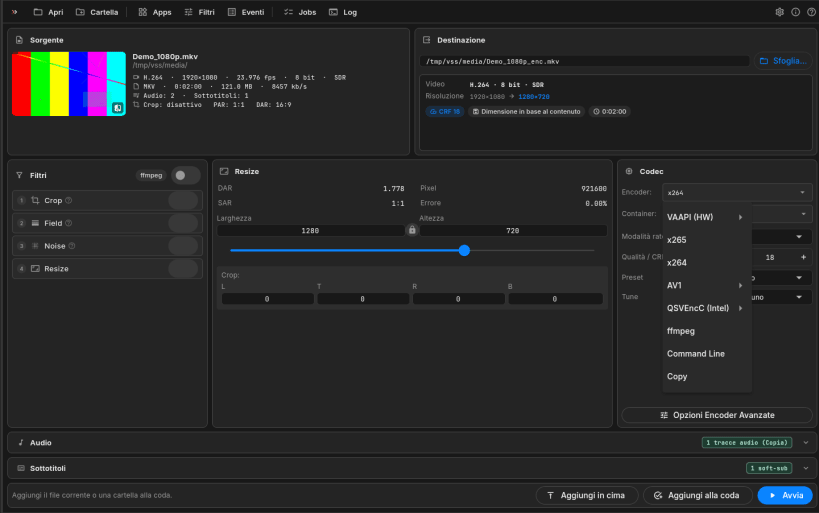
It uses well-known tools under the hood (FFmpeg, MKVToolNix, VapourSynth) and the hardware encoders of your graphics card when available: NVIDIA NVENC, Intel Quick Sync, AMD VCE and VAAPI. All tools are included, so there is nothing else to install.
One-screen workbench
- Source: codec, resolution, frame rate, bit depth, HDR/SDR, duration, bitrate, audio and subtitle tracks at a glance
- Destination: output file, a summary of what changes, estimated size and warnings (for example HDR encoded at 8 bit)
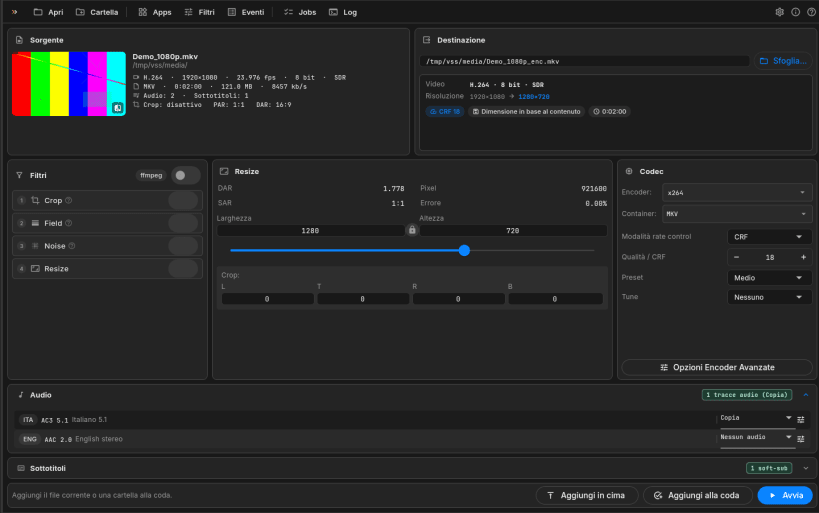
- Filters, resize and codec side by side; audio and subtitles below
Files and queue
- Single files, many files, Blu-ray folders, merging several files into one, batch lists, drag and drop
- A job queue with order, start and a log for each job; time left and speed while encoding
Quality control
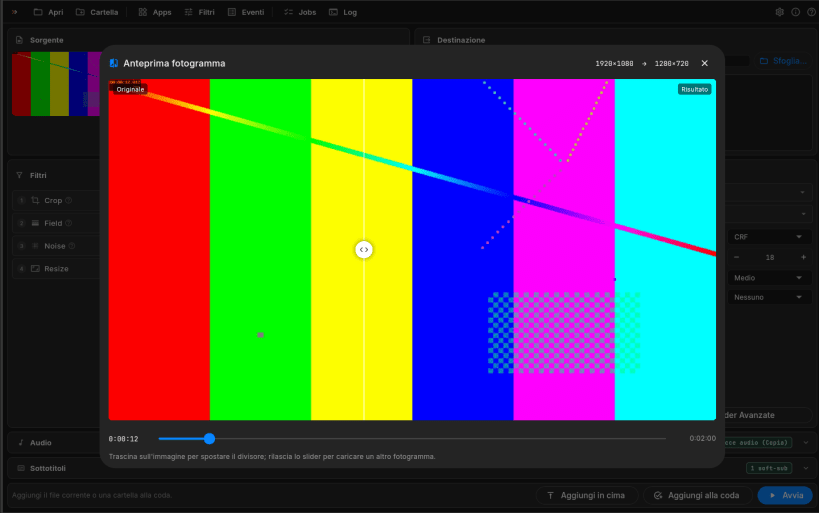
- Frame preview: compare the original and the result of crop and resize with a draggable divider
- x264, x265, SVT-AV1 and hardware encoders, with CRF, bitrate and advanced options with search
- Copy or convert each audio track, keep or burn subtitles
Private by design
- No account, no ads, no tracking: videos are converted entirely on your computer
- Free, in English, Italian, German, French and Spanish
VideoSTAX opens files in your home folder and on removable drives (/media, /run/media). The NVIDIA, Intel and AMD encoders are included in the amd64 snap only; on arm64 use VAAPI or the software encoders.
| Revision | Channel | Version | Build | Commit | Download SBOM |
|---|
The build and commit information is derived from build infrastructure records.
Install VideoSTAX on your Linux distribution
Choose your Linux distribution to get detailed installation instructions. If yours is not shown, get more details on the installing snapd documentation.


