

Voxel Paint (voxelpaint)
Install latest/stable of Voxel Paint
Ubuntu 16.04 or later?
Make sure snap support is enabled in your Desktop store.

Details for Voxel Paint
Package name
- voxelpaint
License
- GPL-2.0-only
Last updated
- 18 January 2024 - latest/stable
- 4 September 2024 - latest/edge
Contact
Source code
External link warning
You are about to open
Do you wish to proceed?
Report a Snap Store violation
Report Voxel Paint for a Snap Store violation
Snap Store Violation Report submitted successfully
Thank you for your report. Information you provided will help us investigate further.
Error submitting report
There was an error while sending your report. Please try again later.
Share this snap
Generate an embeddable card to be shared on external websites.
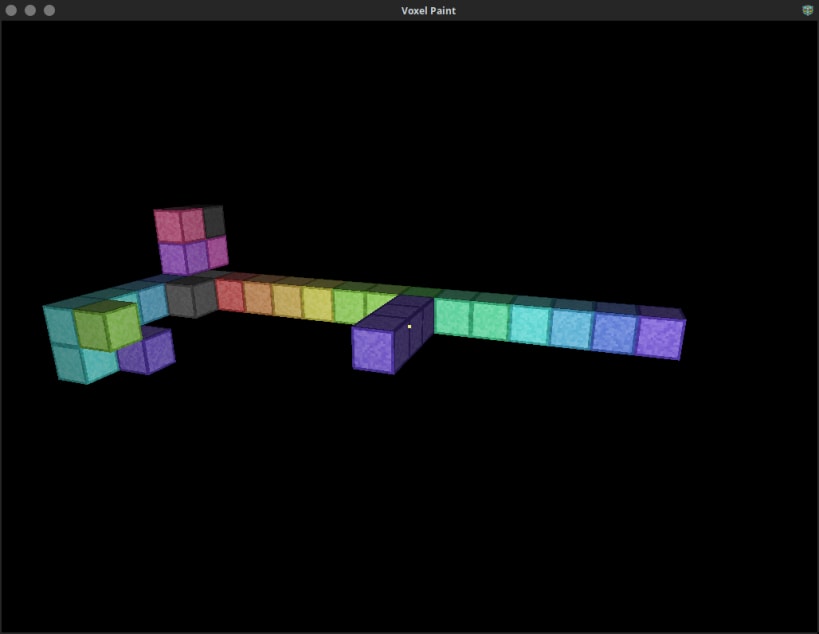
Paint in 3D using voxels!
Mouse locks when you click on the game window, press ESCAPE to unlock the mouse.
- W,A,S,D = Move around based on relative orientation to X and Y.
- SPACE + L-SHIFT = Move up and down relative Z.
- Left Click / R-SHIFT = Place node.
- Right Click / R-CTRL = Delete node.
- Q / Middle Click = Clone texture of pointed node.
- R = Places node at your current position.
- E / F / Mouse4 = Toggle player fast speed on and off.
- 1-7 = Change move speed for selected fast state.
- X + C / Slash + Quote = Change texture of pointed node.
- T = Resets player state to start.
- G = Gravity on/off.
- P = Toggle pitch lock.
- F3 = Save. (auto saves on exit or idle for more than 3 minutes)
- F8 = Load. (will erase what you have done since the last save)
Multi-select:
- Middle Mouse Click & Drag or Mouse4 & Drag (or Q and drag) to select area.
- V = Copies the selected nodes to the currently pointed position, the point you started the selection from is the point you will copy from at the new pointed location.
- B = Fill selected nodes with selected color.
- N = Delete selected nodes.
Arrow Keys can be used to move the view around.
Your state is automatically saved on exit.
You can customize the 17 block tileset, in your dataPath you will find a tiles.ppm image file, edit this file and save it as a PPM with a P6 272 16 255 header. Krita (https://krita.org) or KolourPaint (https://apps.kde.org/en-gb/kolourpaint/) can edit PPM files.
| Revision | Channel | Version | Build | Commit | Download SBOM |
|---|
The build and commit information is derived from build infrastructure records.
Install Voxel Paint on your Linux distribution
Choose your Linux distribution to get detailed installation instructions. If yours is not shown, get more details on the installing snapd documentation.












