

Where Did My Storage Go? (wheredidmystoragego)
Install latest/stable of Where Did My Storage Go?
Ubuntu 16.04 or later?
Make sure snap support is enabled in your Desktop store.
Install using the command line
sudo snap install wheredidmystoragegoDon't have snapd? Get set up for snaps.
Details for Where Did My Storage Go?
Package name
- wheredidmystoragego
License
- Proprietary
Last updated
- 25 July 2026 - latest/stable
- 25 July 2026 - latest/edge
Websites
External link warning
You are about to open
Do you wish to proceed?
Report a Snap Store violation
Report Where Did My Storage Go? for a Snap Store violation
Snap Store Violation Report submitted successfully
Thank you for your report. Information you provided will help us investigate further.
Error submitting report
There was an error while sending your report. Please try again later.
Share this snap
Generate an embeddable card to be shared on external websites.
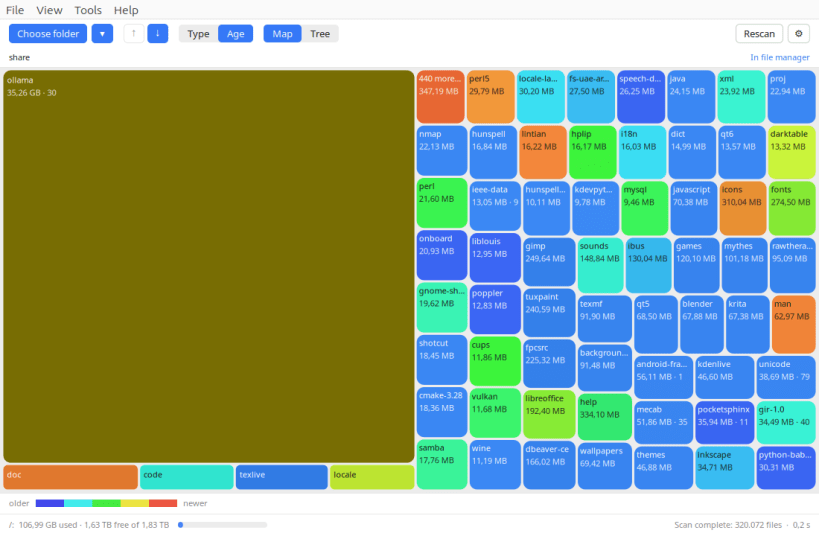
See where your disk space went — as a colourful treemap
Ever wondered where your disk space went? This shows you — as a colourful map where every folder is a box, and the bigger the box, the more space it takes. The heavy folders jump straight out at you. Click one to look inside, mark what you no longer need, and send it all to the trash in one go.
What it does:
- Shows at a glance which folders are eating your disk
- Colours by file type, or by age — so you can spot the old stuff you have long forgotten about
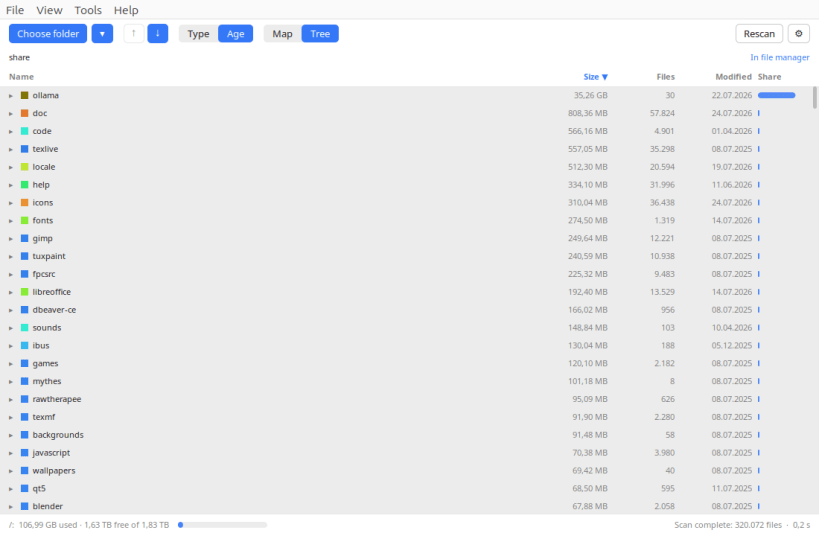
- A sortable list view as well, when you want exact figures
- Finds the folders that can be cleared without losing anything, and keeps a running total of how much that would free up
- Marks several items and moves them to the trash together, so nothing disappears for good and your file manager can put it back
- Refuses to touch system folders and other people's files
- Reports the space your system really reports as used
- Scans quickly, shows progress, and stops the moment you say so
- Packs a folder into an archive and leaves the original alone
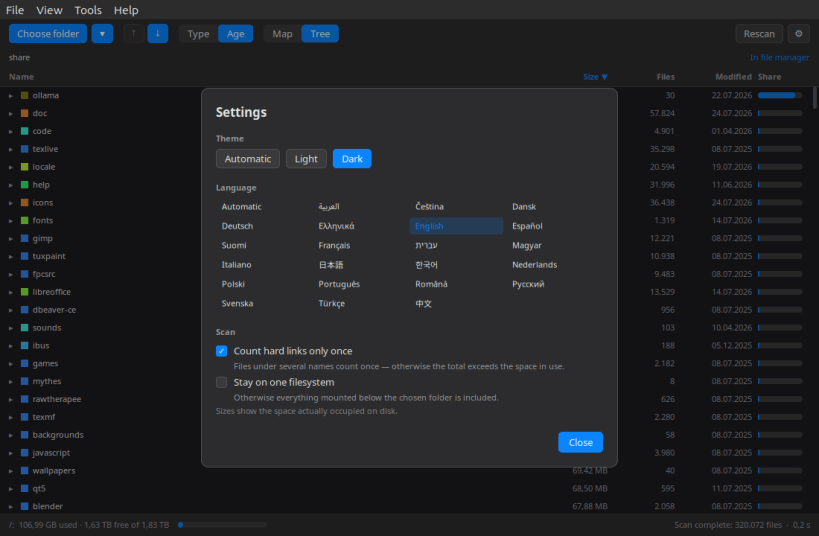
- Available in 22 languages: English, German, French, Spanish, Italian, Portuguese, Dutch, Polish, Czech, Hungarian, Romanian, Swedish, Danish, Finnish, Greek, Turkish, Russian, Japanese, Chinese, Korean, Arabic, Hebrew (Automatic follows the system language)
- Light and dark theme (Automatic follows the desktop)
▶ SCANNING SYSTEM FOLDERS
sudo snap connect wheredidmystoragego:system-backup
Your home directory and removable media work straight away. System directories such as /usr and /var stay invisible until the command above is run once — snapd confines the app until you allow it. No reboot required, just restart the app.
Supported systems:
- Ubuntu 24.04+, Fedora 40+, Arch Linux, openSUSE Tumbleweed
- Any Linux desktop with X11 or Wayland
- x86_64 (64-bit)
Also available as .deb and .rpm, flatpack, AppImage at www.budbrain.de
Developed by Josef Sejrek / Budbrain Software Contact: wheredidmystoragego@budbrain.de | www.budbrain.de
| Revision | Channel | Version | Build | Commit | Download SBOM |
|---|
The build and commit information is derived from build infrastructure records.
Install Where Did My Storage Go? on your Linux distribution
Choose your Linux distribution to get detailed installation instructions. If yours is not shown, get more details on the installing snapd documentation.











