

Install latest/stable of WiFi Radar
Ubuntu 16.04 or later?
Make sure snap support is enabled in your Desktop store.
Install using the command line
sudo snap install wifi-radar-monkeysDon't have snapd? Get set up for snaps.
Details for WiFi Radar
Package name
- wifi-radar-monkeys
License
- Proprietary
Last updated
- Yesterday - latest/stable
Report a Snap Store violation
Report WiFi Radar for a Snap Store violation
Snap Store Violation Report submitted successfully
Thank you for your report. Information you provided will help us investigate further.
Error submitting report
There was an error while sending your report. Please try again later.
Share this snap
Generate an embeddable card to be shared on external websites.
Cyberpunk radar dashboard of every device on your Wi-Fi network
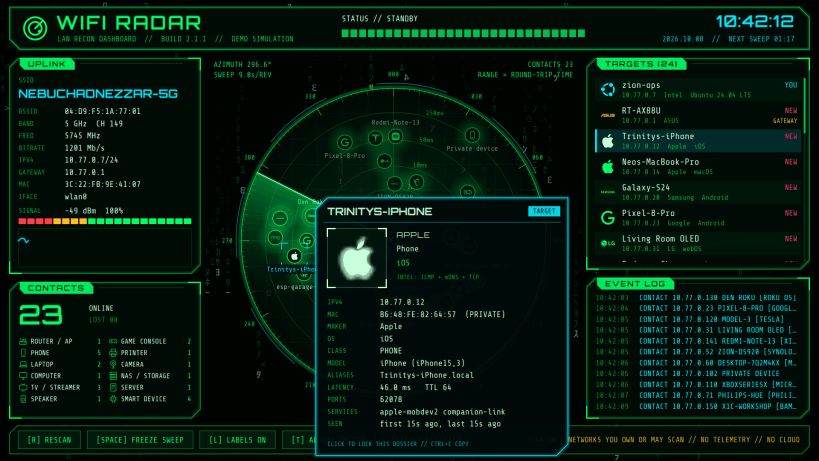
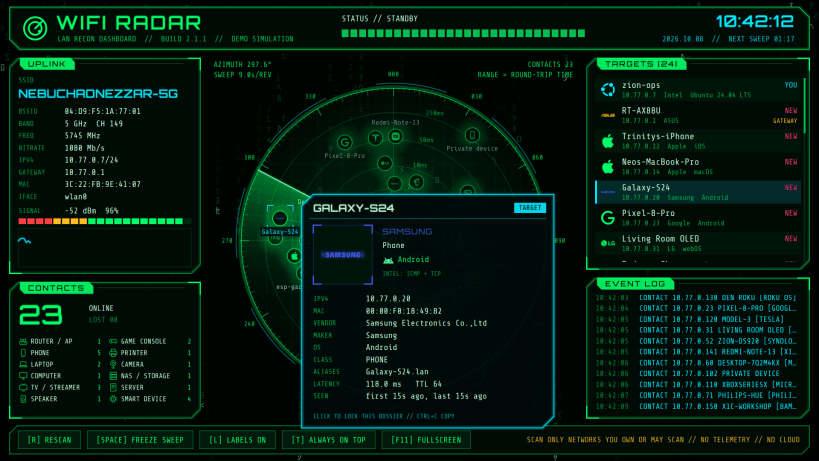
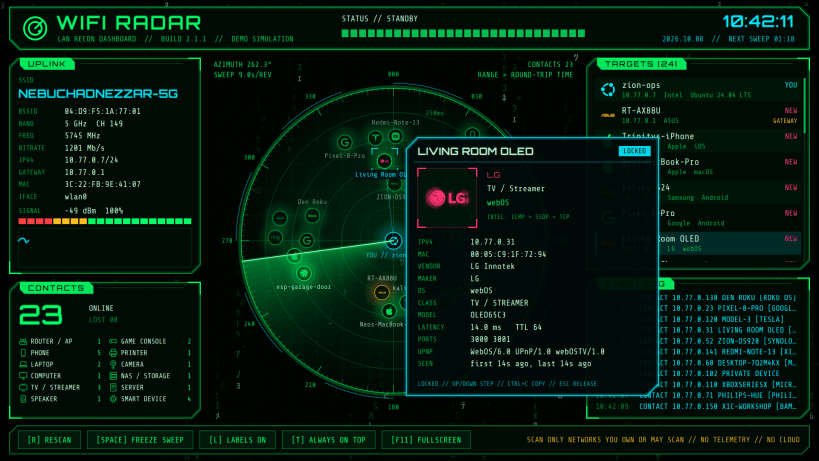
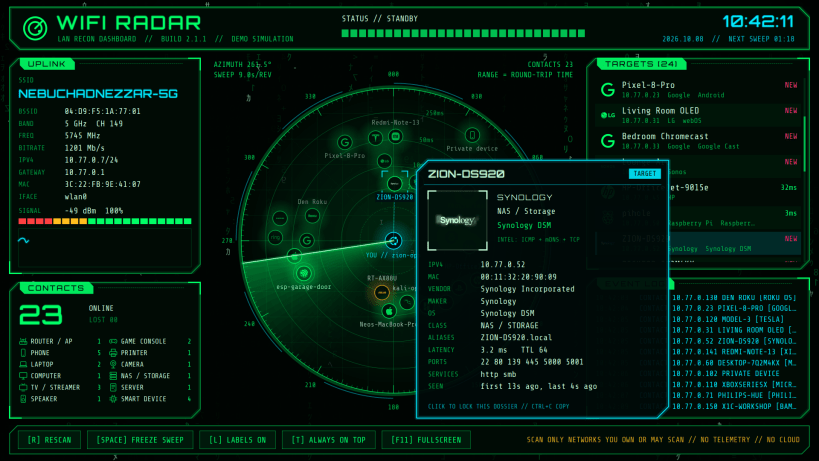
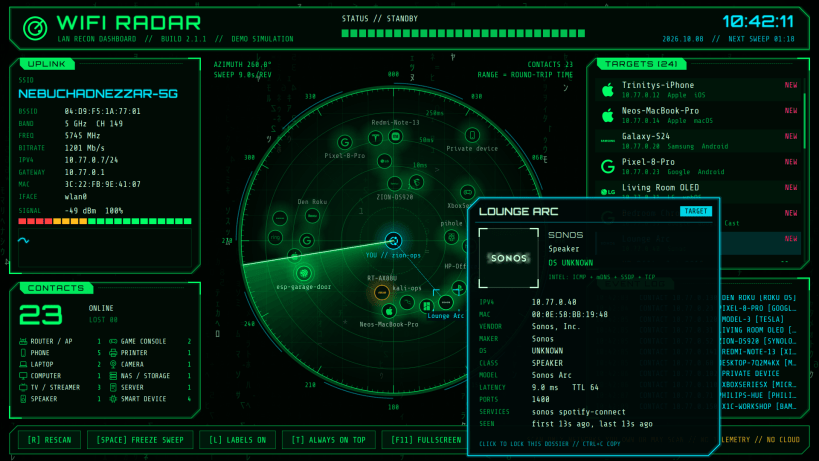
WiFi Radar maps the devices on your local network onto a slowly sweeping green radar, set in a cyberpunk dashboard with falling Matrix code behind it. Each device appears the moment the sweep passes over it.
- Hover a device on the radar or in the target list for a dossier card with the logo of its maker or operating system (Apple, Samsung, Google, Sonos, Raspberry Pi, LG, Synology, Ubuntu, Android and dozens more), its IP and MAC address, vendor, OS, device type, model, open ports, network services and when it was first and last seen. Click to lock the card open, step through devices with the arrow keys and copy a dossier with Ctrl+C.
- Distance from the centre is the real round-trip time, so responsive devices sit close to you.
- The uplink panel shows your Wi-Fi network name, access point, band and channel, signal strength with a live history graph, and link speed.
- Devices are identified from their network vendor, mDNS / Bonjour, UPnP, NetBIOS and DNS names, open ports and reply TTL.
- New devices, identifications and devices that drop off the network are reported in the event log.
WiFi Radar needs no special permissions: it uses only the standard network access that every app gets automatically, and nothing to connect by hand. It talks only to devices on your local network and to your own DNS resolver (for device names). No telemetry, no accounts, no cloud lookups.
Keys: R rescan, Space freeze the sweep, L labels, T always on top,
F11 full screen, Up / Down step through devices, Ctrl+C copy, Esc release.
The whole dashboard scales with the window, which reopens at the size and
place you left it.
wifi-radar-monkeys --cli prints a scan in the terminal;
wifi-radar-monkeys --demo shows a simulated network.
Only scan networks you own or are allowed to scan.
| Revision | Channel | Version | Build | Commit | Download SBOM |
|---|
The build and commit information is derived from build infrastructure records.
Install WiFi Radar on your Linux distribution
Choose your Linux distribution to get detailed installation instructions. If yours is not shown, get more details on the installing snapd documentation.











