

Install latest/stable of Wolfgate Browser
Ubuntu 16.04 or later?
Make sure snap support is enabled in your Desktop store.
Install using the command line
sudo snap install wolfgate-browser-monkeysDon't have snapd? Get set up for snaps.
Details for Wolfgate Browser
Package name
- wolfgate-browser-monkeys
License
- Proprietary
Last updated
- 12 October 2026 - latest/stable
Websites
External link warning
You are about to open
Do you wish to proceed?
Report a Snap Store violation
Report Wolfgate Browser for a Snap Store violation
Snap Store Violation Report submitted successfully
Thank you for your report. Information you provided will help us investigate further.
Error submitting report
There was an error while sending your report. Please try again later.
Share this snap
Generate an embeddable card to be shared on external websites.
Cyberpunk ghost browser - no history, a rear-view mirror and a cookie tray
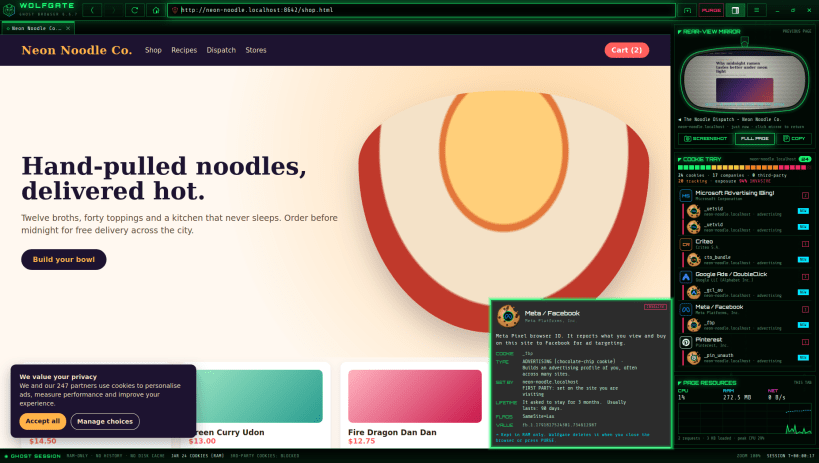
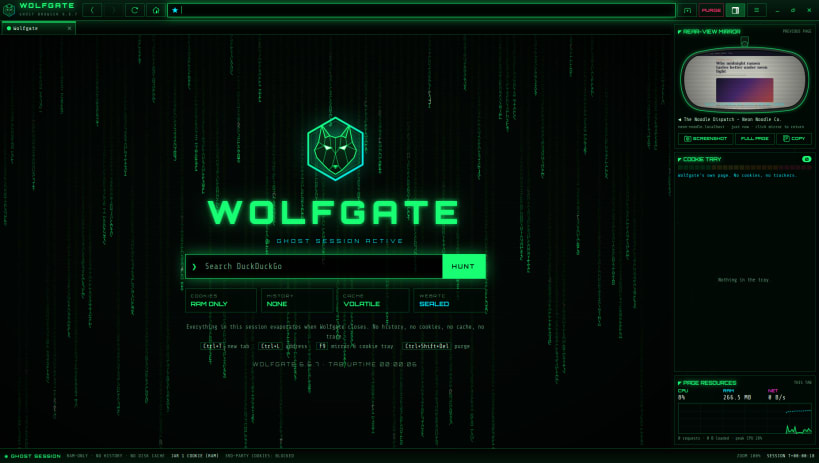
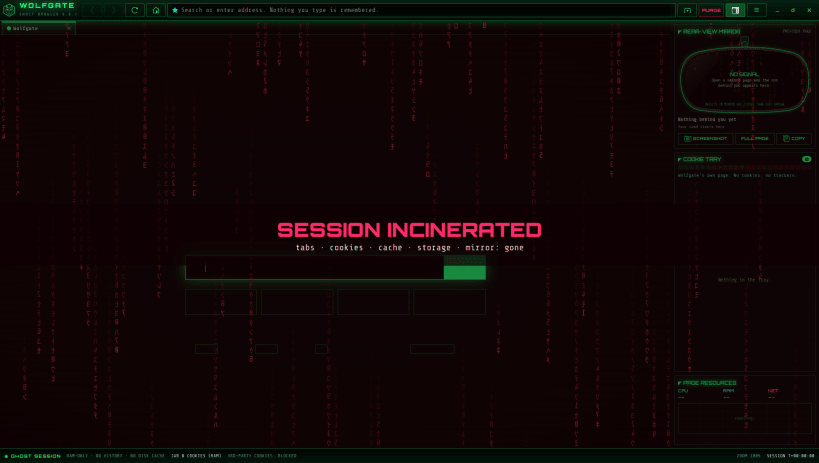
Wolfgate Browser (monkeys edition) is a privacy browser with a cyberpunk look and Matrix digital rain. Every session is a ghost session: nothing you do is ever saved.
★ Nothing survives the session • Cookies, cache, local storage, IndexedDB and logins live only in RAM, in an ephemeral WebKit context that never touches the disk • No history, bookmarks, session restore, favicon cache, form data or "recent files" list, not even the window size • Any scratch files go to a private RAM folder that is deleted on exit • PURGE (Ctrl+Shift+Delete) incinerates everything at once without closing the window
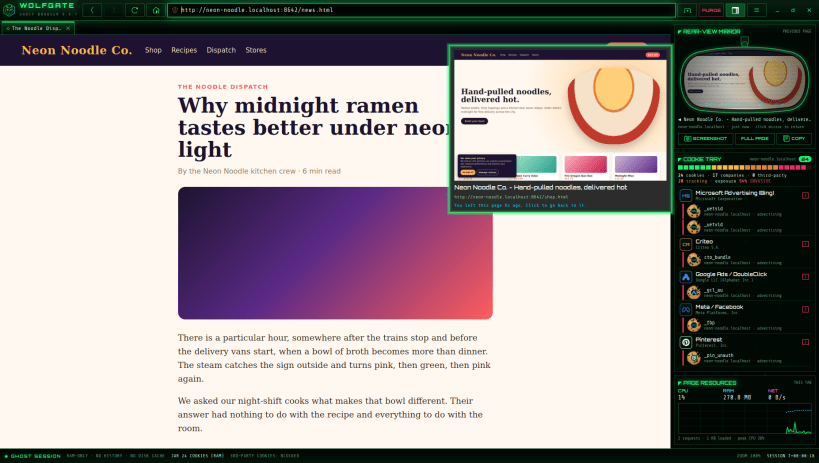
★ Rear-view mirror A side panel holds a small live picture of the page you were on before this one, framed like a car mirror. Hover it for a bigger view; click it to go back there.
Under the mirror, three buttons take a screenshot of the visible page or the whole page (saved where you choose), or copy it to the clipboard.
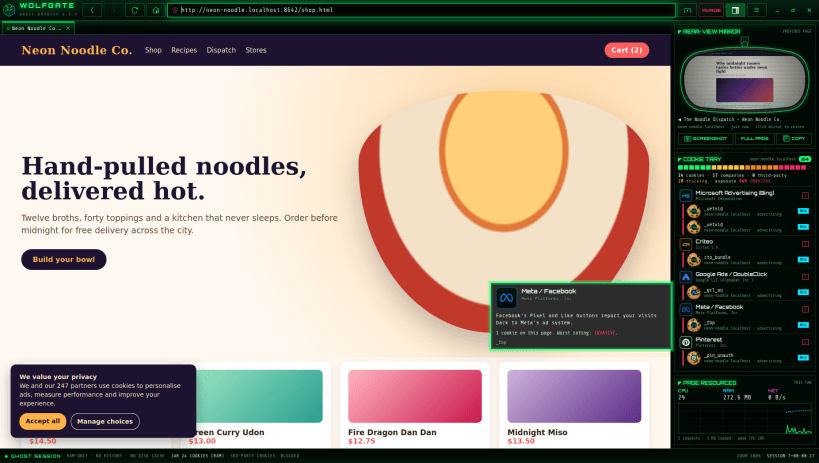
★ Cookie tray The cookie tray lists every cookie the current page is pushing onto you, each drawn as a cookie with the logo of the company behind it stamped on top: Google, Meta, Microsoft, Amazon, TikTok, Criteo, Hotjar, Cloudflare and over 120 more. The kind of cookie tells you what it does at a glance: chocolate chip for advertising, oatmeal raisin for analytics, frosted for social networks, jam thumbprint for fingerprinting bot checks, shortbread for logins and sessions. Hover any cookie for a card that explains what it is for, who sets it, whether it is first or third party, how long it wanted to stay and its security flags. A risk meter scores the page, and a strip shows the tracking companies the page contacted.
★ Page resources Under the cookie tray, a live graph shows how hard the page is working: the CPU and memory of its web process and the data it is downloading, over the last 90 seconds.
★ Locked down by default • Third-party cookies blocked (switchable, to see what trackers try) • WebRTC off, so your local IP address can't leak • Location, camera, microphone, notification and similar requests denied • No hyperlink-auditing pings; sites can't hand you off to other apps • Search with DuckDuckGo, Startpage, Brave Search or Mojeek
Keys: Ctrl+T new tab, Ctrl+L address bar F9 side panel, Ctrl+F find, Ctrl+Shift+S screenshot Ctrl+Shift+Delete purge Ctrl+Q quit (and burn the session)
Wolfgate has no telemetry, no accounts and no servers of its own. All brand names and logos belong to their owners and are shown only to identify who sets a cookie.
| Revision | Channel | Version | Build | Commit | Download SBOM |
|---|
The build and commit information is derived from build infrastructure records.
Install Wolfgate Browser on your Linux distribution
Choose your Linux distribution to get detailed installation instructions. If yours is not shown, get more details on the installing snapd documentation.











