

Wolvix Player
Install latest/stable of Wolvix Player
Ubuntu 16.04 or later?
Make sure snap support is enabled in your Desktop store.
Install using the command line
sudo snap install wolvix-playerDon't have snapd? Get set up for snaps.

Details for Wolvix Player
Package name
- wolvix-player
License
- Proprietary
Last updated
- Yesterday - latest/stable
- Yesterday - latest/edge
Websites
Contact
Report a bug
External link warning
You are about to open
Do you wish to proceed?
Report a Snap Store violation
Report Wolvix Player for a Snap Store violation
Snap Store Violation Report submitted successfully
Thank you for your report. Information you provided will help us investigate further.
Error submitting report
There was an error while sending your report. Please try again later.
Share this snap
Generate an embeddable card to be shared on external websites.
IPTV player for Linux: M3U, M3U8, Xtream Codes, live TV, EPG, recording
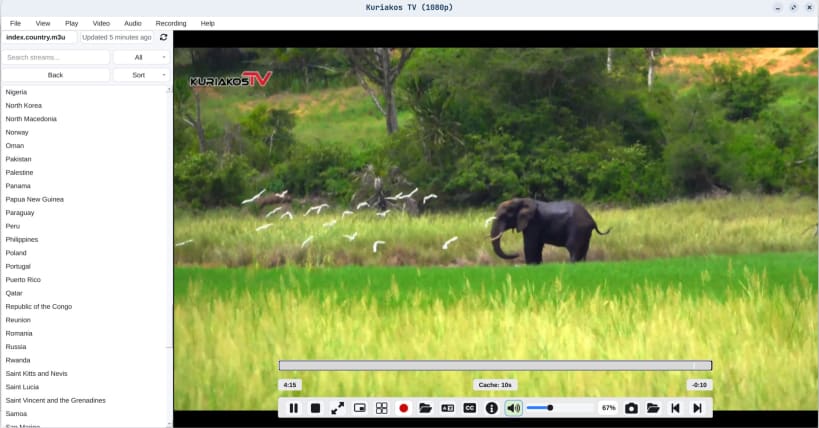
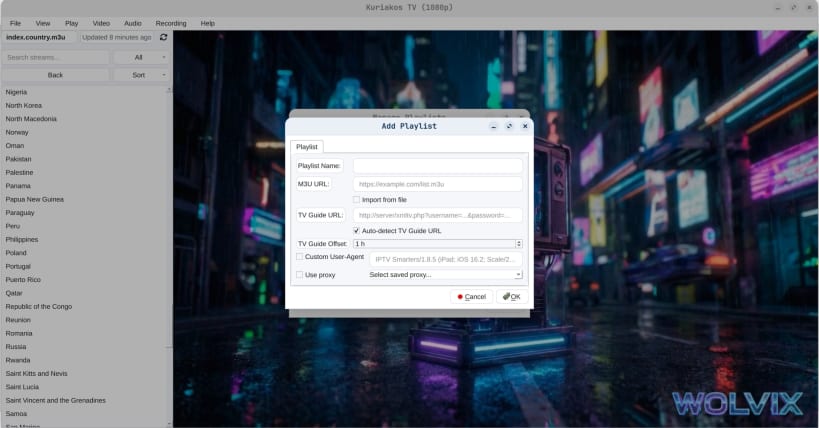
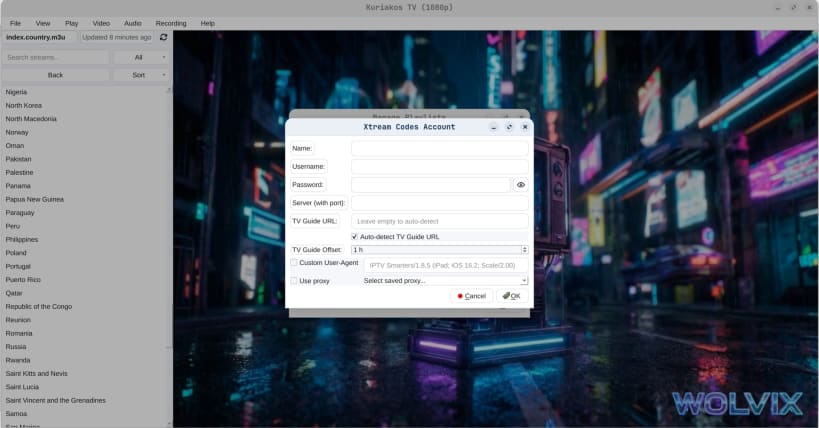
Wolvix Player is an IPTV player for M3U, M3U8 and Xtream Codes playlists.
Load a playlist by URL or from a file, or sign in with an Xtream Codes account, then browse live TV channels with a full EPG program guide. The Global TV Guide shows what is on across every channel at once. Search your playlist and mark favourites, so a list with thousands of channels stays usable.
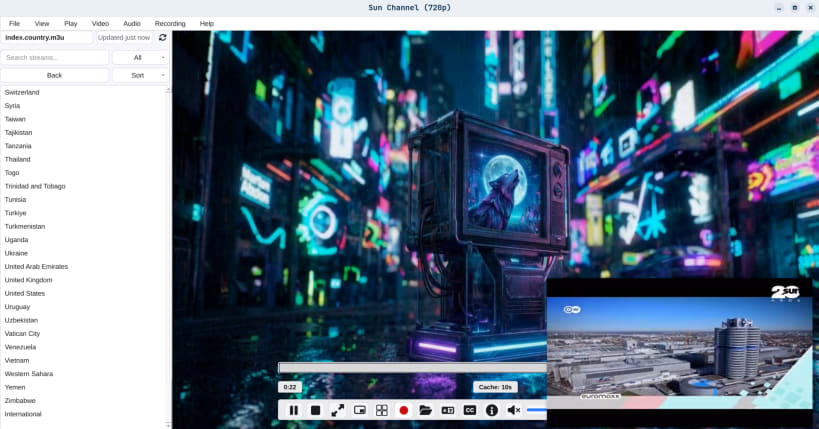
Watch up to twelve streams at once in Multi-View, record a stream to disk, pop a channel out in Picture-in-Picture, and switch subtitles and audio tracks as you go.
Wolvix Player does not provide any channels, streams or playlists. It is a player for sources you supply yourself.
Free
- Two playlists
- M3U, M3U8 and Xtream Codes
- EPG program guide per channel
- Favourites, search, subtitles and multiple audio tracks
Pro
- Unlimited playlists
- Global TV Guide across every channel at once
- Multi-View, up to twelve streams at once
- Picture-in-Picture
- Recording
- Startup actions, config import and export
- No watermark
Pro is a one-time purchase, not a subscription. Available in 12 languages.
| Revision | Channel | Version | Build | Commit | Download SBOM |
|---|
The build and commit information is derived from build infrastructure records.
Install Wolvix Player on your Linux distribution
Choose your Linux distribution to get detailed installation instructions. If yours is not shown, get more details on the installing snapd documentation.


