

World Clock Planner
Install latest/stable of World Clock Planner
Ubuntu 16.04 or later?
Make sure snap support is enabled in your Desktop store.
Install using the command line
sudo snap install world-clock-plannerDon't have snapd? Get set up for snaps.
Details for World Clock Planner
Package name
- world-clock-planner
License
- MIT
Last updated
- Today - latest/stable
Websites
Contact
External link warning
You are about to open
Do you wish to proceed?
Report a Snap Store violation
Report World Clock Planner for a Snap Store violation
Snap Store Violation Report submitted successfully
Thank you for your report. Information you provided will help us investigate further.
Error submitting report
There was an error while sending your report. Please try again later.
Share this snap
Generate an embeddable card to be shared on external websites.
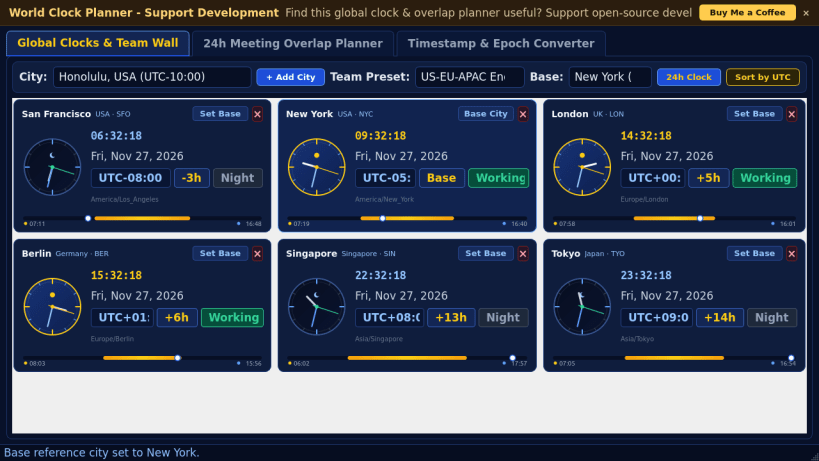
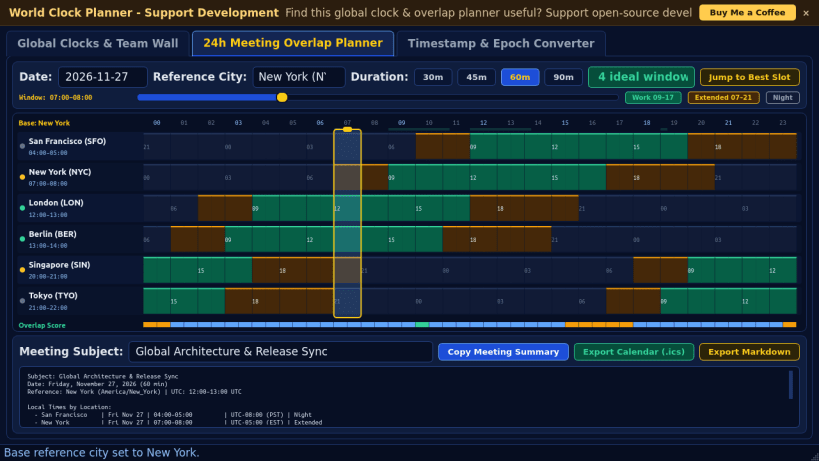
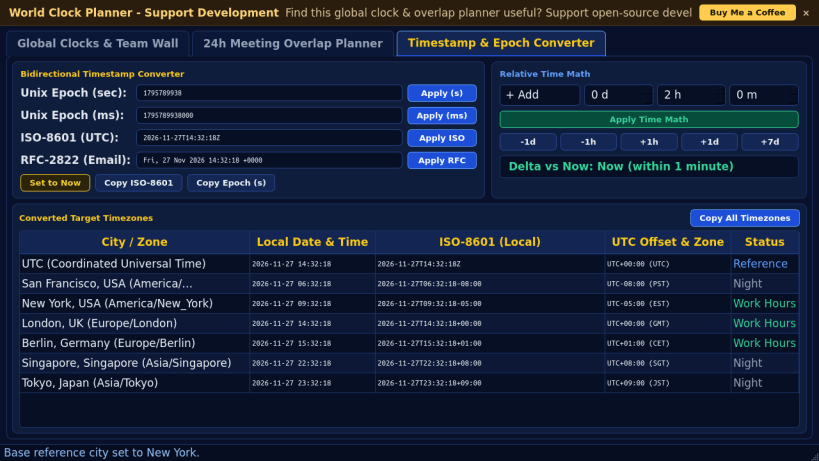
Global world clock wall, 24h meeting overlap planner, and epoch converter
World Clock Planner is an offline global time zone wall, interactive 24-hour meeting overlap planner, and timestamp converter for distributed teams.
Key features:
- Global Clocks & Team Wall: Monitor 38+ major global IANA cities with custom analog and digital clock cards, automatic daylight vs. night dials, UTC offset and DST badges, relative hour offsets, sunrise/sunset arcs, and one-click team presets.
- 24h Meeting Overlap Planner: Drag a live meeting window across a color-coded 24-hour multi-city working hours matrix, discover ideal team overlap windows automatically, preview multi-timezone invites, and export calendar (.ics) or Markdown summaries.
- Timestamp & Epoch Converter: Convert bidirectionally between Unix Epoch (seconds and milliseconds), ISO-8601, RFC-2822, and active team timezones with relative time math.
| Revision | Channel | Version | Build | Commit | Download SBOM |
|---|
The build and commit information is derived from build infrastructure records.
Install World Clock Planner on your Linux distribution
Choose your Linux distribution to get detailed installation instructions. If yours is not shown, get more details on the installing snapd documentation.











