

DroidDeck (adb-deck)
Install latest/stable of DroidDeck
Ubuntu 16.04 or later?
Make sure snap support is enabled in your Desktop store.
Details for DroidDeck
Package name
- adb-deck
License
- MIT
Last updated
- 2 November 2026 - latest/stable
Websites
Contact
Source code
Report a bug
External link warning
You are about to open
Do you wish to proceed?
Report a Snap Store violation
Report DroidDeck for a Snap Store violation
Snap Store Violation Report submitted successfully
Thank you for your report. Information you provided will help us investigate further.
Error submitting report
There was an error while sending your report. Please try again later.
Share this snap
Generate an embeddable card to be shared on external websites.
ADB command center for your Linux desktop
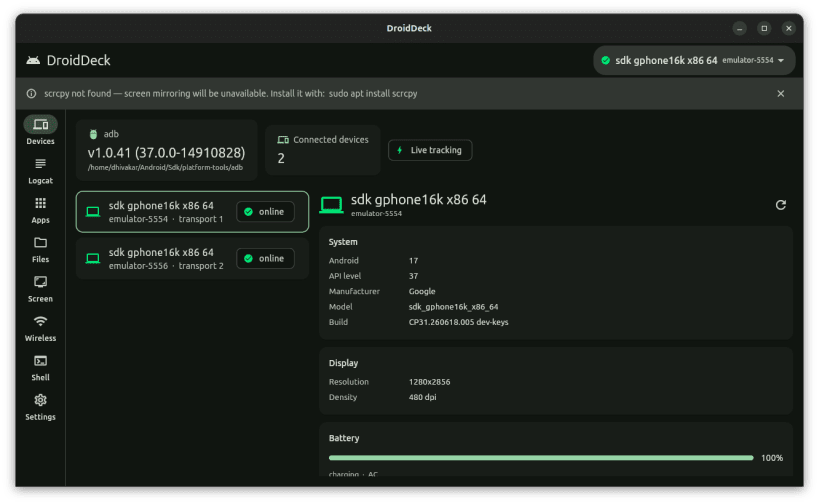
DroidDeck is a Linux desktop app that puts a graphical front end on adb, the Android Debug Bridge. It is for people who ship Android apps: check a device, read its log, install a build or move a file without retyping commands or tracking serial numbers.
Features
- Live device dashboard with Android version, API level, battery, resolution, density and IP address
- Logcat viewer with a 50,000-line buffer and filters for priority, tag, text and package
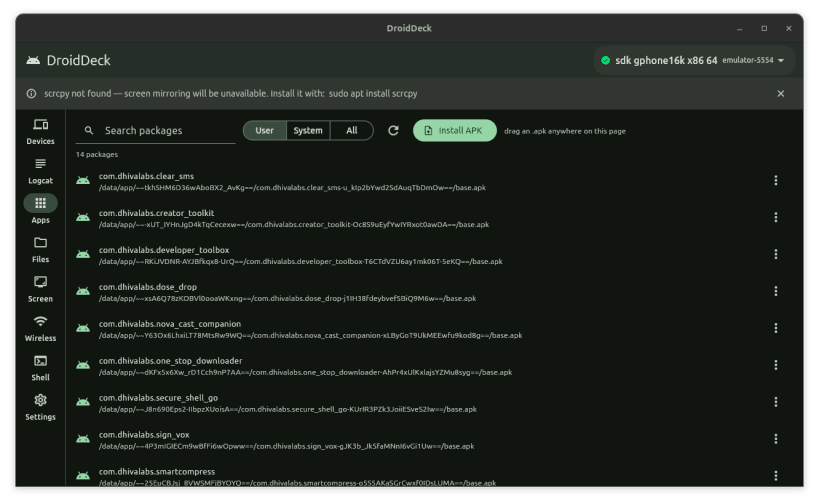
- App manager: launch, force-stop, clear data, uninstall, install APKs by drag and drop, extract base and split APKs
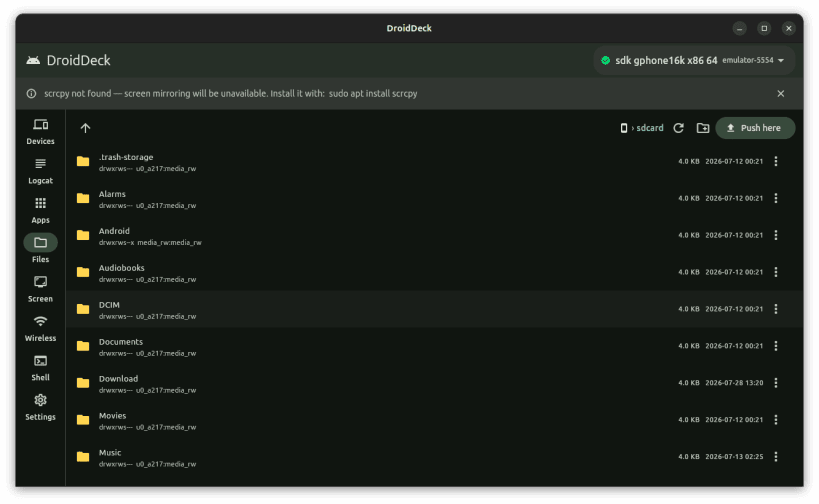
- Device file explorer: drag-and-drop push, pull to Downloads, new folder, rename, delete
- Screenshots and screen recordings of up to 3 minutes per clip
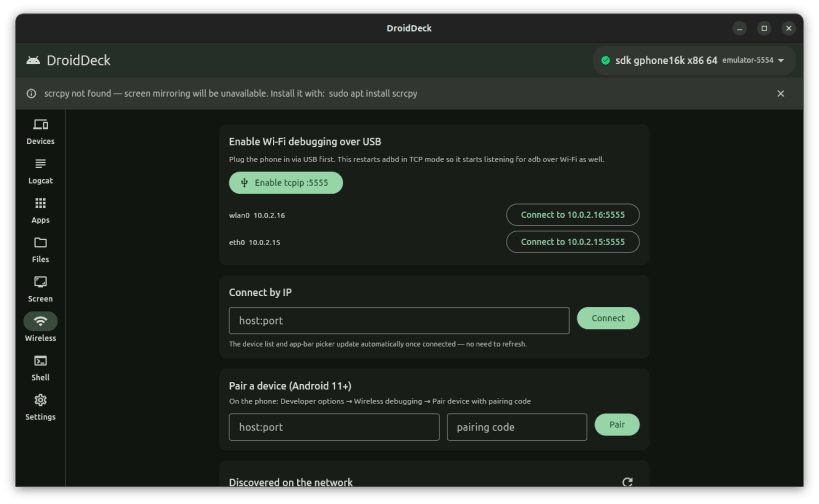
- Wireless debugging: Android 11+ pairing code, connect by IP, tcpip mode, saved devices for one-click reconnect
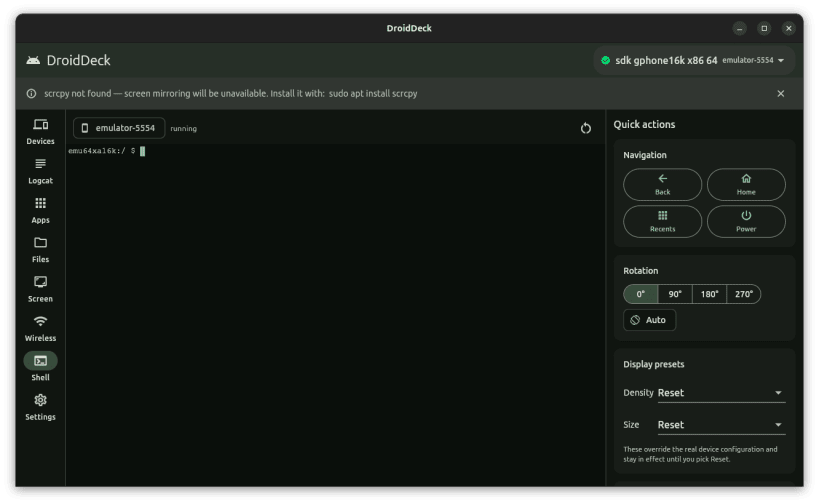
- Interactive adb shell in a real terminal, with quick actions for navigation keys, rotation and display presets
- Runs on x86-64 and ARM64 Linux
Snap notes adb ships inside the snap, so nothing else needs installing. As a strictly confined snap it reaches USB devices only through an interface that must be connected once after install:
sudo snap connect adb-deck:adb-support
Then unplug and replug the phone if it was already connected. If it is still not detected, its USB vendor is probably missing from that interface's list; connect the broader one as well:
sudo snap connect adb-deck:raw-usb
Pulled files, screenshots and recordings go to folders in your home directory. To use them on removable drives as well:
sudo snap connect adb-deck:removable-media
Things that differ from a normal install:
- The phone is asked to authorise this computer separately from any adb you run outside the snap.
- Devices on the network are not discovered automatically; enter the address and port shown on the phone.
- Screen mirroring needs scrcpy, which is not part of this snap.
- The adb server keeps running after you close the window. Stop it with
adb-deck.adb kill-server;adb-deck.adbis the same adb the app uses.
MIT licensed. Source: https://github.com/Dhiva-Labs/DroidDeck
A Dhiva Labs project.
| Revision | Channel | Version | Build | Commit | Download SBOM |
|---|
The build and commit information is derived from build infrastructure records.
Install DroidDeck on your Linux distribution
Choose your Linux distribution to get detailed installation instructions. If yours is not shown, get more details on the installing snapd documentation.












