

CTFreak
Install latest/stable of CTFreak
Ubuntu 16.04 or later?
Make sure snap support is enabled in your Desktop store.
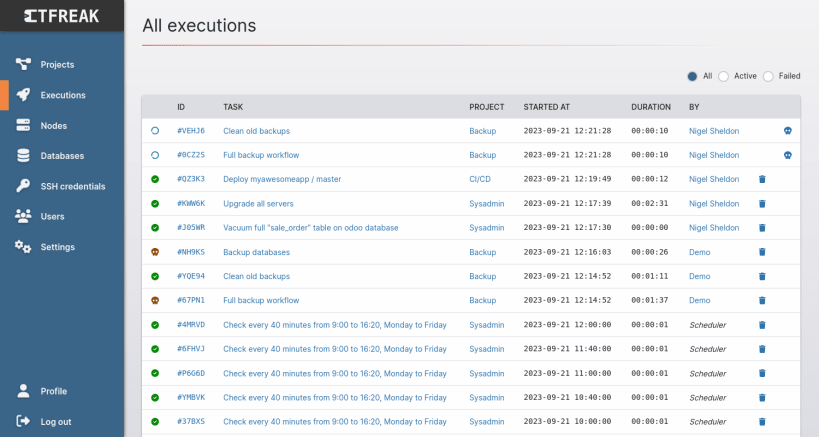
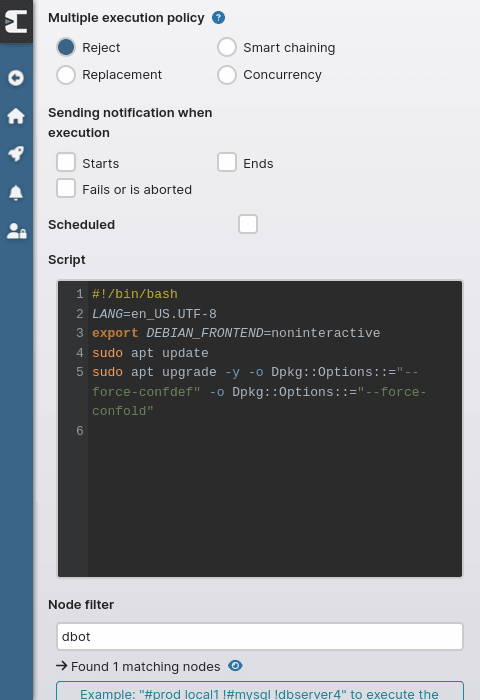
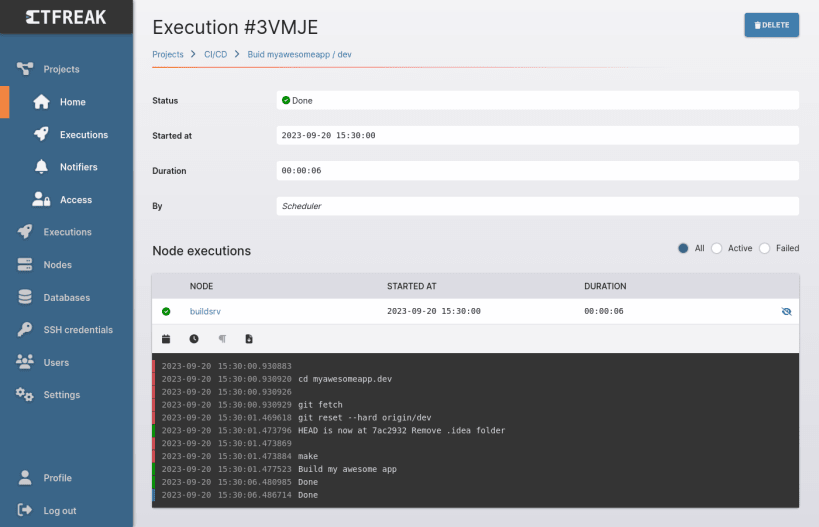
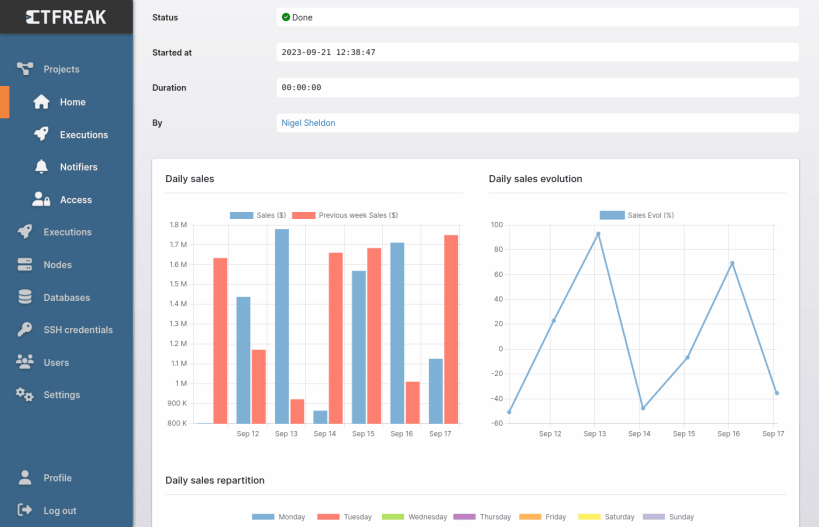
Details for CTFreak
Package name
- ctfreak
License
- Proprietary
Last updated
- 14 October 2026 - latest/stable
Websites
External link warning
You are about to open
Do you wish to proceed?
Report a Snap Store violation
Report CTFreak for a Snap Store violation
Snap Store Violation Report submitted successfully
Thank you for your report. Information you provided will help us investigate further.
Error submitting report
There was an error while sending your report. Please try again later.
Share this snap
Generate an embeddable card to be shared on external websites.
IT task scheduler for concurrent and remote executions
CTFreak provides you with a mobile-friendly web interface to :
- Get rid of all unix crontabs and windows task schedulers.
- Update thousands of unix and windows servers.
- Set up a self-hosted CI/CD pipeline.
- Manage distributed computing workflows.
- Quickly generate sales reports for your CEO.
- Enable business users to safely launch IT tasks.
By scheduling various types of tasks:
- Local command task to run a command directly on the host server.
- Command task to run a command on several servers.
- Bash script task to run a bash script on several unix servers.
- Powershell script task to run a powershell script on several windows servers.
- Ansible playbook task to run an ansible playbook targeting several servers (not available through snap install).
- SQL script task to run a SQL script on several databases.
- SQL report task to generate reports with tables and charts based on SQL queries.
- HTTP Request task to call API endpoints (webhook, ping, …).
- Workflow task to execute other tasks (sequentially or concurrently).
And by sending notifications (slack, teams, telegram, mattermost, discord, email, github, jira, linear, youtrack) based on their executions.
Demo instance: https://demo.ctfreak.com/#/login/demo
Docs: https://ctfreak.com/docs
Once installed, open a browser at http://localhost:6700 and log in with default user/password: admin/ctfreak
NB: For production use, we strongly recommend:
- Disabling automatic updates using:
snap refresh --hold=forever ctfreak - Manually initiating updates using
snap refresh ctfreak
This will prevent automatic updates from interrupting tasks that are currently running.
| Revision | Channel | Version | Build | Commit | Download SBOM |
|---|
The build and commit information is derived from build infrastructure records.
Install CTFreak on your Linux distribution
Choose your Linux distribution to get detailed installation instructions. If yours is not shown, get more details on the installing snapd documentation.











