

FileFly
Install latest/stable of FileFly
Ubuntu 16.04 or later?
Make sure snap support is enabled in your Desktop store.

Details for FileFly
Package name
- filefly
License
- Proprietary
Last updated
- 30 August 2026 - latest/stable
- 30 August 2026 - latest/edge
Websites
Contact
External link warning
You are about to open
Do you wish to proceed?
Report a Snap Store violation
Report FileFly for a Snap Store violation
Snap Store Violation Report submitted successfully
Thank you for your report. Information you provided will help us investigate further.
Error submitting report
There was an error while sending your report. Please try again later.
Share this snap
Generate an embeddable card to be shared on external websites.
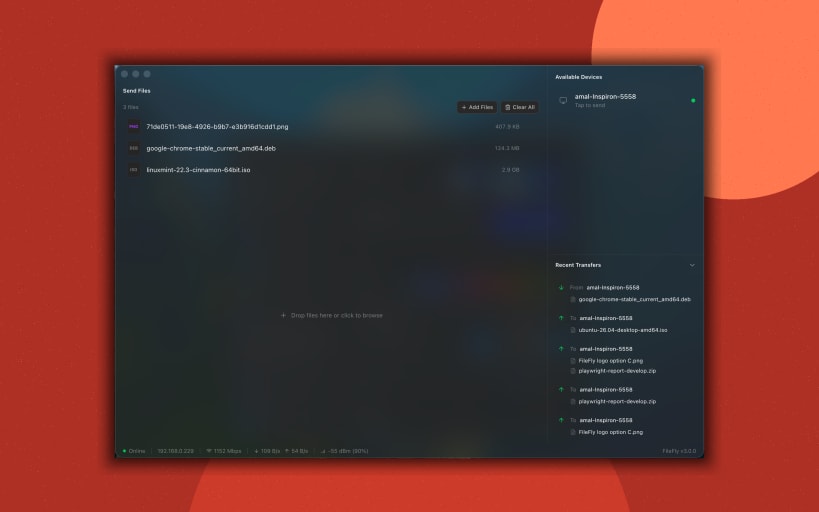
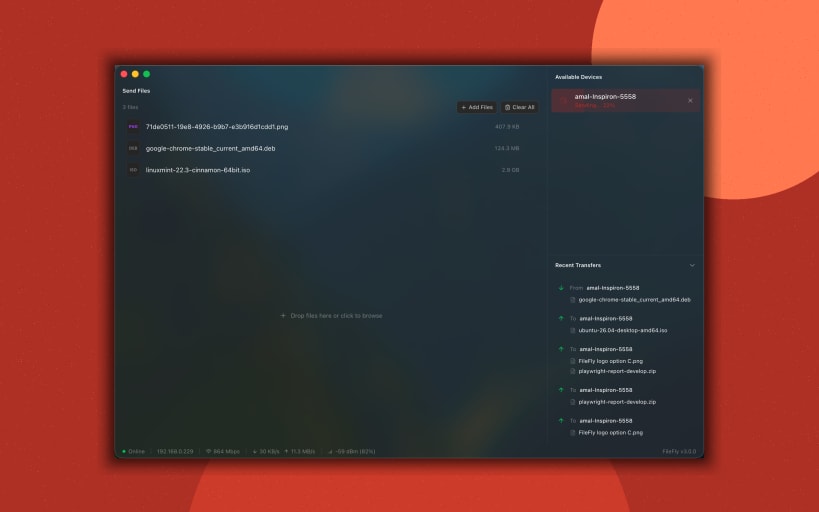
Share files between Windows, Mac, and Linux devices on the network
FileFly is a fast, private, peer-to-peer file sharing app for your local network. Send photos, documents, videos, and entire folders directly between your Windows, macOS, and Linux devices over the same WiFi or LAN — with no cloud, no accounts, and no internet connection required.
Files travel straight from one device to another. Nothing is uploaded to a third-party server, so your data never leaves your network.
Why FileFly
- No internet needed — works entirely on your local WiFi or wired LAN
- No cloud, no accounts, no sign-up, no file size caps from a server
- Send whole folders — nested subfolders arrive with their structure intact
- Truly cross-platform — Windows ⇄ macOS ⇄ Linux, in any combination
- Automatic device discovery — nearby devices appear on their own
- Drag-and-drop simplicity — drop files or folders, pick a device, send
- Private by design — files go device-to-device, never through a server
How it works
- Open FileFly on two or more devices connected to the same network.
- Devices discover each other automatically.
- Drag your files or folders onto FileFly — or use Browse files and Choose folder — then pick where to send them.
- The receiving device approves the transfer — then everything arrives directly in the chosen download folder.
Every transfer is consent-based: the person receiving always approves before anything is sent, so you're never surprised by an incoming file.
Folder transfers
Drop a folder — or a mix of files and folders — and FileFly walks it for you, sending every file inside while keeping the layout exactly as it was. On the receiving end the folder is rebuilt as it arrived, in its own place in your downloads folder. Nothing is merged into an existing folder and nothing is overwritten: a second copy simply lands alongside the first. Both devices need FileFly 3.3 or later to preserve folder structure.
Great for
- Moving whole project folders and photo libraries between your own machines
- Sharing with people sitting next to you, without messaging apps or USB
- Offices, classrooms, and home networks where the cloud is overkill
- Anywhere privacy matters and files should stay on the local network
Learn more at https://www.fileflyapp.com/
| Revision | Channel | Version | Build | Commit | Download SBOM |
|---|
The build and commit information is derived from build infrastructure records.
Install FileFly on your Linux distribution
Choose your Linux distribution to get detailed installation instructions. If yours is not shown, get more details on the installing snapd documentation.











