

NV Broadcast (nvbroadcast)
Install latest/stable of NV Broadcast
Ubuntu 16.04 or later?
Make sure snap support is enabled in your Desktop store.
Install using the command line
sudo snap install nvbroadcastDon't have snapd? Get set up for snaps.


Details for NV Broadcast
Package name
- nvbroadcast
License
- GPL-3.0-or-later
Last updated
- 9 October 2026 - latest/stable
- 8 October 2026 - latest/candidate
Websites
Contact
Donations
Source code
Report a bug
External link warning
You are about to open
Do you wish to proceed?
Report a Snap Store violation
Report NV Broadcast for a Snap Store violation
Snap Store Violation Report submitted successfully
Thank you for your report. Information you provided will help us investigate further.
Error submitting report
There was an error while sending your report. Please try again later.
Share this snap
Generate an embeddable card to be shared on external websites.
AI virtual camera with background effects and noise removal for Linux
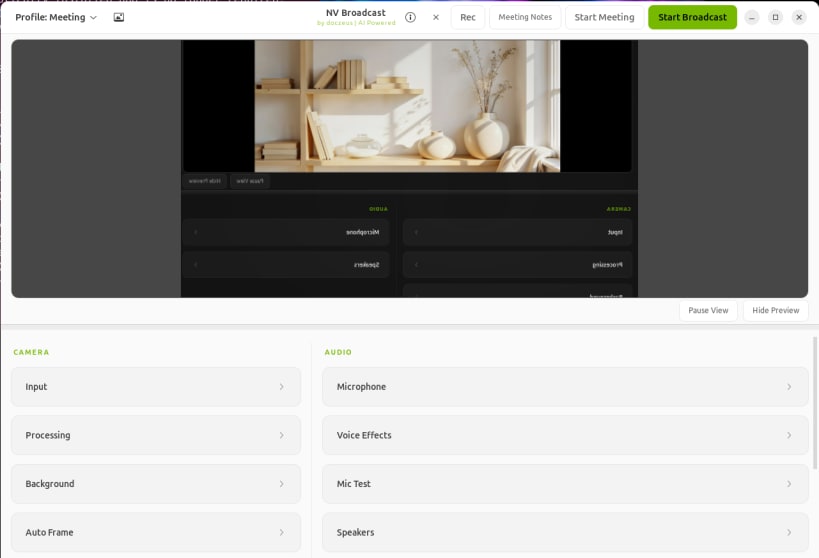
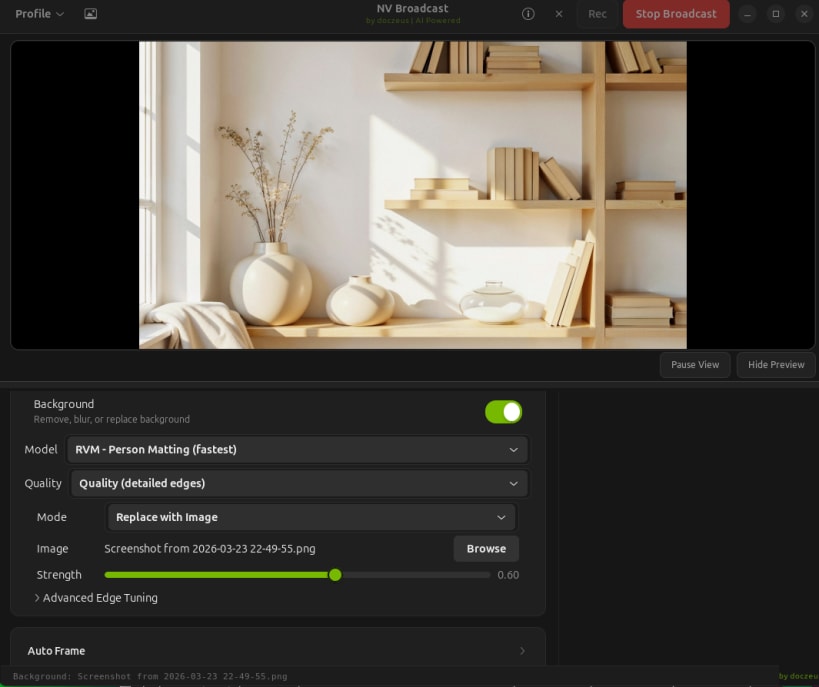
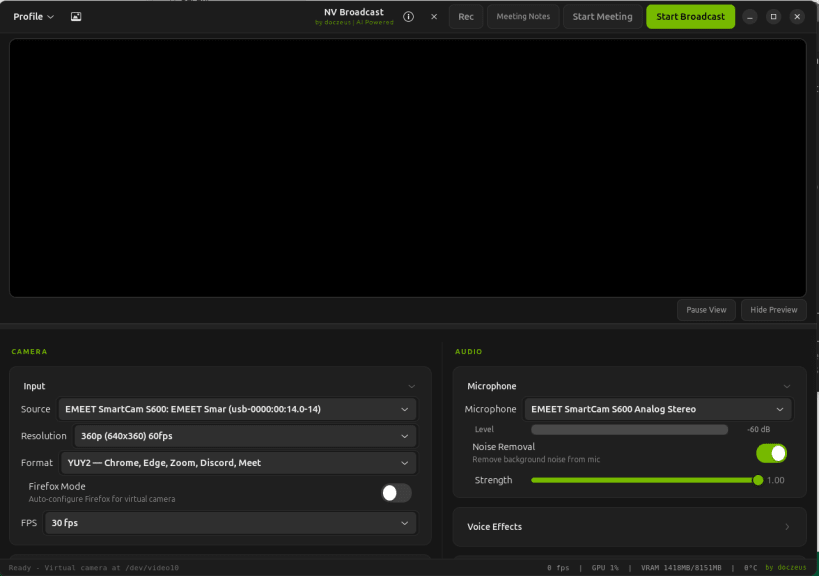
NV Broadcast is an AI-powered virtual camera and voice enhancement app for Linux. It brings background blur, background replace, green-screen remove, eye contact correction, face relighting, video enhancement, recording, and local meeting transcription into one app.
What's new in v1.5.3:
- Keeps Camera, Audio, and preview controls usable in small windows.
- Preserves video and microphone audio in MP4 recordings, including when effects are disabled or changed during capture.
- Saves recordings in the desktop Videos folder and provides folder actions.
- Recovers processing choices after temporary GPU memory pressure and allows first-use GPU checks to finish compiling their kernels.
- Discovers cameras connected after startup and improves moving finger gaps and background edges at the tested settings.
- Verifies pinned meeting-model downloads and supports TensorRT libraries with Python 3.14 on supported Linux systems.
Retained reliability features:
- Retries advertised camera formats when the preferred mode cannot start.
- Restores the selected microphone and keeps Start/Stop controls aligned with the actual broadcast state.
- Verifies runtime ownership and real inference before enabling GPU modes.
- Provides local meeting transcription and cumulative contributor credits.
- Supplies checksums, build provenance, and a helper for affected legacy native-package upgrades.
Recent quality updates:
- v1.4.0 adds rebindable global effect shortcuts, Gaze Lock, live camera switching, crash-safe processing reloads, and improved hair-edge and microphone behavior.
- v1.3.0 adds a device-resident NVIDIA video path, stronger blur controls, safe camera and microphone power saving, corrected Apple Silicon camera selection, and cleaner sunlit replacement edges.
- Compute selection lets users choose Auto, GPU Focused, or CPU Focused behavior. GPU Focused selects the DocZeus/CUDA path when available, while CPU Focused keeps users on CPU modes when preferred.
- The arm64 Snap build stays portable and CPU-safe until Linux arm64 GPU wheels are available from upstream providers.
Core features:
- Blur your background
- Replace your background with an image
- Remove your background for green-screen workflows
- Eye contact correction while reading or presenting
- Face relighting to better match the background
- Video enhancement with skin smooth, denoise, enhance, and sharpen controls
- Voice studio tools plus local AI meeting transcription and summaries
- DocZeus, Zeus, Killer, CUDA, and CPU processing modes for different systems
- Works with Zoom, Chrome, OBS, Discord, and other webcam apps
For install guides, release downloads, feature breakdowns, and upgrade instructions, visit the official website: https://nvbroadcast.com
| Revision | Channel | Version | Build | Commit | Download SBOM |
|---|
The build and commit information is derived from build infrastructure records.
Install NV Broadcast on your Linux distribution
Choose your Linux distribution to get detailed installation instructions. If yours is not shown, get more details on the installing snapd documentation.












