

Samsung Studio
Install latest/stable of Samsung Studio
Ubuntu 16.04 or later?
Make sure snap support is enabled in your Desktop store.
Install using the command line
sudo snap install samsung-studioDon't have snapd? Get set up for snaps.
Details for Samsung Studio
Package name
- samsung-studio
License
- MIT
Last updated
- Yesterday - latest/stable
Websites
Contact
External link warning
You are about to open
Do you wish to proceed?
Report a Snap Store violation
Report Samsung Studio for a Snap Store violation
Snap Store Violation Report submitted successfully
Thank you for your report. Information you provided will help us investigate further.
Error submitting report
There was an error while sending your report. Please try again later.
Share this snap
Generate an embeddable card to be shared on external websites.
Print and scan with Samsung laser printers on Linux
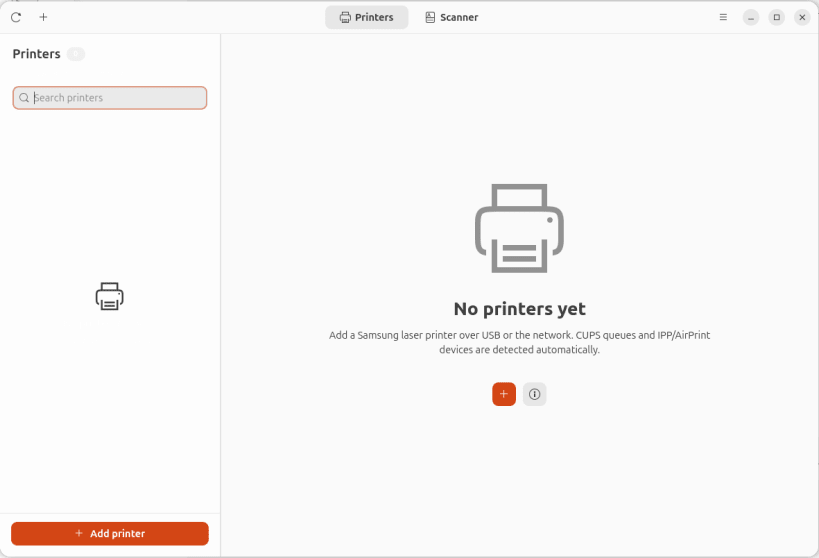
Samsung Studio is a native GTK 4 application for printing and scanning with Samsung laser printers and multifunction devices on Linux.
It is a friendly front end for the CUPS and SANE stacks already running on your computer, with a clean dashboard for queues, supplies, jobs and scans.
Features:
- Printer dashboard with live state, model, location, supplies and jobs
- Add USB and network printers, with driverless IPP or installed PPDs
- Print files and a generated test page; pause, resume and cancel jobs
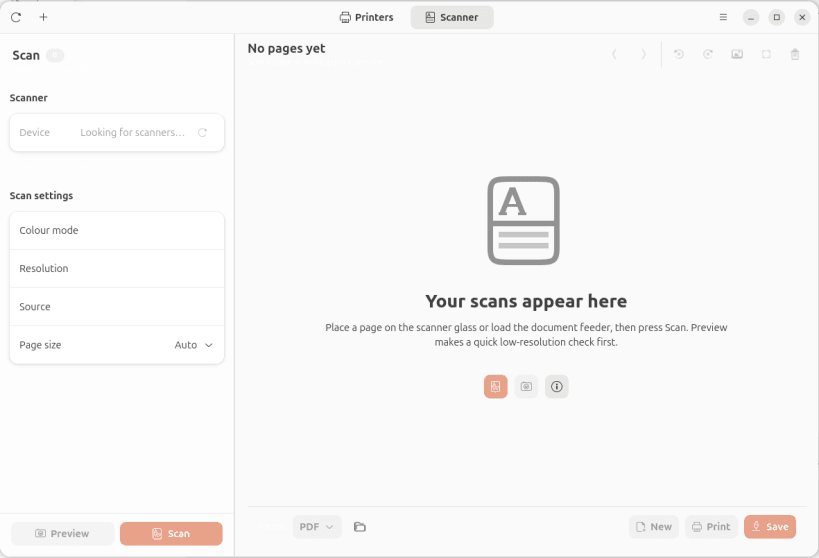
- Scan from flatbed and ADF scanners with preview and multi-page documents
- Rotate, auto-enhance and trim scanned pages
- Export scans to PDF, PNG or JPEG, or print them directly
- Samsung-aware detection and friendly model names
The snap includes the driverless AirScan and Xerox MFP SANE backends. Samsung's proprietary Unified Linux Driver (smfp) is not bundled; models that require it need the per-user install or a distribution package. Printing uses the drivers installed on the host through CUPS.
Samsung is a trademark of Samsung Electronics. This project is not affiliated with or endorsed by Samsung.
| Revision | Channel | Version | Build | Commit | Download SBOM |
|---|
The build and commit information is derived from build infrastructure records.
Install Samsung Studio on your Linux distribution
Choose your Linux distribution to get detailed installation instructions. If yours is not shown, get more details on the installing snapd documentation.


