

Better Stickies (betterstickies)
Install latest/stable of Better Stickies
Ubuntu 16.04 or later?
Make sure snap support is enabled in your Desktop store.
Install using the command line
sudo snap install betterstickiesDon't have snapd? Get set up for snaps.
Details for Better Stickies
Package name
- betterstickies
License
- Proprietary
Last updated
- 28 October 2026 - latest/stable
Websites
Contact
Donations
Source code
Report a bug
External link warning
You are about to open
Do you wish to proceed?
Report a Snap Store violation
Report Better Stickies for a Snap Store violation
Snap Store Violation Report submitted successfully
Thank you for your report. Information you provided will help us investigate further.
Error submitting report
There was an error while sending your report. Please try again later.
Share this snap
Generate an embeddable card to be shared on external websites.
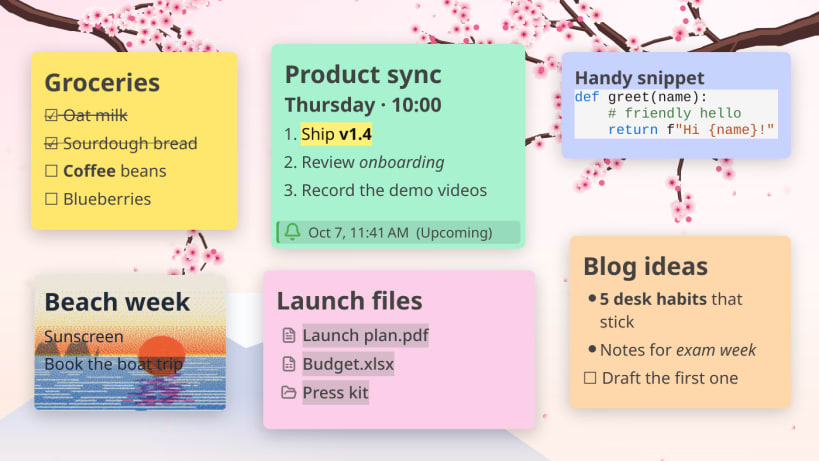
Modern sticky notes for Linux — stick files, images, code and reminders
Desktop sticky notes that stay visible while you work. Stick images, GIFs, files, folders, or anything to your desktop. Fast and offline.
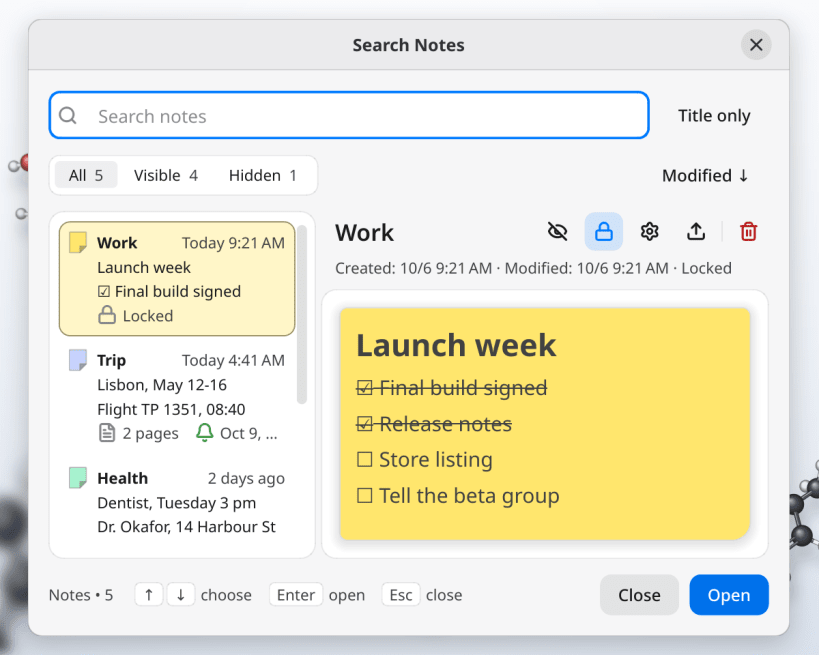
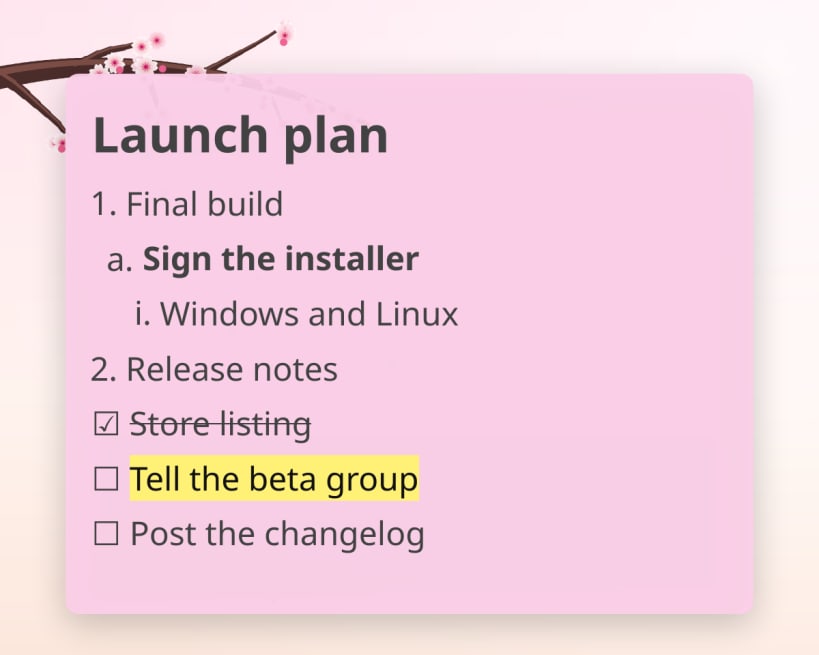
New in 1.4: • Search is now a notes browser: every note as a card with a live preview, and rename, hide, lock, export or delete it right there • Bullet and numbered lists that nest with Tab and Shift+Tab • Highlight text in six colors; underline with Ctrl+U • Align lines left, center or right; set each note's text direction • Colored code blocks: comments, strings and keywords, no setting needed • Start Better Stickies when you log in • Export a single note, named after its title • Polish translation
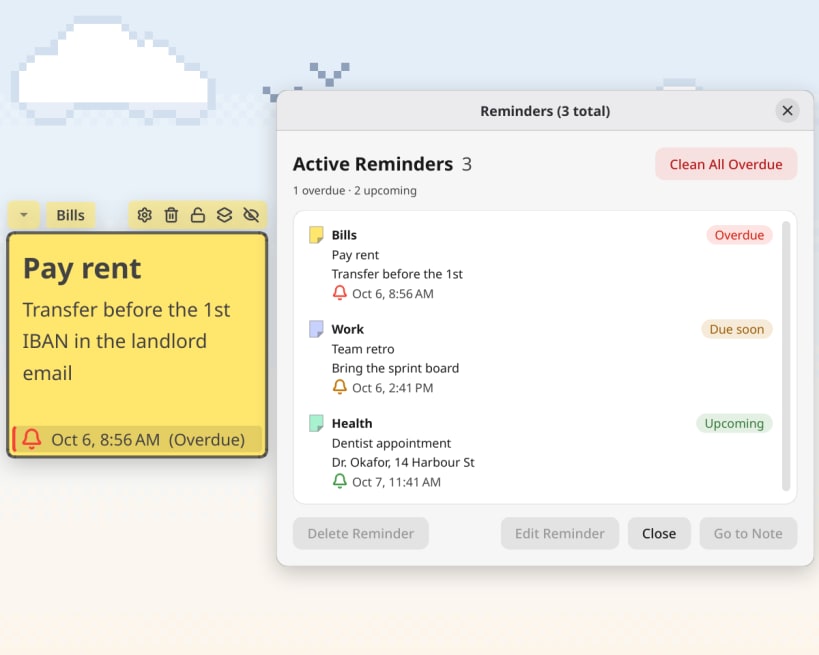
Common Use Cases: • Stick images & GIFs of loved ones, memes, or decorations • Organize desktop files and folders into small renamable links • Keep notes, to-dos and lists always visible above other windows • Set reminders with desktop notifications • Paste anything inside notes (text, code, images, files)
Features: • Up to 3 tabbed pages per note — one window, several sheets • Search every note and page, hidden ones too, with a live preview • Reminders with a status strip on the note and an overdue badge • Fully customizable: font, color, size, background images/GIFs • Drag files and folders in, rename them, drag them back out • Hover over images and PDFs to quick preview them, click to enlarge • Automatic code detection when pasting (~50ms) • Checklists, bullet and numbered lists with nesting • Snap to grid for organizing stickies on desktop • Customize the in-app keyboard shortcuts • Always on top, lock notes to fix their position and content • Export to TXT, Markdown, or JSON — no vendor lock • Daily backups of your notes • 13 languages including Arabic (right to left) and Polish • CJK input method support (ibus) • Multi-monitor support
The Snap's sandbox rules out global shortcuts, playing sound clips inside notes and KDE Activities. The AppImage has all three: https://betterstickies.com/download
Free version: 4 notes (tabs count toward the limit); every other feature unrestricted. Unlimited notes at https://betterstickies.com/pricing
| Revision | Channel | Version | Build | Commit | Download SBOM |
|---|
The build and commit information is derived from build infrastructure records.
Install Better Stickies on your Linux distribution
Choose your Linux distribution to get detailed installation instructions. If yours is not shown, get more details on the installing snapd documentation.


