

TuxPusher
Install latest/stable of TuxPusher
Ubuntu 16.04 or later?
Make sure snap support is enabled in your Desktop store.



Details for TuxPusher
Package name
- tuxpusher
License
- GPL-2.0-only
Last updated
- 1 February 2023 - latest/stable
- 11 July 2023 - latest/edge
Websites
Contact
Source code
External link warning
You are about to open
Do you wish to proceed?
Report a Snap Store violation
Report TuxPusher for a Snap Store violation
Snap Store Violation Report submitted successfully
Thank you for your report. Information you provided will help us investigate further.
Error submitting report
There was an error while sending your report. Please try again later.
Share this snap
Generate an embeddable card to be shared on external websites.
Tux themed 3D coin pusher game.
Gotta pocket 'em all, Linux Tux!
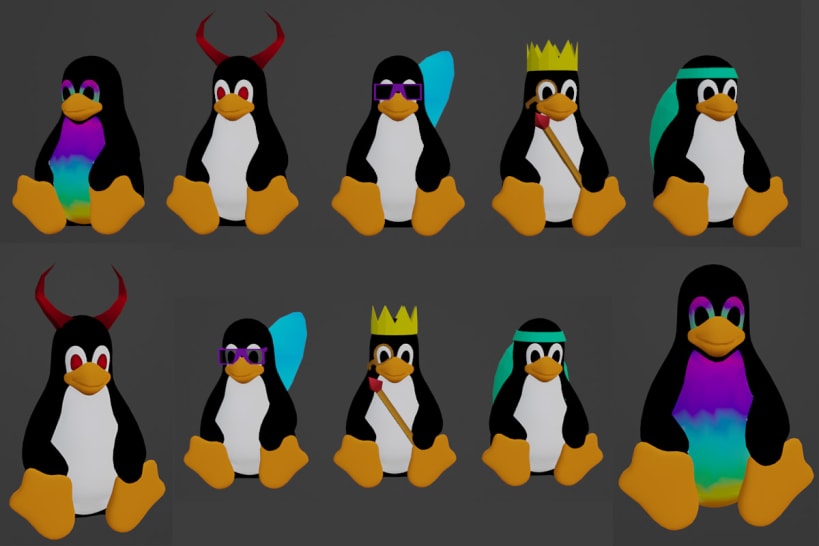
Push the 6 unique Tux figurines into the gold and silver pockets at the end of the pitch before you run out of gold and silver coins! It's always a gamble, and your starting hand is make or break!
Rules Game mechanics that will serve you well to know and use to your advantage.
- Getting a gold coin in a silver slot rewards you 2x silver coins.
- Getting a gold coin in a gold slot rewards you 2x gold coins.
- Getting a tux in a slot when you already have the tux gives you 6x gold coins and 6x silver coins.
Controls Just move around your mouse and click to release a coin.
- Left Click = Release coin.
- Right Click = Show/Hide cursor.
- C = Orthographic/Perspective.
- F = FPS to console.
Notes There is a command line option that allows you to set the coin deployment speed, but also every time you "lose" a game, the new round will start with a faster deployment speed than the last, just to keep things exciting. ;)
WebGL Version: https://TuxPusher.com or https://tuxpusher.github.io
| Revision | Channel | Version | Build | Commit | Download SBOM |
|---|
The build and commit information is derived from build infrastructure records.
Install TuxPusher on your Linux distribution
Choose your Linux distribution to get detailed installation instructions. If yours is not shown, get more details on the installing snapd documentation.












