

Arduino IDE (arduino)

Contact us about Snaps and IoT ›
Install latest/stable of Arduino IDE
Ubuntu 16.04 or later?
Make sure snap support is enabled in your Desktop store.


Details for Arduino IDE
Package name
- arduino
License
- GPL-2.0
Last updated
- 4 December 2022 - latest/stable
- 11 October 2023 - latest/edge
Websites
Contact
External link warning
You are about to open
Do you wish to proceed?
Report a Snap Store violation
Report Arduino IDE for a Snap Store violation
Snap Store Violation Report submitted successfully
Thank you for your report. Information you provided will help us investigate further.
Error submitting report
There was an error while sending your report. Please try again later.
Share this snap
Generate an embeddable card to be shared on external websites.
Write code and upload it to your Arduino-compatible board.
Arduino is an open-source physical computing platform based on a simple I/O board and a development environment that implements the Processing/Wiring language. Arduino can be used to develop stand-alone interactive objects or can be connected to software on your computer (e.g. Flash, Processing and MaxMSP). The boards can be assembled by hand or purchased preassembled at https://arduino.cc
Setup
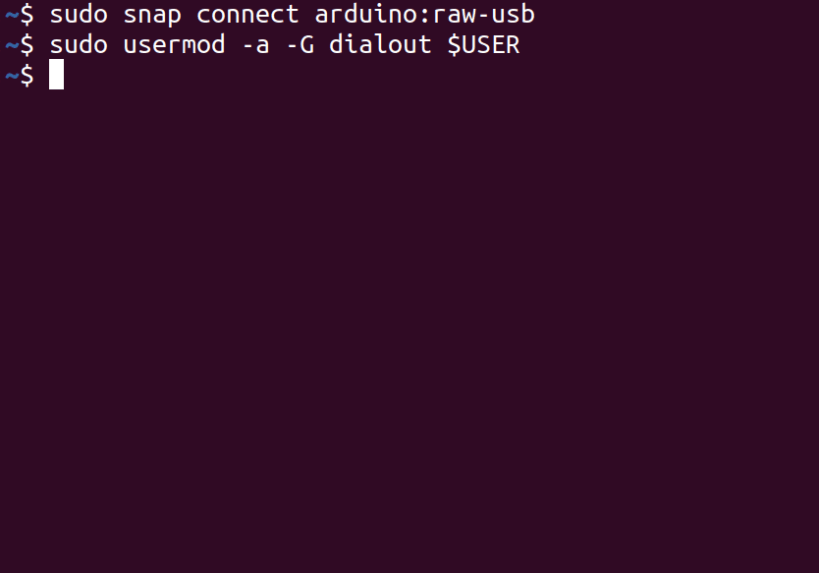
In order to upload code an arduino board over USB, you need to add your user to the dialout group. Open a terminal window, run the following command and reboot your computer.
> sudo usermod -a -G dialout $USER
Now restart your computer and you're good to go!
If you have one of the following boards, you need to grant specific permissions to your user for accessing directly the USB. This issue is more detailed [here](https://github.com/snapcrafters/arduino/issues/10#issuecomment-716683018)
- Arduino Uno WiFi Rev2, ATMEGA328
For granting this direct access:
``` echo "SUBSYSTEM=="usb", MODE="0660", GROUP="$(id -gn)"" | sudo tee /etc/udev/rules.d/00-usb-permissions.rules udevadm control --reload-rules ```
Python 3 support
This version of Arduino IDE runs in a sandbox for improved security and stability. As a result, it does not have access to the Python libraries on your device.
Python 3 and the serial library are installed inside of the sandbox so they can be used by plugins. If a plugin needs additional Python 3 libraries, you can install them using the arduino.pip command. For example, the following command installs the requests library inside of the sandbox so the Arduino IDE can use it.
> arduino.pip install requests
Python 2 is currently not supported in this package because it reached end of life on January 1st 2020. If you have hardware that requires Python 2 support, please let us know.
Are you having issues?
Let us know by creating a new issue here: https://github.com/snapcrafters/arduino/issues
| Revision | Channel | Version | Build | Commit | Download SBOM |
|---|
The build and commit information is derived from build infrastructure records.
Install Arduino IDE on your Linux distribution
Choose your Linux distribution to get detailed installation instructions. If yours is not shown, get more details on the installing snapd documentation.















