

bashtop
Install latest/stable of bashtop
Ubuntu 16.04 or later?
Make sure snap support is enabled in your Desktop store.
Details for bashtop
Package name
- bashtop
License
- Apache-2.0
Last updated
- 25 October 2022 - latest/stable
- 23 October 2022 - latest/edge
Websites
Contact
External link warning
You are about to open
Do you wish to proceed?
Report a Snap Store violation
Report bashtop for a Snap Store violation
Snap Store Violation Report submitted successfully
Thank you for your report. Information you provided will help us investigate further.
Error submitting report
There was an error while sending your report. Please try again later.
Share this snap
Generate an embeddable card to be shared on external websites.
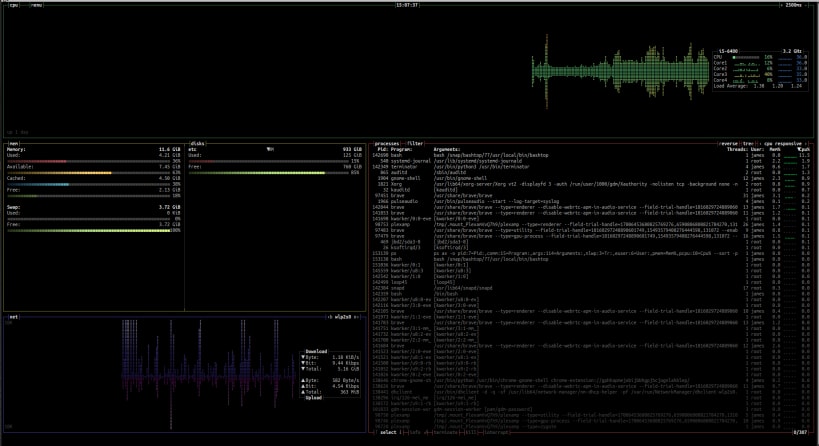
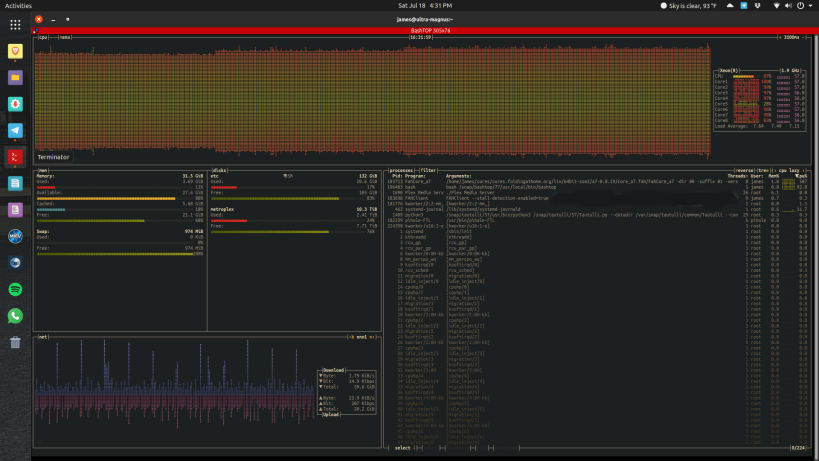
Resource monitor for your terminal
Resource monitor that shows usage and stats for processor, memory, disks, network and processes.
- Easy to use, with a game inspired menu system.
- Fast and "mostly" responsive UI with UP, DOWN keys process selection.
- Function for showing detailed stats for selected process.
- Ability to filter processes.
- Easy switching between sorting options.
- Send SIGTERM, SIGKILL, SIGINT to selected process.
- UI menu for changing all config file options.
- Auto scaling graph for network usage.
- Shows message in menu if new version is available
- Shows current read and write speeds for disks
- Multiple data collection methods which can be switched if running on Linux
Once installed, run the following commands to improve functionality: sudo snap connect bashtop:mount-observe sudo snap connect bashtop:network-observe sudo snap connect bashtop:hardware-observe sudo snap connect bashtop:system-observe sudo snap connect bashtop:process-control
| Revision | Channel | Version | Build | Commit | Download SBOM |
|---|
The build and commit information is derived from build infrastructure records.
Install bashtop on your Linux distribution
Choose your Linux distribution to get detailed installation instructions. If yours is not shown, get more details on the installing snapd documentation.












